
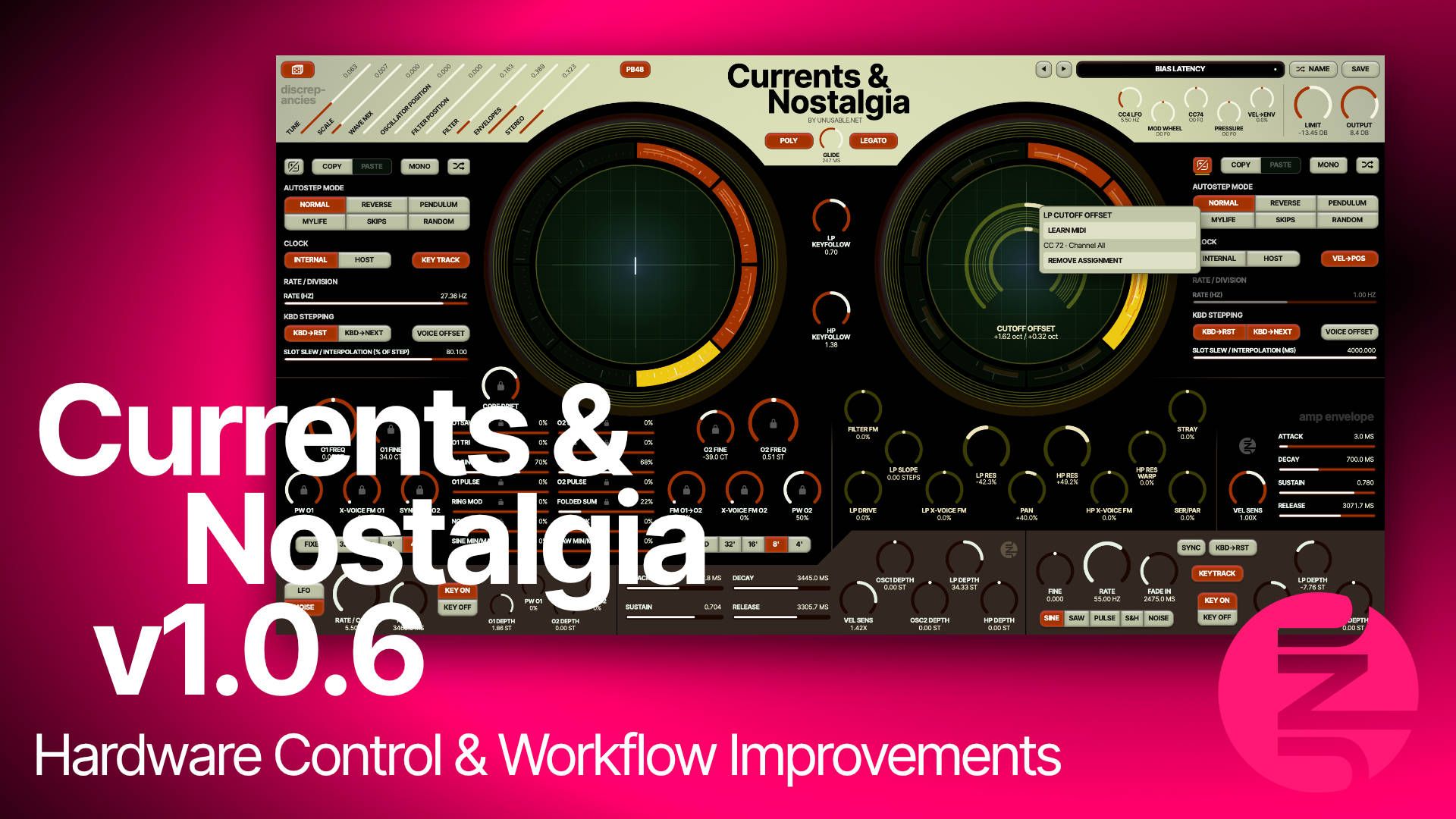
One of the first bits of feedback I got after releasing Currents & Nostalgia was about playing it from a MIDI controller. If you wanted one knob to control cutoff across all eight slots, you had to lock cutoff, which also took it out of the slot motion. To be sincere, I hadn’t thought enough about that before release.
Keep the slots moving
Both slot systems now have an offset button next to Copy and Paste. Say you like what the filter slots are doing, but want the whole sweep to sit a little higher. Switch to offsets and turn up cutoff. The slots still move as before, just around a higher cutoff. A little yellow line shows that the offset is there, even after you switch back to editing the slots.
You can save the offsets with the patch or right-click the offset button and write them into the slots. I added this for live tweaking, but it turns out to be handy for editing too. And if you already have a parameter locked, you can now right-click its lock to copy the held value to the enabled slots and unlock it, ready for smaller edits in each slot.
Put it on a knob
Right-click an offset or an eligible shared control, choose Learn MIDI, and move a knob on your controller. You can use the same CC for several controls, or put the preset arrows on a pair of buttons. The mappings follow you from patch to patch.
The cogwheel in the preset browser opens Settings. That’s where you can choose Pickup or Jump for knobs, or switch MIDI buttons to Change if yours alternate values on each press. That saves me from having to press the button twice to change presets on my Moog Muse. There’s also a shortcut to the MIDI map file if you want to edit it or copy it to another computer.
A few other things
You can swap the mod wheel and CC4 globally, or set their roles for a particular patch. I like having the option to sweep through the oscillator slots with the mod wheel on just one patch. The filters and Stray also get optional 2× and 4× oversampling for patches where the drive gets a bit wild in the top end. That setting is saved with each instance in the DAW project.
The limiter can also be turned off on a global basis now through the Settings menu. And if you just want it off on a certain patch, you can right click the knob to turn it off for that patch. The knob dims when bypassed.
And while the preset browser is open, the Up and Down arrows now step through the list you’re looking at. The browser stays open, so you can keep playing and trying patches.
Get the update
You can download 1.0.6 from your account: https://www.unusable.net/account/
The changelog and updated user guide are on the product page: https://www.unusable.net/synthesizers/currents-and-nostalgia/
All the best,
Rasmus Nyåker