Unusable Engineering ApS
synth

Currents & Nostalgia

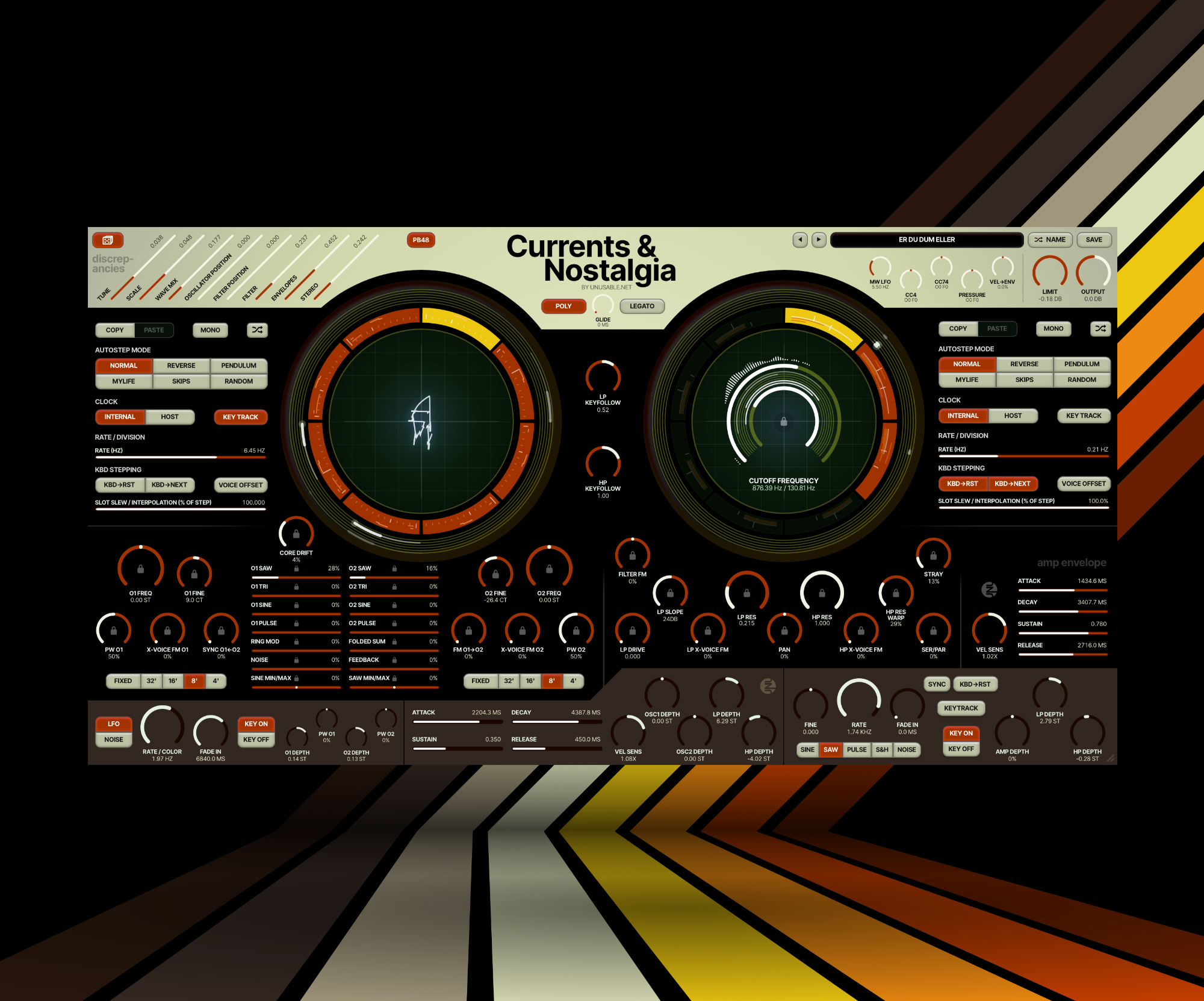
A 6-voice subtractive synth with two circuit emulated sawtooth-core oscillators, classic filters and two independent slot sequencer systems.

VA SynthAU/VST3Mac/Win

What it is

Currents & Nostalgia is my take on a subtractive analog-style poly-synth. It is built around a circuit model of a sawtooth-core oscillator I designed for my Eurorack system about a decade ago. I made five prototypes, and with component tolerances of 5–10%, they sounded a bit different from each other. I wanted to capture both the sound and that variance. The model includes the capacitor charging and resetting, the wave shapers, and the slightly imperfect behaviour that comes with them.

I use my Prophet-5 and Moog Model D far more than some of the much more capable synthesizers I own, because even very simple patches on them make me want to play. With Currents & Nostalgia, I wanted that kind of inspiring core sound. There are two oscillators per voice, a waveform mixer that can push the filters into saturation, a resonant ladder low-pass and a state-variable high-pass. I am not trying to replicate either of those instruments, but I like how quickly I can find a sound I want to spend time with.

Like my other synths, it is built around limitations. There is a smaller set of hardwired modulation sources and two independent eight-slot systems: one for the oscillators and waveform mixer, and one for the filters. Each voice can step or sweep between complete states, so things I would normally do with several modulation routes become a matter of making a few slots and deciding how to move between them. You sometimes have to rethink quite basic tasks. Over the last months I have kept getting patch ideas in the bath, on the bus, or while having dinner with my parents-in-law. I see that as the mark of excellence. ;)

Highlights

Two circuit-modelled oscillators per voice

Blend saw, triangle, sine and pulse from the modelled wave shapers. Core Drift changes component variation, including wave shape, tuning and tracking. Windowed oscillator sync, compensated exponential O1-to-O2 FM and cross-voice FM let the cores interact.

2 independent eight-slot sequencers

Each slot holds the settings for its section. A sweep can move oscillator tuning, waveform levels, sync and FM together, while the filter slots follow a different pattern. Small locks let you hold individual controls across slots.

Ladder low-pass and state-variable high-pass

The ladder low-pass can self-oscillate and has an output slope from 12 to 36 dB per octave. The 12 dB high-pass uses resonance wave warp. The two filters can run in series, in parallel, or a mix of the two.

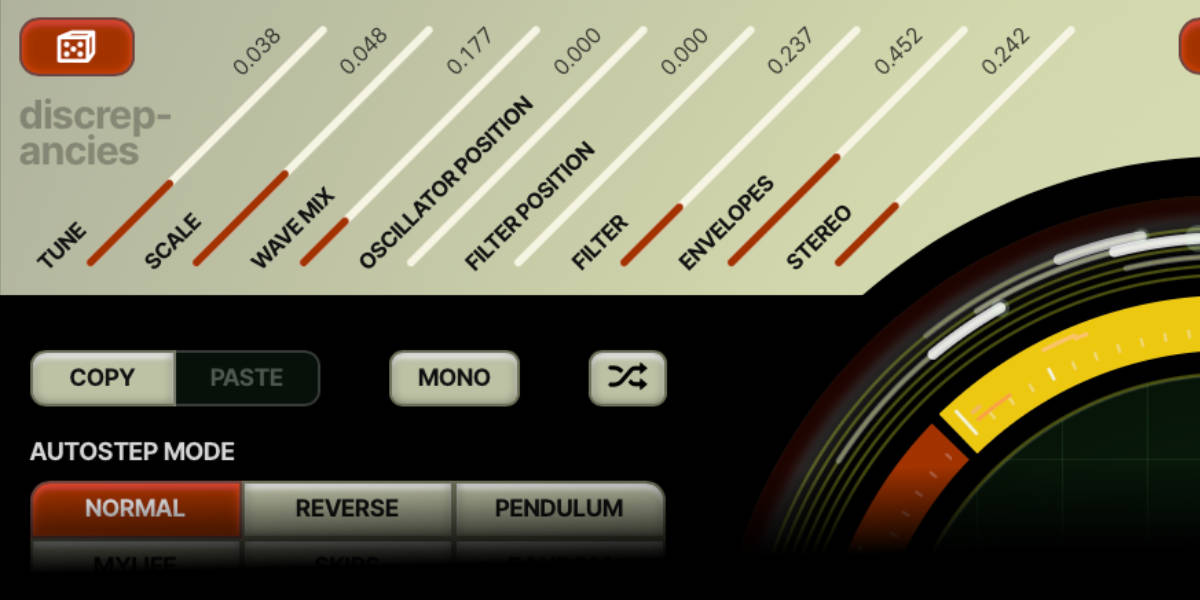
Discrepancies between voices

Eight controls vary tuning, pitch scaling, wave mix, oscillator and filter slot positions, cutoff, envelope timing and stereo position between voices. The random offsets are saved with the patch and stay the same until you click the dice.

Velocity and expressive playing

Velocity can scale both envelopes' attack and release times. Pressure-driven envelope modes, pitch bend, sustain-pedal response, MPE and MTS-ESP support make room for expressive controllers and alternative tunings.

Stray after the filters

Stray is a saturated EQ-drive after the filters, with warmth and a low-frequency head bump. Its range deliberately goes further than a subtle colour effect. Zero bypasses Stray, and its amount is saved in each filter slot.

Development previews

An early no-talking preview of the synth in development.

A second development preview, with commentary on the sound and workflow.

A development preset preview: no added effects and no talking.

A no-talking playthrough of 35 mixed presets with the sound fully dry.

A no-talking demonstration of using velocity to move through the slots and create variation.

Reference

User guide

This guide follows the controls in Currents & Nostalgia. Start by playing a simple patch and listening to the oscillator sound before adding movement. The quick start follows that approach; the later sections go through the controls and the two slot systems in more detail. The development videos show earlier versions of the instrument.

01

Authorization

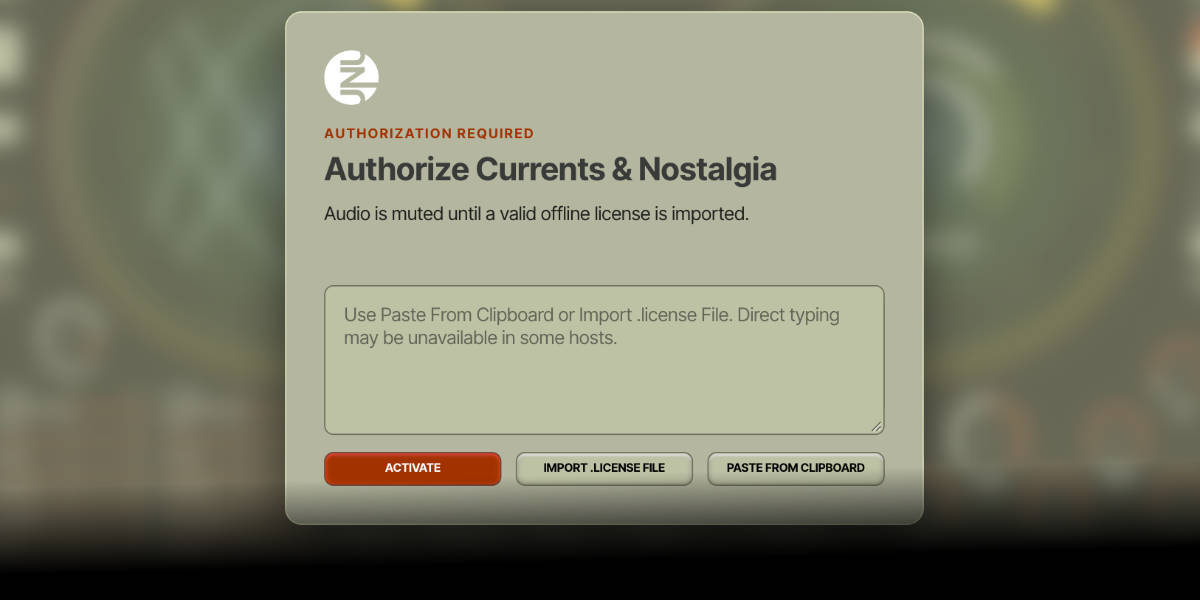
Currents and Nostalgia offline license authorization screen

Currents & Nostalgia uses its own offline license. Audio is muted until the license has been imported successfully.

Import .license File opens the file selector on the authorization screen. Select the Currents & Nostalgia license file you downloaded, then click Activate.

Paste From Clipboard pastes copied license text into the authorization field. Click Activate to verify it. This button also works in hosts where direct typing or pasting into the text field is unavailable.

After activation the license is stored locally and read when you open the plugin again. Other instances of Currents & Nostalgia in the same host process also become authorized.

Product license must be for Currents & Nostalgia. Version 1.0.0 is not part of a bundle, and licenses for the other instruments do not unlock it.
02

Quick start

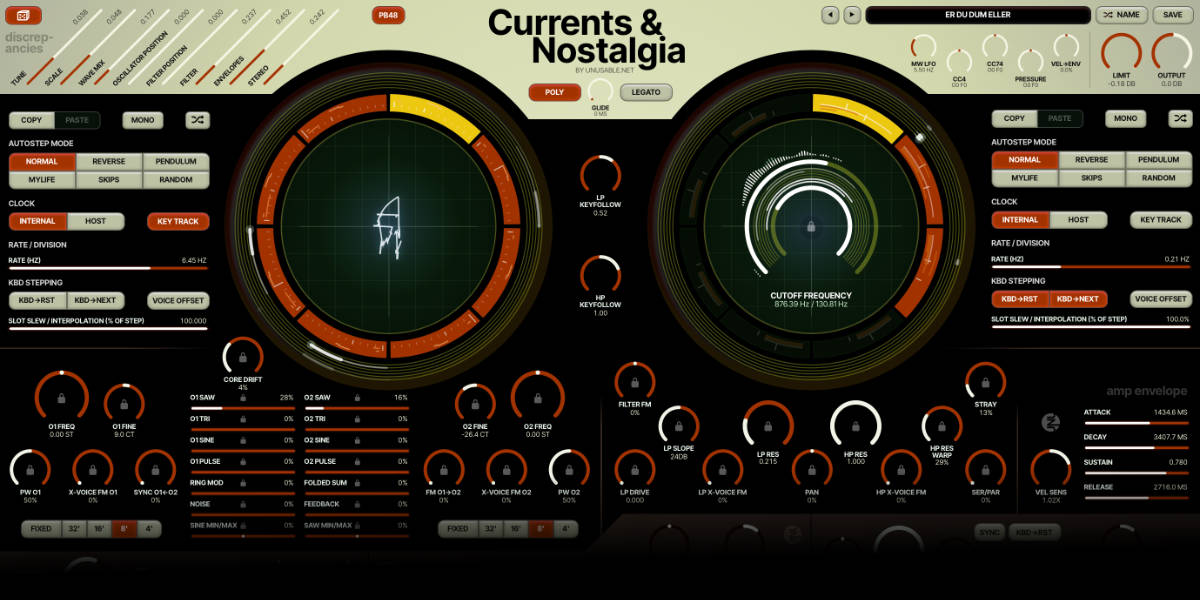
Complete Currents and Nostalgia interface

Start with one steady sound, then add motion one section at a time.

1. Load Init opens the built-in starting patch. Only slot 1 is enabled in each ring. Slots 2–8 contain the same settings, so you can enable one and start making a variation. Play a few notes before changing anything.

2. Solo one slot in each ring with Cmd/Ctrl-click. This holds the oscillator and filter on simple, independent starting states.

3. Shape the oscillators with the O1 and O2 waveform sliders. Try a saw on one side and a sine or triangle on the other.

4. Set the filter window with the two cutoff arcs. Keep HP low and LP high to begin with, then add resonance and drive.

5. Add a second state by copying an oscillator or filter slot to another slot and changing a few controls. Clear solo before listening to the sequence.

6. Introduce motion with Internal clock and a little Slot Slew. The oscillator and filter sequencers can run at different rates. Save the full patch when you find something useful.

03

Signal path and voice modes

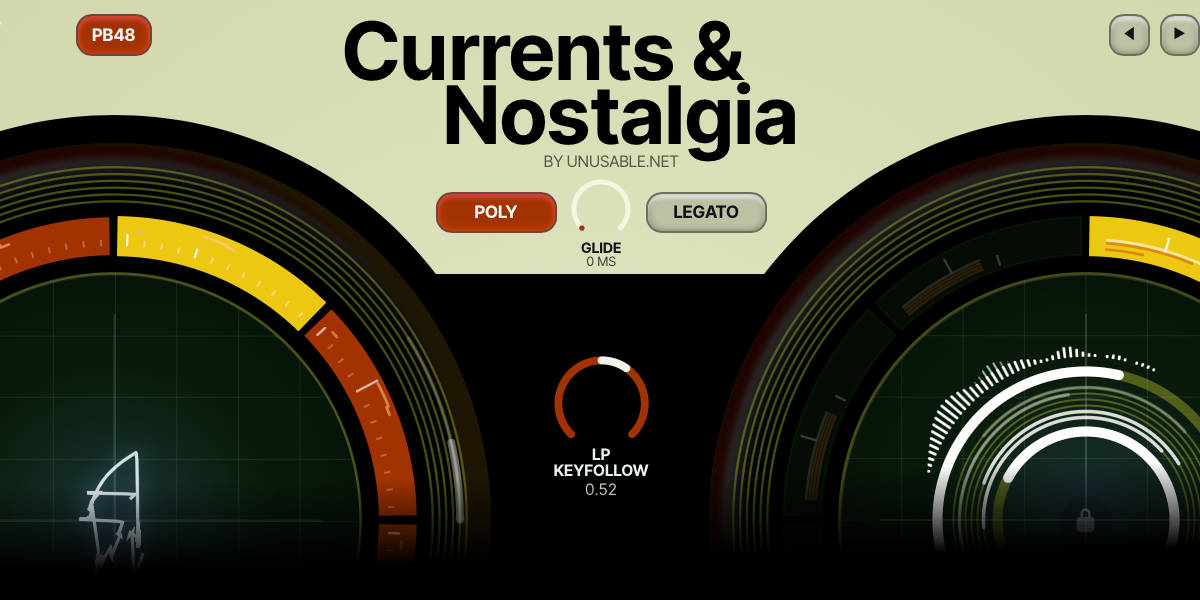
Currents and Nostalgia voice mode, glide and key-follow controls

Each of the six voices has two oscillators, its own filter path and envelopes. The mixed voice signal passes through the low-pass/high-pass arrangement, Stray colour and the amplifier before reaching the output stage.

Poly plays independent notes across six voices.

Mono plays one note at a time. Overlapping notes can return to a previously held note when the newer key is released.

Unison stacks the six voices on the played note, with built-in pitch spread between them.

Glide sets pitch travel time between notes. Legato restricts glide to overlapping notes.

Voice-mode button is separate from the Mono buttons beside the slot sequencers. A polyphonic patch can still use shared sequencer motion.

Oscillator continuity is maintained even when a voice is silent, so cross-voice FM can continue to interact with the oscillator circuits.

04

Oscillator register, tuning and Fixed mode

Currents and Nostalgia oscillator tuning and register controls

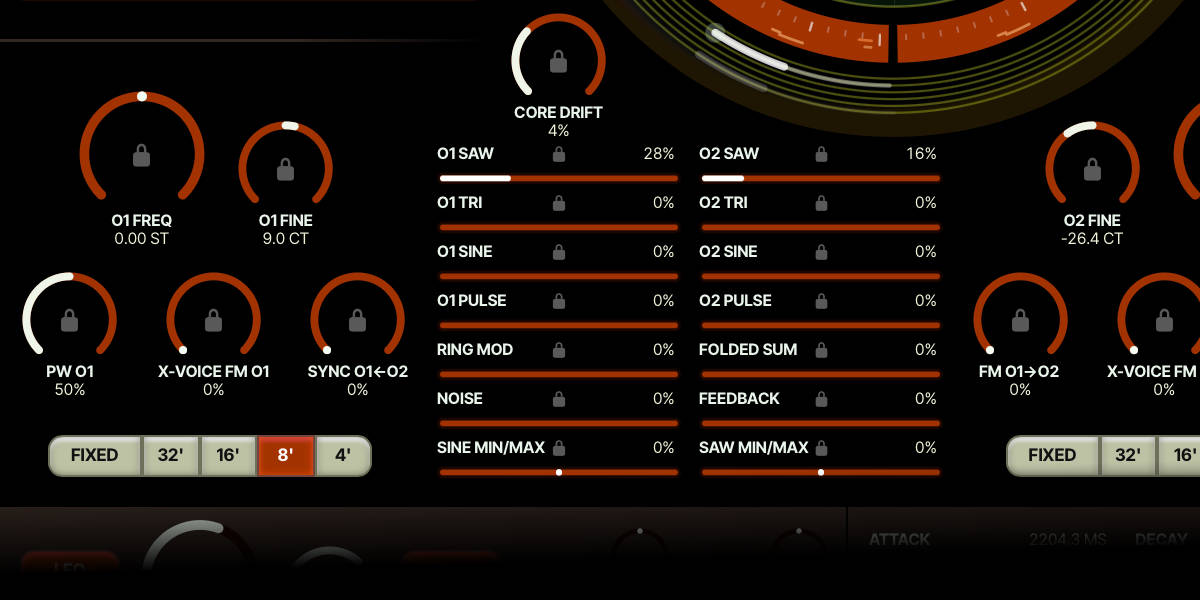
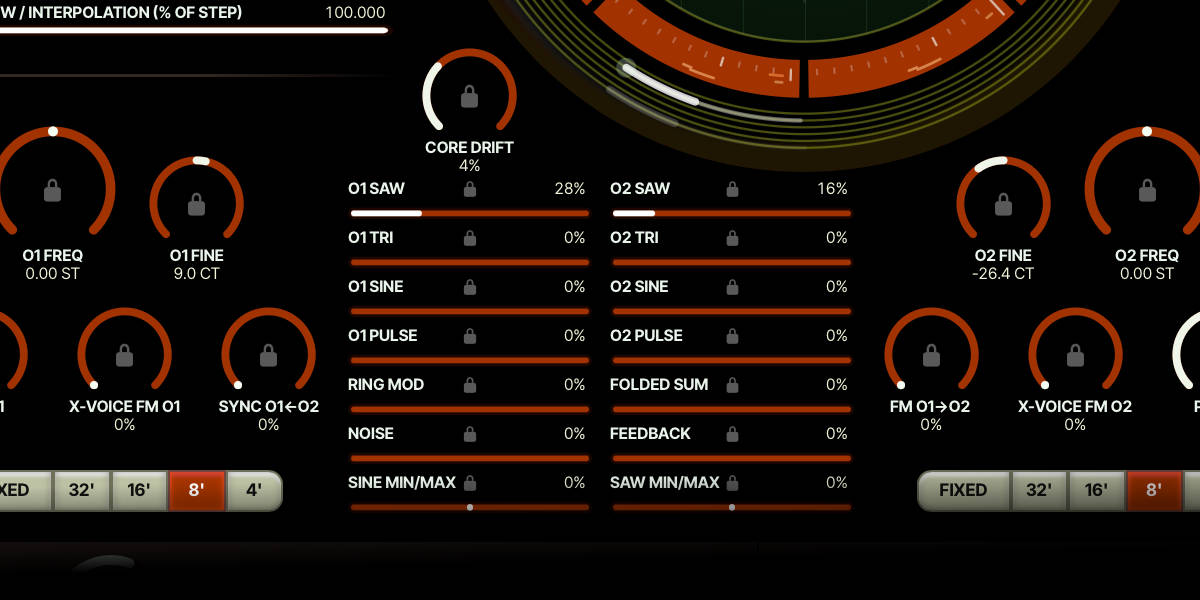
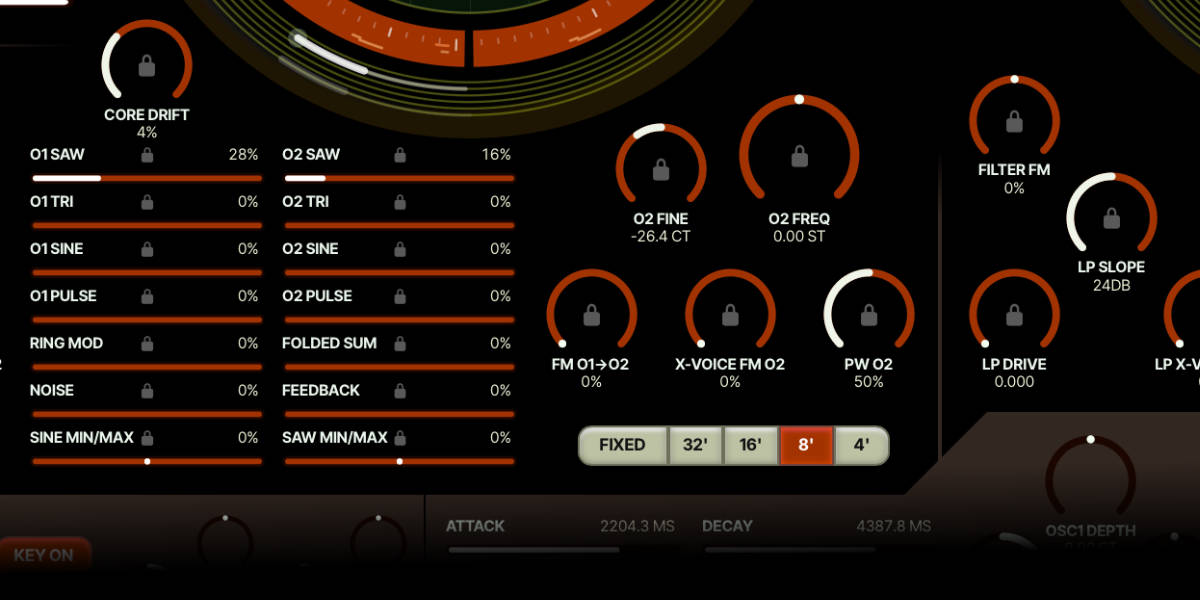
Each voice has two sawtooth-core oscillators, based on the capacitor charging and reset circuit of my old hardware design. Saw, triangle, sine and pulse come from modelled wave shapers, so their shapes are a bit off from the ideal versions. Each oscillator has its own register, coarse frequency and fine adjustment.

32′ / 16′ / 8′ / 4′ select the keyboard-tracked oscillator register. Use 8′ as the normal pitch reference.

O1 Freq / O2 Freq offset pitch in semitones in the keyboard-tracked registers. Fine adds a smaller cent offset.

Fixed switches that oscillator from keyboard tracking to an absolute frequency. The Freq control then covers 4 Hz to 16 kHz without the pitch detents used by the tracked mode.

Fine in Fixed mode is a percentage offset around the selected fixed frequency, up to plus or minus 10%.

PW O1 / PW O2 set pulse width. Listen with the matching pulse waveform turned up in the mixer.

Core Drift moves modelled component values within their tolerances. This affects wave shapes, tuning and pitch tracking, rather than just adding a slow pitch wobble. Start low for more uniform behaviour, then listen to how the waveform and intervals change as you raise it.

05

Waveform mixer and its locks

Currents and Nostalgia waveform mixer and parameter locks

The mixer has two columns. Its waveform amounts belong to the oscillator slots unless their small locks are enabled.

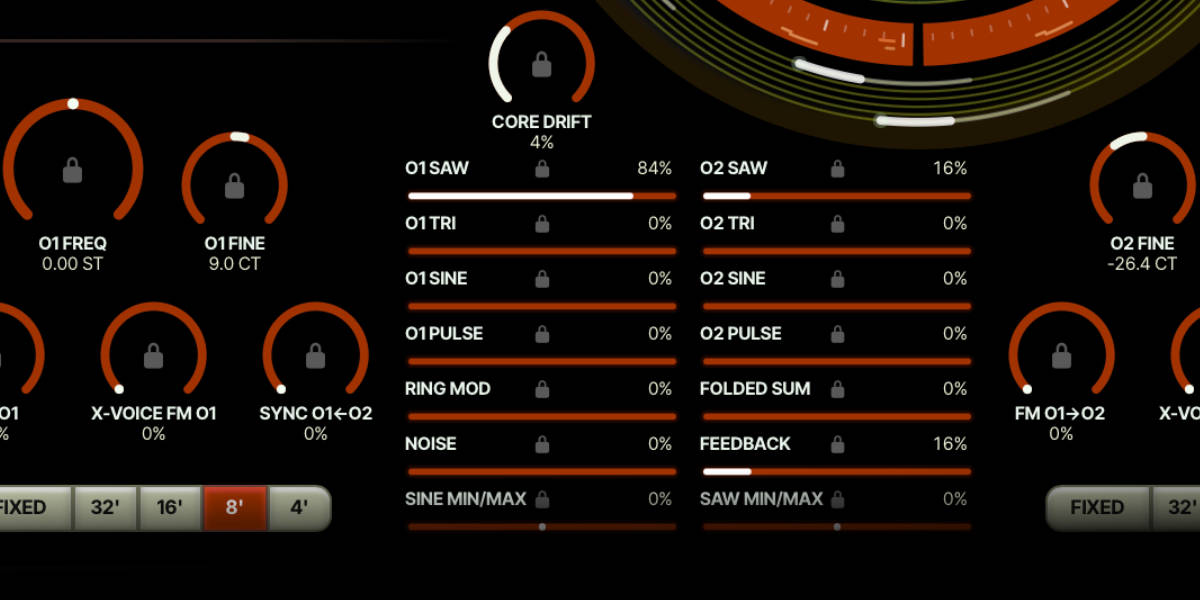
O1 / O2 Saw, Tri, Sine and Pulse blend the basic waveforms of the two oscillators independently. More than one waveform can be active.

Ring Mod adds the product of the two oscillators’ sine signals. Its source does not depend on the dry sine sliders being raised.

Folded Sum adds a folded sum of the two sine signals. It also works with the dry waveform sliders at zero.

Sine Min/Max / Saw Min/Max compare the two oscillators’ sine or saw signals sample by sample. Left adds the lower signal, right adds the higher signal. Distance from zero sets the amount; the center dot marks zero contribution.

Noise adds noise to the audio mix. Feedback adds a feedback-derived signal for stronger, less predictable timbres.

Small mixer locks hold each parameter across oscillator slots. You can still adjust its shared value while locked. Unlocking returns to the saved value of the selected slot.

Listening to one source is easiest with the other mixer levels at zero. The extra sources can remain audible even when all eight basic waveform sliders are down.

Mixer level and drive are connected: raising the waveform levels pushes the filter input harder. Try a single source around 10–50%, then bring it towards 80–100% and listen to the saturation. The exact response depends on the waveform blend and the filter settings, so the percentages are listening starting points rather than fixed thresholds.

06

Oscillator FM, sync and cross-voice FM

Currents and Nostalgia oscillator FM, sync and waveform mixer controls

These controls change how the oscillator circuits interact. They are separate from Filter FM.

FM O1->O2 applies compensated exponential FM from oscillator 1’s raw capacitor ramp to oscillator 2. The source is taken before the wave shapers and mixer, so O1 can modulate O2 even with all O1 waveform levels at zero. It uses the sawtooth core signal, not the sine waveform.

Sync O1<-O2 synchronizes oscillator 1 to oscillator 2. Below the maximum setting, both cores must enter a shared voltage window before O1 resets; the control sets the size of that window. At maximum, O2’s reset directly resets O1. This windowed behaviour is different from reversing a triangle core for soft sync.

X-Voice FM O1 / O2 couple oscillator behaviour between synth voices. The effect can change as the other voices change pitch or slot position.

Parameter locks hold the corresponding FM, sync, pulse-width, drift or tuning value across oscillator slots. Start with one interaction at a time when learning the signal path.

FM compensation reduces the average pitch rise caused by exponential modulation. I took inspiration from the compensation approach in the early Jupiter-8. In the model, the correction keeps the requested average charging current steadier, but the capacitor and reset behaviour can still shift the pitch. It is not a tuning lock.

FM depth reads 0–100%, with more control travel at low amounts and a much deeper upper range. At high settings, particularly in the upper register, pitch drift is part of the behaviour. Try different O1/O2 intervals as well as different depths; keep O2 audible while listening to this control on its own.

07

Low-pass, high-pass and Stray

Currents and Nostalgia low-pass, high-pass and Stray filter controls

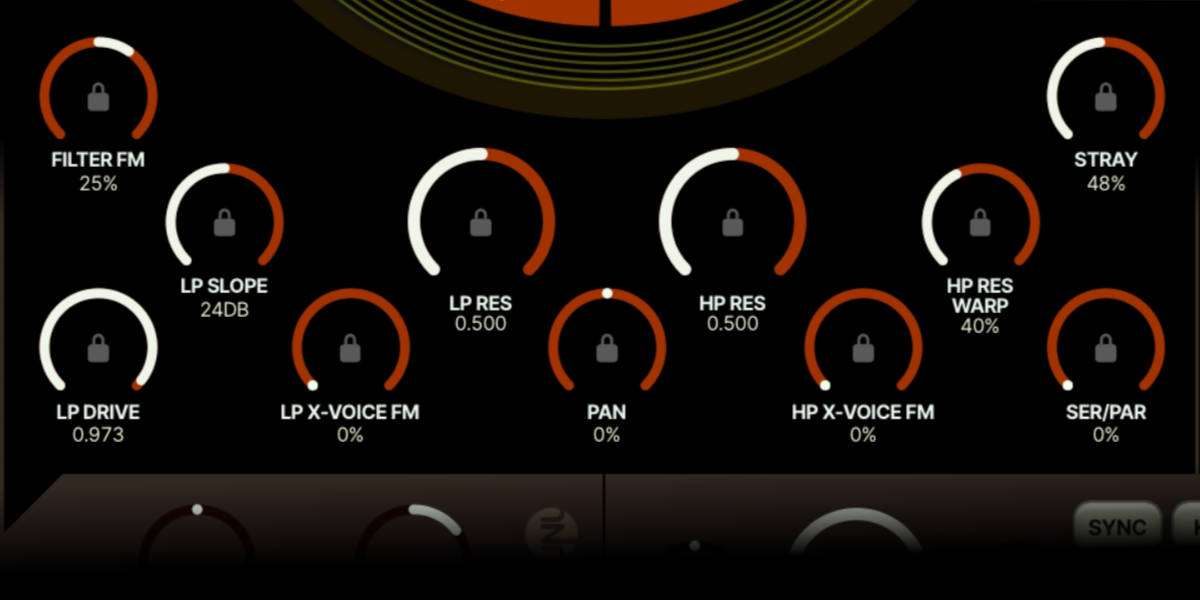
Each filter slot stores a complete combination of cutoff, resonance, drive, routing and other filter settings.

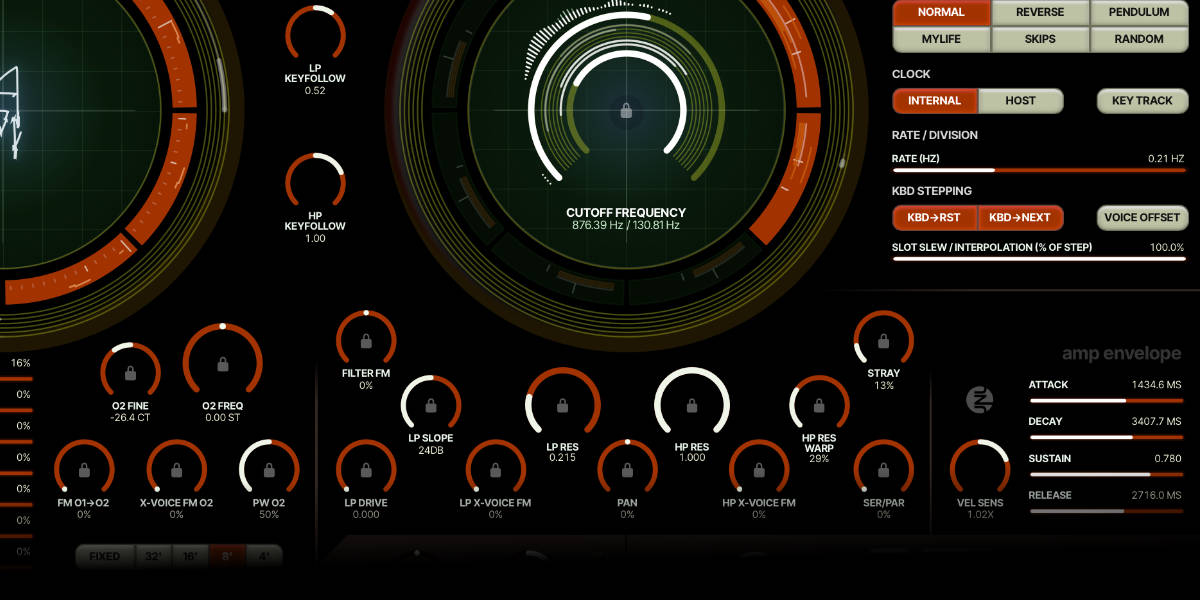
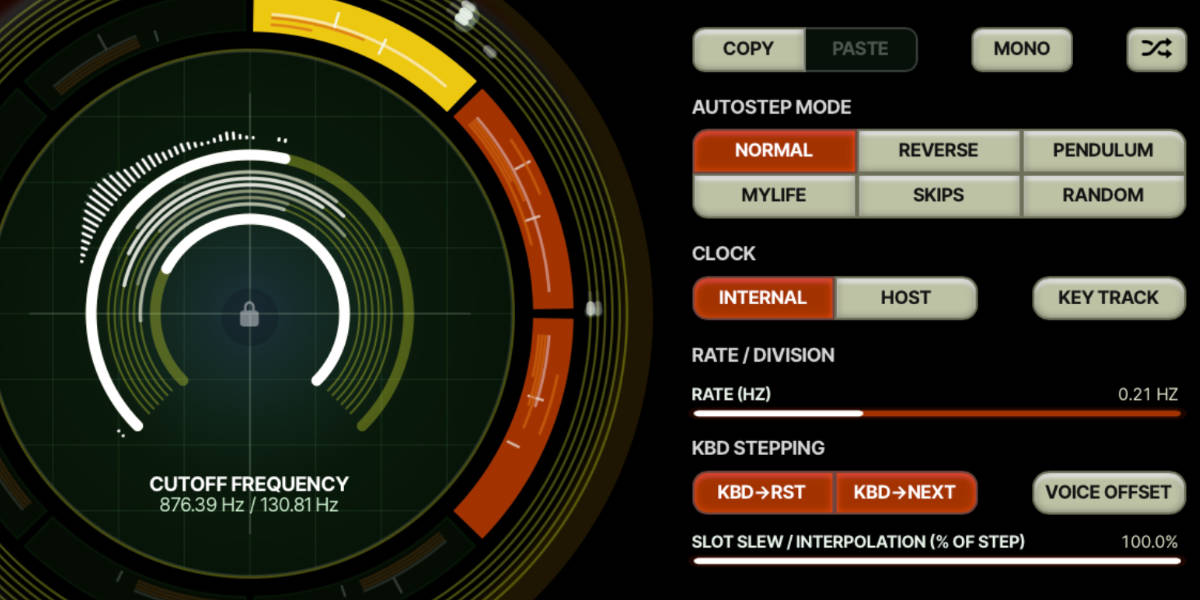
Outer cutoff arc sets the low-pass cutoff. The inner arc sets the high-pass cutoff. The numeric readout shows both frequencies.

LP Slope moves the output response between 12 and 36 dB per octave. The resonant feedback still uses the four-pole, 24 dB ladder path, so changing the output slope does not change which stage feeds the resonance loop.

LP Res / HP Res increase emphasis around the corresponding cutoff. The low-pass can self-oscillate at high resonance. The high-pass is a 12 dB state-variable design without self-oscillation. LP Drive increases the signal driven into the ladder.

HP Res Warp distorts the high-pass resonance using the resonance-dependent warp approach from Partials & Discrepancies. Try it with HP Res raised; it can make the resonance more aggressive and a bit odd.

Ser/Par blends from serial filtering at 0% to parallel filtering at 100%. In serial, a low LP cutoff combined with a high HP cutoff can remove most of the signal.

LP Keyfollow / HP Keyfollow make cutoff follow note pitch. Zero disables tracking; +1 gives one octave of cutoff change per octave of keyboard pitch. Middle C is the unchanged reference note.

Stray adds post-filter saturation, warmth and a broad low-frequency head bump. Zero bypasses it. The display and host automation both run from 0–100%, but the full range deliberately pushes beyond a subtle amount. It adds no wow or flutter.

Pan sets stereo position per filter slot. Stereo discrepancy can spread the individual voices around this position.

Drag a cutoff arc
Move vertically to adjust its frequency. Shift-drag gives finer movement.
Shift + scroll on a cutoff arc
Use the octave-related C-frequency detents for tuned resonance. Keep scrolling to move past a detent.
Cmd/Ctrl + scroll
Bypass cutoff detents and make finer adjustments.
08

Filter FM follows the mixer columns

Currents and Nostalgia mixer and filter FM controls

The bipolar Filter FM amount routes the two oscillator mixer columns to their corresponding filters.

Left column -> LP uses the O1 waveform mix, Ring Mod and Sine Min/Max to modulate the low-pass cutoff.

Right column -> HP uses the O2 waveform mix, Folded Sum and Saw Min/Max to modulate the high-pass cutoff.

Filter FM at zero disables this routing. Positive and negative settings give opposite modulation directions.

Source levels follow the waveform mixer. Ring Mod, Folded Sum and the min/max sources can modulate their filter with all the basic waveform sliders at zero.

LP / HP X-Voice FM use the cross-voice filter signal instead. They are independent of the same-voice Filter FM control.

Noise and Feedback remain audio mixer sources; they are not added to these two same-voice Filter FM feeds.

09

Selecting slots, copying and locking

Currents and Nostalgia oscillator slot ring and lock controls

The left ring holds eight oscillator and waveform-mixer states. The right ring holds eight filter states. Changes are stored in the selected slot as you edit. Oscillator register/Fixed selection and filter key tracking are shared controls outside the slot banks; a whole preset saves both banks and the shared controls.

Click a slot selects it for inspection and editing. Enabled and disabled slots retain their saved settings.

Copy / Paste copy and paste the selected slot within the matching oscillator or filter bank.

Randomize changes the selected slot. Locked parameters keep their held values.

Solo temporarily holds that sequencer on one slot so you can hear and edit it without the sequence moving away.

Small control locks override slot movement for the individual parameter. They do not replace the original values stored in the other slots.

Center lock in the cutoff circle holds both cutoff frequencies across filter slots. The other filter parameters can keep sequencing.

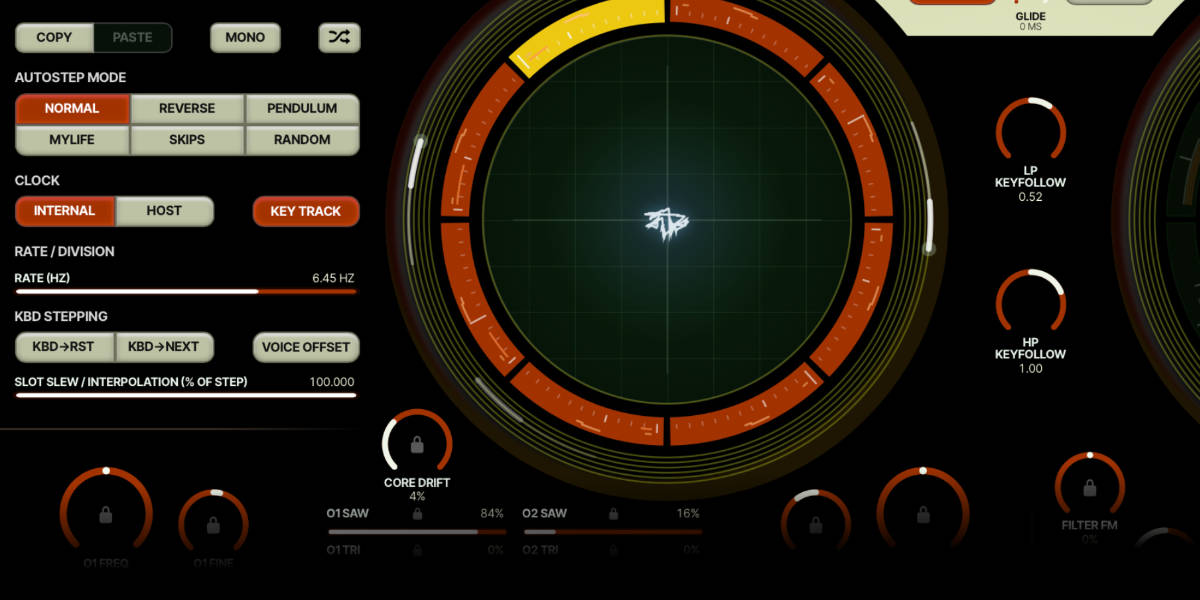
Slot colours show which state you are editing and which states are available: disabled slots are black, enabled slots orange, and the selected slot yellow. A soloed slot has a white outline. The six outer lanes show the voices’ positions.

Shift-click slot
Toggle whether that slot is enabled.
Double-click slot
Toggle whether that slot is enabled.
Cmd/Ctrl-click slot
Solo the slot; repeat to clear solo.
Left / right arrow
Select the previous or next slot in the slot system you edited last.
Down arrow
Toggle the selected slot on or off.
Up arrow
Solo or unsolo the selected slot.
Cmd/Ctrl-C / Cmd/Ctrl-V
Copy or paste a slot in the slot system you edited last. Text fields keep their normal editing shortcuts.
10

Sequencer clocks and movement patterns

Currents and Nostalgia oscillator sequencer clock and pattern controls

The oscillator and filter sequencers have separate clocks, movement patterns and slew amounts.

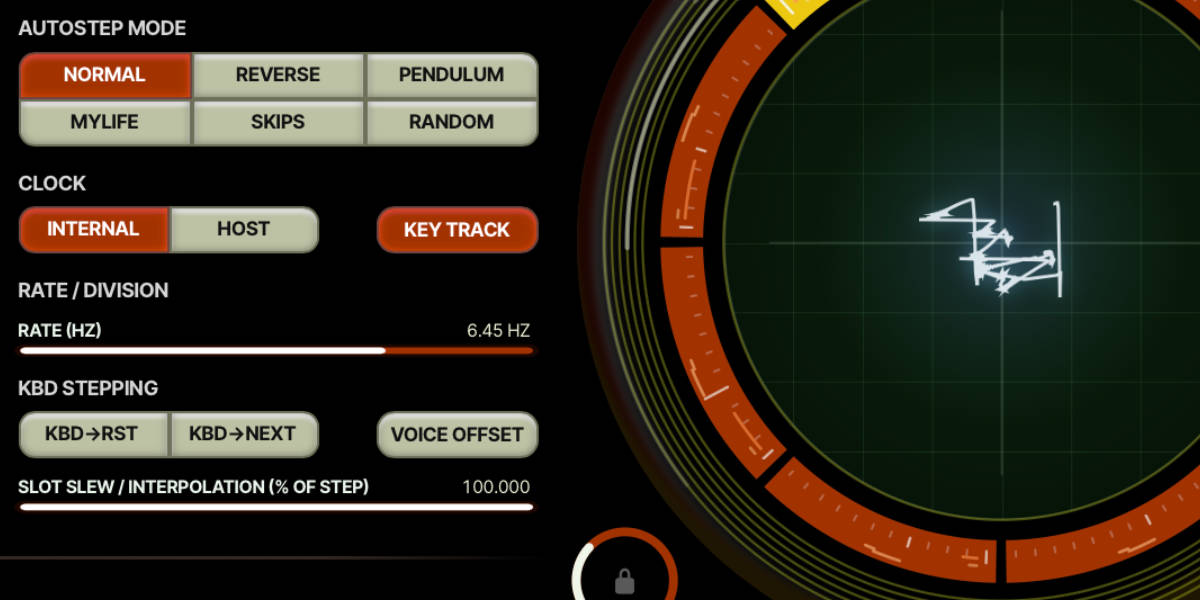
Internal steps at the displayed rate in Hz. Click the active clock button again to turn clocking off.

Host uses the DAW clock and the selected musical division. It follows the host’s timing rather than a separate free-running tempo.

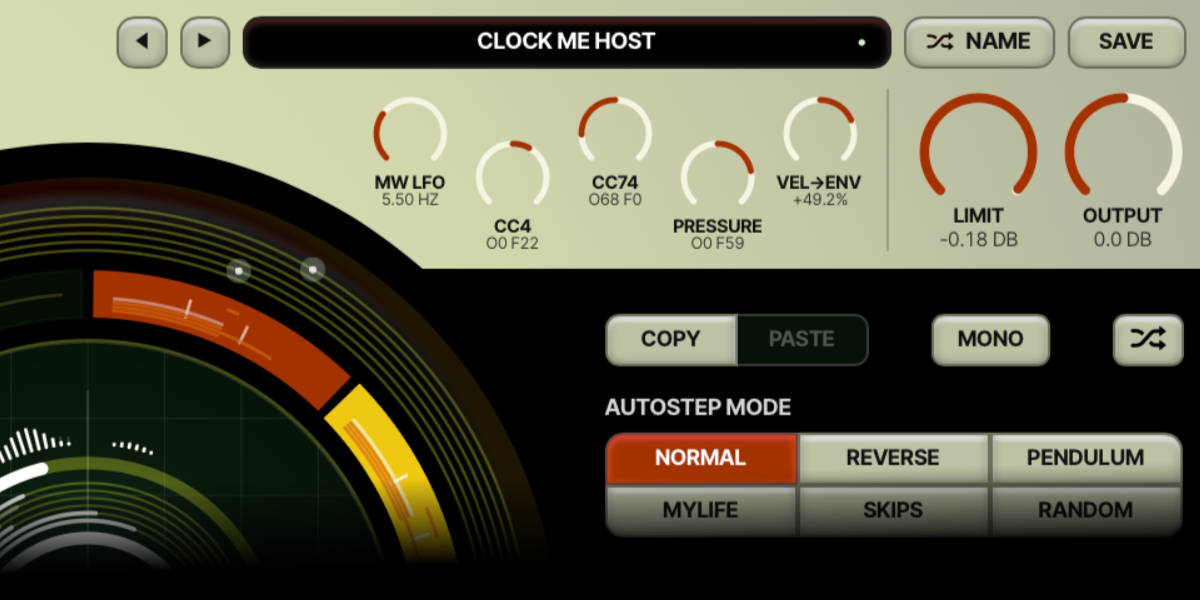
Normal / Reverse move through the enabled slots in forward or reverse order. Disabled slots are skipped.

Pendulum travels back and forth between the ends of the enabled sequence.

Mylife repeats a pattern of one enabled step forward, one back and one back again.

Skips alternates two enabled steps forward and one back. Random chooses from the enabled slots and may choose the current slot again.

Slot Slew blends between slot states. With a clock, the amount is a percentage of the step duration: 0% changes immediately, while 100% uses the whole step. Without a clock, it is shown in milliseconds.

11

Keyboard stepping, voice offsets and sequencer Mono

Currents and Nostalgia filter sequencer keyboard and voice controls

Keyboard events and note expression can move the slot position as well as the clocks.

KBD->RST resets sequence position for a newly played note. It can be combined with clocked motion.

KBD->NEXT advances on new note-on events. The selected movement pattern determines which enabled slot comes next.

Reset + Next starts a one-shot pass of the selected movement pattern when clocking is active. With clocking off, each note resets the starting position and moves toward the next state using the set slew; VEL->POS can change that starting position.

Voice Offset distributes voices across the enabled slots instead of giving every voice the same starting position.

Sequencer Mono makes that sequencer use voice 1’s shared cursor. With KBD->NEXT, each new note advances that shared pattern once. The audio can still be polyphonic, and per-voice position discrepancy can still spread the voices around the shared position.

Key Track is available with Internal clock and makes sequence speed follow note pitch. The rate control reaches 96 Hz, with small detents at 13.75, 27.5 and 55 Hz. Cmd/Ctrl-scroll bypasses the detents. Different played notes can move through their slots at different rates.

VEL->POS is available with clocking off and uses note velocity to choose a position among the enabled slots.

12

Discrepancies: differences between voices

Currents and Nostalgia discrepancies controls

Discrepancy controls introduce per-voice differences around your patch settings. They can bring a static chord to life without needing either sequencer to run.

Tune / Scale vary oscillator tuning and pitch scaling between voices.

Wave Mix varies waveform amounts between voices, including the ring, folded and min/max sources.

Oscillator Position / Filter Position offset each voice’s position in the corresponding slot bank.

Filter varies filter behaviour between voices. Envelopes varies envelope timing.

Stereo spreads voices in the stereo field. It works alongside the selected filter slot’s Pan setting.

Dice button generates a new set of discrepancy offsets. The offsets are saved with the patch, so the same voices keep their differences each time you load it until you generate a new set.

For a controlled starting point raise one discrepancy at a time. Strong position discrepancy can turn an otherwise shared sequence into a much less uniform chord.

13

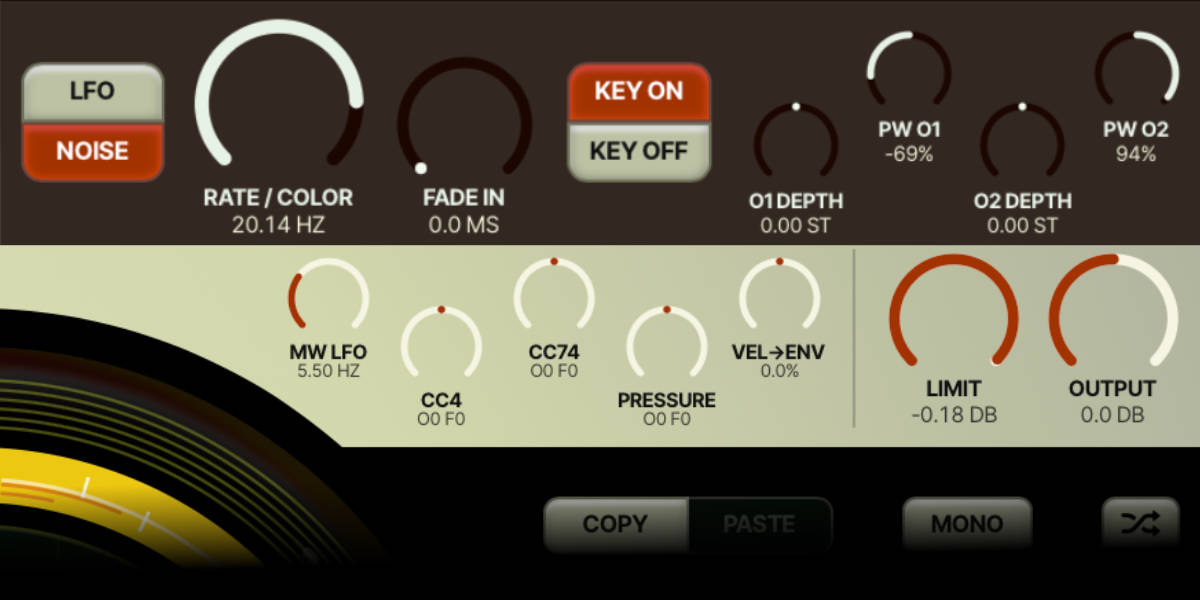
Pitch LFO, noise and the mod wheel

Currents and Nostalgia pitch modulation and performance controls

The pitch section has a regular LFO mode and a noise mode, with separate depths for each oscillator.

O1 Depth / O2 Depth set bipolar pitch amounts. Their logarithmic taper gives more control of small values around zero.

PW O1 / PW O2 send modulation to the two pulse widths. Turn up the corresponding pulse waveform in the mixer to hear the result clearly.

Rate / Color sets the LFO speed or the noise colour, depending on the selected mode.

Fade In sets how long the pitch modulation takes to enter. Key On or Key Off chooses the event that starts the fade.

MW LFO at the top of the panel sets the separate mod-wheel vibrato rate. The incoming mod-wheel value supplies its performance depth.

PB48 button cycles through pitch-bend ranges of 48, 12, 7, 5, 3 and 2 semitones. Match the selected range to the controller or MPE setup.

14

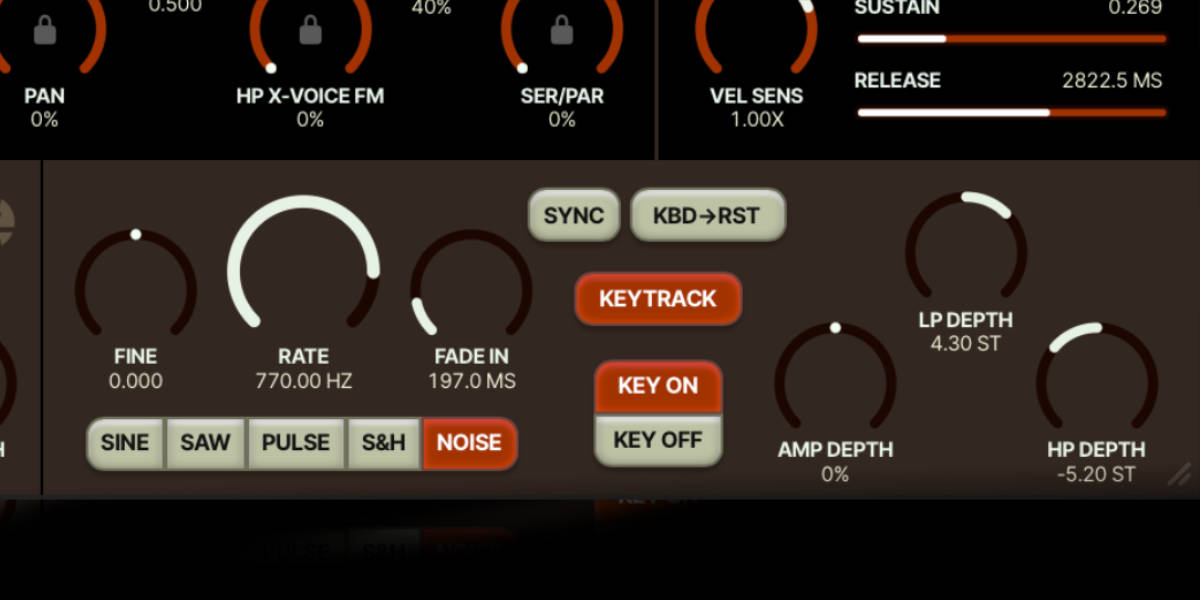
Modulation oscillator

Currents and Nostalgia filter modulation oscillator controls

The mod oscillator offers sine, saw, pulse, sample-and-hold and noise. Its destinations are LP cutoff, HP cutoff and amplitude.

LP Depth / HP Depth are bipolar amounts in semitones. Their taper is halfway between linear and logarithmic, leaving extra travel around zero without concentrating as much of the range at the top. Negative depth reverses the direction.

Amp Depth adds amplitude modulation. Begin with a small depth for tremolo, then raise the rate for more complex modulation.

Rate / Fine set the modulation frequency. With keyboard tracking, the oscillator can reach 7040 Hz, so it can work at audio rates as well as LFO speeds. Fine adjusts the tracked frequency.

Keytrack makes rate follow the played pitch. Harmonic detents help find tuned relationships; Cmd/Ctrl-scroll bypasses the detents. In Noise mode, a band-pass follows the keyboard.

Sync uses the host clock and division control. With KBD->RST disabled, voices follow the same clock-based cycle.

KBD->RST restarts modulation at the selected key event. With host sync, the reset affects the current step and returns to the clock at the next step. Sample-and-hold gets a fresh value at the key event and updates again at the next clock step.

Fade In / Key On / Key Off set when and how quickly the modulation enters. When KBD->RST is enabled, Key Off also moves keyboard retriggering to note release.

15

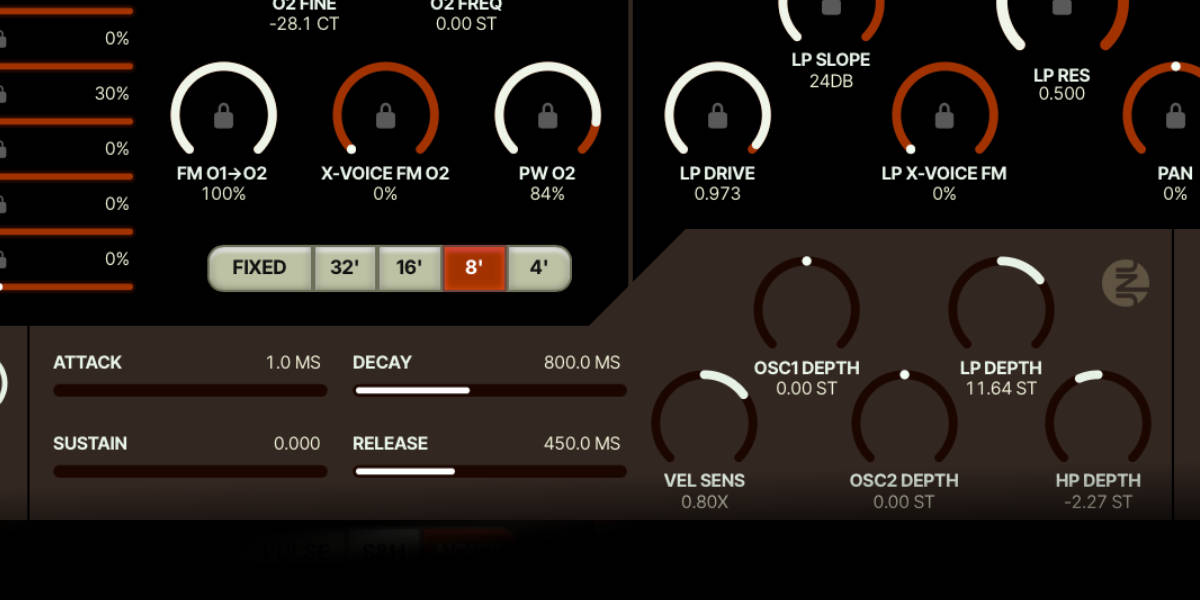
Modulation and amplitude envelopes

Currents and Nostalgia modulation envelope controls

Both envelopes have attack, decay, sustain and release stages. The modulation envelope has separate bipolar destinations for the two filters and two oscillators.

Attack sets the rise time after a note starts. Decay sets the move from the peak to Sustain; Release sets the fade after note release.

Modulation LP / HP Depth set cutoff movement in semitones. Like the modulation oscillator’s filter depths, these controls use a taper halfway between linear and logarithmic, with extra travel for smaller positive and negative amounts.

Modulation Osc1 / Osc2 Depth set pitch movement for the two oscillators. Start with a small amount for a pitch transient or use more for a sweep.

Amp envelope sets the voice’s level contour. Its own Vel Sens controls how note-on velocity changes the amplitude response.

Modulation Vel Sens changes how velocity scales the modulation envelope’s contribution. Zero removes velocity scaling; positive and negative settings give different responses.

Unusable-mode / Pressure-mode switch the corresponding envelope to its pressure-driven behaviour. The amplitude and modulation envelopes can be switched independently.

16

Velocity-to-envelope timing and sustain pedal

Currents and Nostalgia velocity-to-envelope control

VEL->ENV affects attack and release times in both envelopes. It is separate from the two Vel Sens controls.

Positive VEL->ENV shortens attack with higher note-on velocity and shortens release with higher note-off velocity. At +100% and maximum velocity, the corresponding time reaches zero.

Negative VEL->ENV lengthens those times instead. At -100% and maximum velocity, the set time doubles.

Release velocity uses the note-off velocity supplied by the controller or host. Zero keeps the set release time. A fixed nonzero value gives the same timing change on every release; a note-on message with velocity zero is treated as note-off and also leaves the set release time unchanged.

CC64 sustain pedal provides continuous damping after key release rather than only an on/off sustain switch. More pedal gives a longer fade, reaching about twelve seconds at full depth.

17

MIDI expression, MPE and tuning

Currents and Nostalgia MIDI expression and output controls

The performance controls at the top of the panel can add slot movement without changing a sequencer’s underlying pattern.

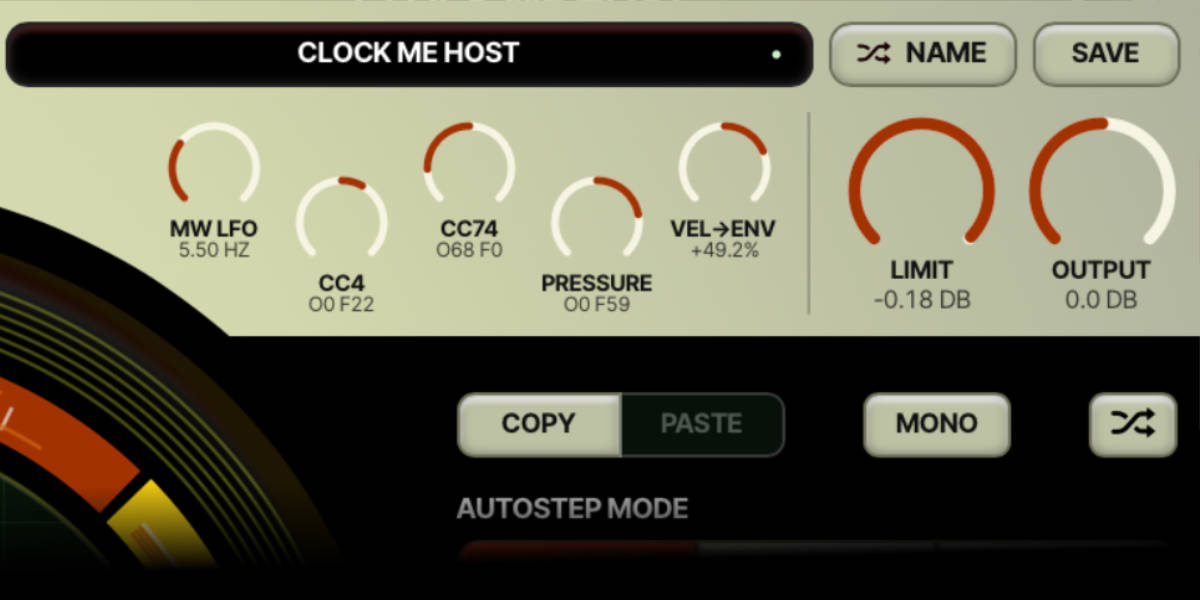
CC4 / CC74 / Pressure route their incoming expression source to slot position. Negative values address the oscillator sequencer, positive values address the filter sequencer, and zero disables the routing.

Expression amount sets how far the controller can move through the enabled slots. It can combine with clocked or keyboard-driven motion.

MPE allows per-note expression through compatible controller and host routing. Use the pressure-mode envelope buttons when you want pressure to shape those contours.

MTS-ESP accepts tuning from a compatible tuning source. Fixed-frequency oscillators keep their absolute-frequency role.

18

Preset browser, saving and refresh

Currents and Nostalgia preset browser

The preset bar handles complete patches. Oscillator and filter slots are states inside one patch, not separate preset files.

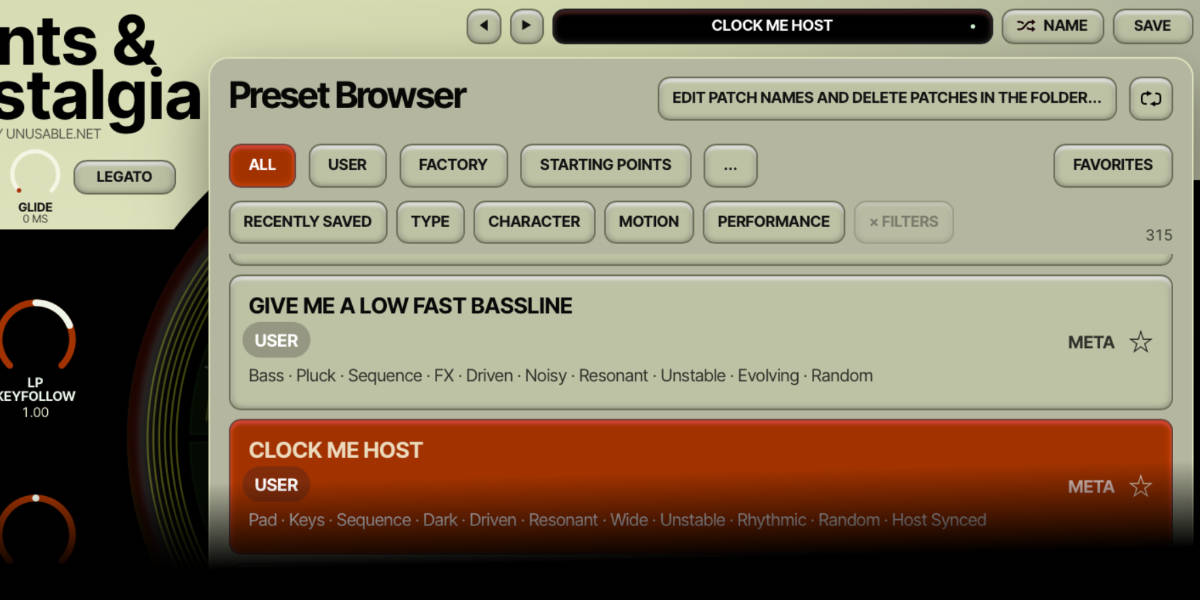
Preset name display opens the browser. The arrow buttons step between file presets.

Randomize Name / Save generate a proposed name and save the current complete patch. Save includes both slot banks, shared parameters, lock states and discrepancy offsets, and updates the automatic tags for that patch.

Banks and Favorites help narrow the library. Type, Character, Motion and Performance filters provide additional ways to find patches.

Preset metadata lets you edit banks and classification choices. Automatic suggestions are made from patch settings; manual choices remain authoritative.

Refresh rescans the library and updates analysis. Use it after renaming, deleting or adding files outside the plugin. Normal preset stepping uses the cached list.

Folder button opens the actual preset folder so you can rename, move or remove files. Use the browser’s Refresh button afterwards.

Init loads the built-in starting patch with slot 1 enabled in both banks and identical settings in the disabled slots 2–8. It is independent of the user preset folder. Double-clicking an individual control still uses that control’s own reset value, which can differ from Init.

Cmd/Ctrl-click Randomize Name uses the host track name as the proposed preset name, when the host provides one. If it already exists, a numbered suffix is added. This only proposes a name; click Save to write the preset.

19

Output, spectrum and voice displays

Currents and Nostalgia performance, output and sequencer controls

The circles show slot states and voice positions as well as the oscillator and filter activity.

Left display shows the two mixer columns on the axes of a Lissajous oscilloscope, averaged across active voices. It is a view of their waveform relationship; it does not change the sound.

Right display combines the filter controls with the spectrum and per-voice filter activity. Static guidelines remain a reference behind the moving information.

Voice markers show individual voice positions and activity. Position discrepancy can keep them apart even when sequencer Mono is enabled.

Output sets final output level. Limit sets the limiter threshold in dB. It can catch peaks or be driven harder for additional distortion, independently of LP Drive and Stray.

Resize corner changes the plugin window size. The instrument keeps the same panel layout as it scales.

20

Editing shortcuts

Currents and Nostalgia locked filter parameters

Most knobs use vertical dragging; horizontal faders can be clicked or dragged along their track. Modifier keys change editing behaviour.

Logarithmic depth controls give more travel to small settings. Pitch LFO depths and oscillator FM use logarithmic travel; the envelope and modulation oscillator LP/HP depths use a halfway linear/logarithmic taper. VEL->ENV is linear. The readouts show the actual amount.

Locks are independent buttons. Click the small lock itself when you want to hold a parameter; drag the fader or knob when you want to change the value.

Double-click a knob or fader
Reset that control to its defined default value.
Cmd/Ctrl-click or Option/Alt-click a control
Reset to its default. On a ring slot, Cmd/Ctrl-click has the separate Solo action.
Shift-drag a knob or cutoff
Make finer vertical adjustments.
Scroll over a control
Adjust the value without dragging. Shift-scroll makes larger moves; Cmd/Ctrl-scroll makes finer moves and bypasses applicable detents.
Cmd/Ctrl-Z
Undo supported parameter and slot edits.
Bottom-right resize grip
Drag to scale the interface.

Questions no-one asked:

Is Currents & Nostalgia available yet?

Not yet. I am preparing version 1.0.0 for release. The guide describes the current instrument; the development videos show earlier versions, so some controls and sounds have changed since they were recorded. Price, release date and final compatibility requirements will be announced here.

Is it an emulation of a particular hardware synth?

No. It is an original instrument inspired by the directness of classic polysynths, with its own oscillator and filter models and two independent slot sequencers.

What do the two slot sequencers do?

One stores oscillator states, including the waveform mixer and oscillator settings. The other stores filter states. They can run at different rates and move between states with slew. Each voice can follow its own position, or the voices can share a sequencer cycle.

How does it differ from Partials & Discrepancies?

Partials & Discrepancies is built around additive synthesis. Currents & Nostalgia starts with two circuit-modelled oscillators per voice and a subtractive filter path. It shares the interest in voice discrepancies and slot motion, but the synthesis architecture and sound are different.

What does min/max mean in the mixer?

The sine and saw min/max controls compare the two oscillators' matching waveforms sample by sample. Move left to add the lower signal, right to add the higher signal, or leave the control at zero to add neither.

How does oscillator FM work?

Oscillator 1’s raw sawtooth ramp applies exponential FM to oscillator 2. I took inspiration from the compensation approach in the early Jupiter-8 to make the pitch more stable. The compensation reduces the average pitch rise, but it is not a pitch lock: the upper part of the control deliberately goes deep enough for pitch drift to become part of the sound. The waveform mixer does not set the FM source.

Why use slots instead of a modulation matrix?

I like working within a limited set of tools. When I had a smaller modular system, I would often think of a patch while on a train or having lunch because I had to find another use for a module I already owned. I try to build some of that into these instruments. In Currents & Nostalgia, a pair of slots can describe several parameter changes together, and you decide how the voices travel between them. It is less flexible than individual routing for everything, but I find it interesting to work with.

What is Stray?

Stray adds post-filter saturation, warmth and a low-frequency head bump. It is stored per filter slot and can be locked across slots like the other filter controls.

Does it support expressive controllers and microtuning?

Yes. It supports MPE, pressure-driven envelope modes, pitch bend and MTS-ESP tuning. Velocity can shorten or lengthen attack and release times in both envelopes, and CC4, CC74 and pressure can move through the oscillator or filter slots.

Which plugin formats are planned?

AU and VST3 on macOS, and VST3 on Windows. Minimum operating-system requirements and the final release formats will be confirmed before launch.

Compatibility

macOS and Windows
macOS: AU/VST3, Windows: VST3

These plugins use detailed real-time processing and are happiest on reasonably recent CPUs, especially when several instances are running at once.

Preset system

A shared walkthrough of the Unusable preset system, with practical tips for saving, naming, organizing, and moving between ideas.