Unusable Engineering ApS
effect

Spectral Pressure Chamber

A thermodynamic multiband compressor where spectral pressure drives dynamics and color.

DynamicsAU/VST3Mac/Win

Slot Sequencer

  • Parameters held while sequencing now overwrite every slot passed during the gesture.
  • Added Cmd/Ctrl+click slot preview, which pauses sequencing and auditions the selected slot without slew.

Shortcuts And History

  • Added active-slot copy and paste with Cmd/Ctrl+C and Cmd/Ctrl+V.
  • Added multi-step undo with Cmd/Ctrl+Z.
  • Added redo with Cmd/Ctrl+Shift+Z.

Performance

  • Reduced DSP overhead during slot sequencing and parameter changes.
  • Reduced visualization CPU usage without changing its appearance or 30 Hz update rate.
  • Avoided unnecessary crossover and spectral-analysis recalculation when settings have not changed.
  • Reused FFT magnitude calculations across overlapping analysis bands.
  • Reduced host transport polling when host-synced sequencing is not active.
  • Disabled editor-only metering and visual snapshot collection when no editor is open.
  • Optimized membrane simulation calculations and reduced temporary work during visual updates.

What it is

Spectral Pressure Chamber is a multiband dynamics processor inspired by thermodynamic thinking. Instead of reacting only to immediate level crossing, it tracks spectral energy over time, accumulates pressure, and uses that state as the control signal for compression behavior.

Low, mid, and high chambers build and release pressure independently, but they are not isolated. By changing its settings you get them to interact. A sustained low-end load can influence how upper bands settle, while bright transients can alter the overall pressure landscape. It doesn't react like typical multiband processors, but it is still very musical.

It can add the saturation that make a drum track or bass line more interesting. It works as smart glue on buses, animated control on synth groups, and heavy character compression when you drive chamber interaction harder. If you want density that feels alive, this is where it shines.

Highlights

Pressure-coupled dynamics

Band chambers accumulate and exchange spectral pressure before compression acts.

Character range

Move from subtle cohesion to dense, energetic dynamics with one core macro.

Readable motion

Visual feedback helps you understand why compression is happening, or maybe not

Full walkthrough

A quick walkthrough of Spectral Pressure Chamber covering its functionality, as well as the philosophy behind it and also showing it off on various sound sources.

Slot sequencer

The slot sequencer turns Spectral Pressure Chamber into more than a static multiband dynamics tool. By storing different chamber states and slewing between them, you can move the plugin between different saturation and compression balances over time instead of leaving each band parked in one behaviour.

At slower rates it is especially good for shifting how the low, mid, and high chambers lean into pressure and harmonic buildup. That means you can move between firmer containment, softer glue, and denser multiband saturation without having to automate a forest of controls from the DAW.

Watch slot sequencer video
Reference

Quick user guide

Spectral Pressure Chamber analyzes low, mid, and high spectral regions, accumulates their energy as a coupled pressure state, and uses that state to drive multiband dynamics and saturation. This guide covers the signal path, pressure model, band controls, movable analysis regions, visualization, slot sequencing, presets, and editing gestures.

01

Signal path and level controls
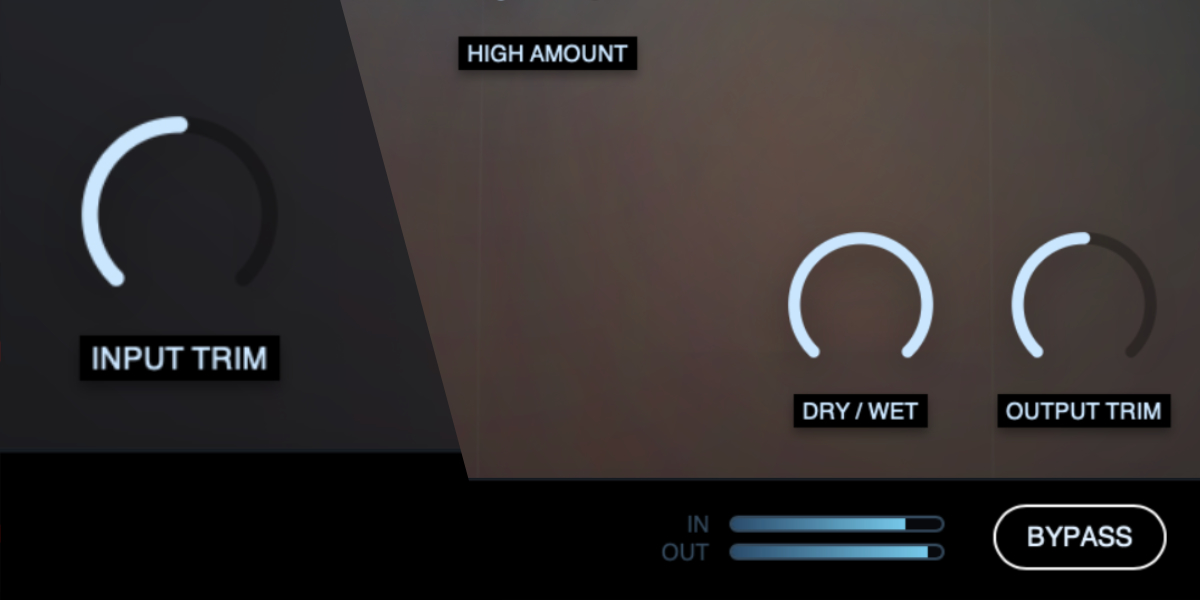
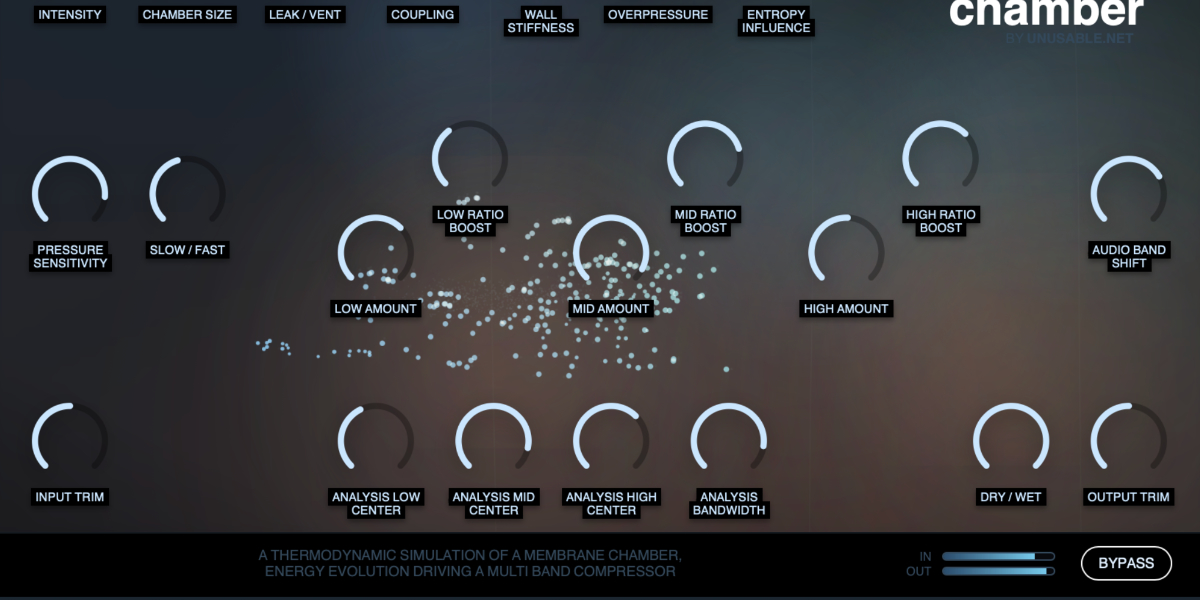
Spectral Pressure Chamber input, pressure controls, Dry Wet, output, and bypass controls

The input is analyzed as a control signal while the stereo audio passes through a separate three-band crossover and pressure-driven dynamics path. The processed bands are recombined, mixed with the original signal, and sent through the output stage.

Input Trim sets the level entering both the spectral analysis and processed audio path. Raising it creates more pressure as well as more level into the dynamics stages.

Dry / Wet crossfades between the original stereo input and the complete pressure-processed output.

Output Trim sets the final output level after band recombination and the Dry/Wet mix.

Bypass bypasses the pressure-processing path.

The FFT analysis is used only for control. The audible signal remains in the stereo time-domain crossover and dynamics path.
02

Pressure system

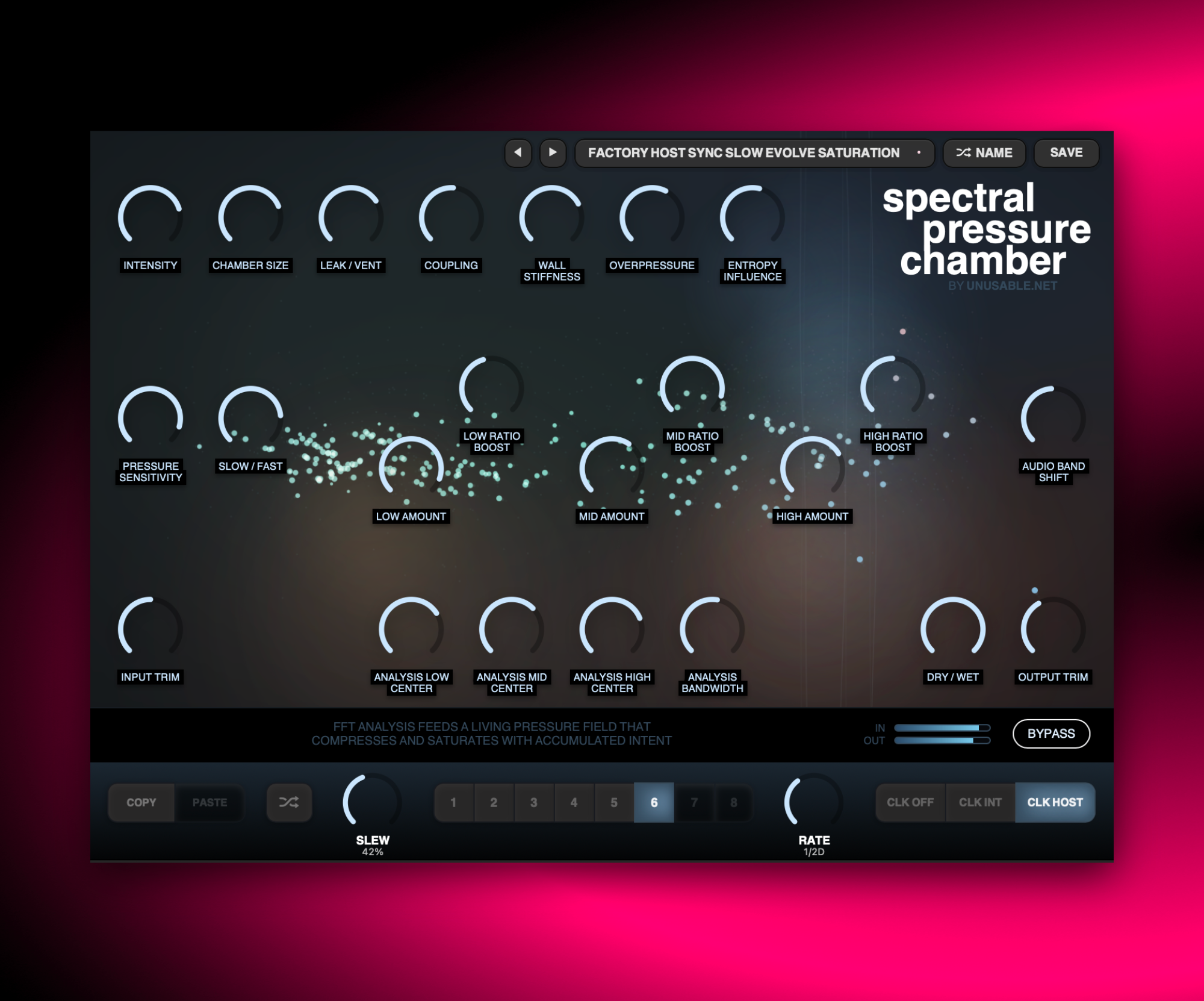
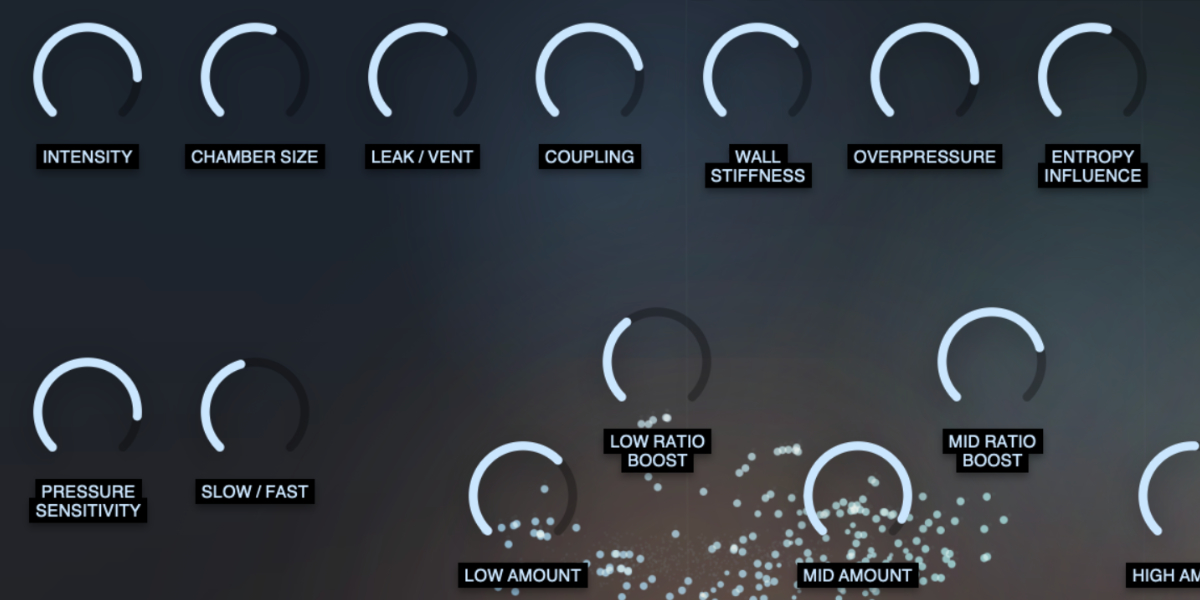
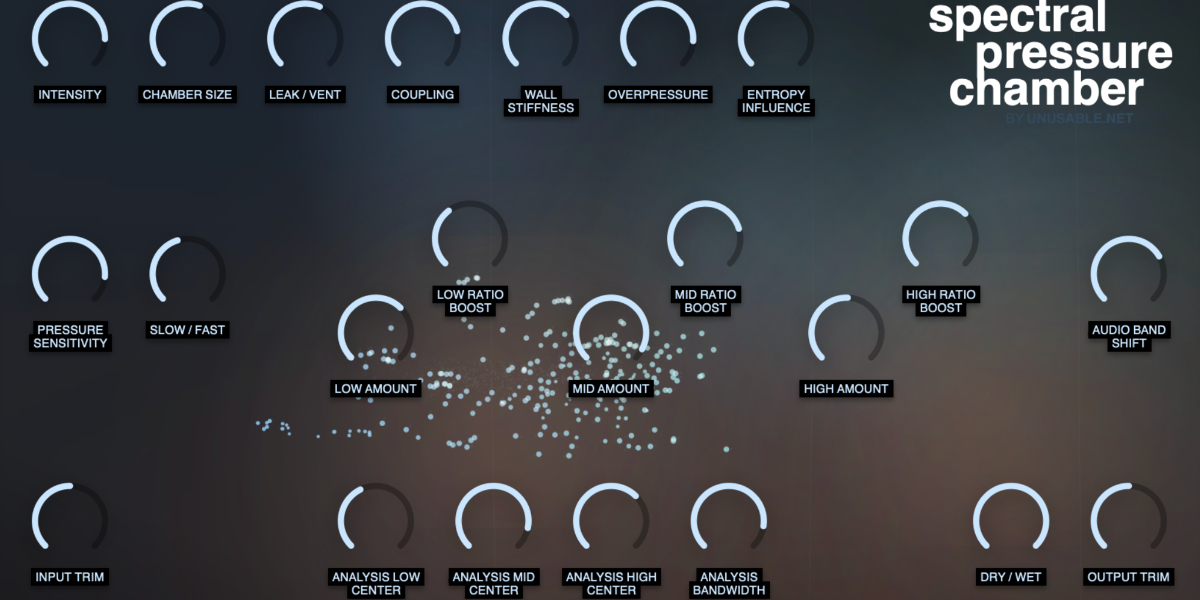
Spectral Pressure Chamber Intensity, Chamber Size, Leak Vent, Coupling, Wall Stiffness, Overpressure, and Entropy Influence controls

Each analysis region maintains fast, slow, and combined pressure states. The controls in the Pressure section determine how strongly energy enters that model, how long it remains, how the three chambers interact, and how accumulated pressure changes the processed sound.

Intensity scales the overall pressure effect, including gain reduction, ratio, threshold movement, and saturation drive. Use it as the main amount control after shaping the model.

Chamber Size changes the time scale of the model. Smaller settings react and settle more quickly; larger settings build and retain broader, slower pressure movement.

Leak / Vent sets how quickly accumulated pressure escapes. Lower values retain pressure longer; higher values vent it more rapidly.

Coupling moves pressure between neighboring low, mid, and high chambers. Higher settings make activity in one region influence the others more strongly.

Wall Stiffness changes how firmly the chamber state resists and translates pressure, affecting both dynamics behavior and pressure-related tone.

Overpressure adds saturation and damping as chamber pressure rises above its normal range. Higher settings create denser, more forceful coloration.

Entropy Influence increases the influence of spectral complexity and mismatch on pressure, coupling, dynamics, and saturation. Safety scaling restrains unstable combinations automatically.

03

Dynamics and audio bands

Spectral Pressure Chamber sensitivity, Slow Fast, per-band Amount and Ratio Boost, and Audio Band Shift controls

The pressure model supplies a separate control signal for the low, mid, and high audio bands. Global response controls shape how pressure is detected, while per-band controls determine how strongly each crossover band reacts.

Pressure Sensitivity sets how strongly spectral energy excites the pressure system. Higher values build more pressure from the same input level.

Slow / Fast blends sustained pressure with the faster transient-following state. Lower settings emphasize slower energy; higher settings give attacks and spectral flux more influence.

Low / Mid / High Amount set the pressure-driven processing amount independently for each audio band.

Low / Mid / High Ratio Boost increase compression ratio and shorten pressure-dependent timing in the corresponding band for firmer, more animated control.

Audio Band Shift moves both audio crossover points together by up to one octave without changing their relationship.

The three audio crossover bands and the three analysis regions are independent. Moving an analysis center changes what creates pressure; Audio Band Shift changes where that pressure is applied to the audible signal.

04

Analysis regions and visualization

Spectral Pressure Chamber membrane visualization, particles, analysis centers, crossovers, and bandwidth controls

Three independently positioned analysis windows measure energy, transients, and spectral entropy. The membrane and particle display visualizes those pressure states, their interaction, and current gain reduction without feeding visual data back into the sound engine.

Analysis Low / Mid / High Center set the center frequency of each analysis window from 20 Hz to 20 kHz. The windows may overlap or cross because they are independent control regions.

Analysis Bandwidth sets the shared width of all three analysis windows in octaves.

A-L, A-M, and A-H overlay lines show the current analysis centers in logarithmic frequency space. X-LM and X-MH show the audio crossover positions.

Membrane displacement reflects accumulated pressure and slower state, while ripples and shocks emphasize fast pressure and spectral flux.

Particle density and motion follow activity, pressure, entropy, coupling flow, and overpressure. Input and output meters show the current signal levels.

Analysis, pressure accumulation, dynamics, sequencing, and automation continue when the editor is closed. The display is only a view of processor state.

05

Slots and slot sequencer

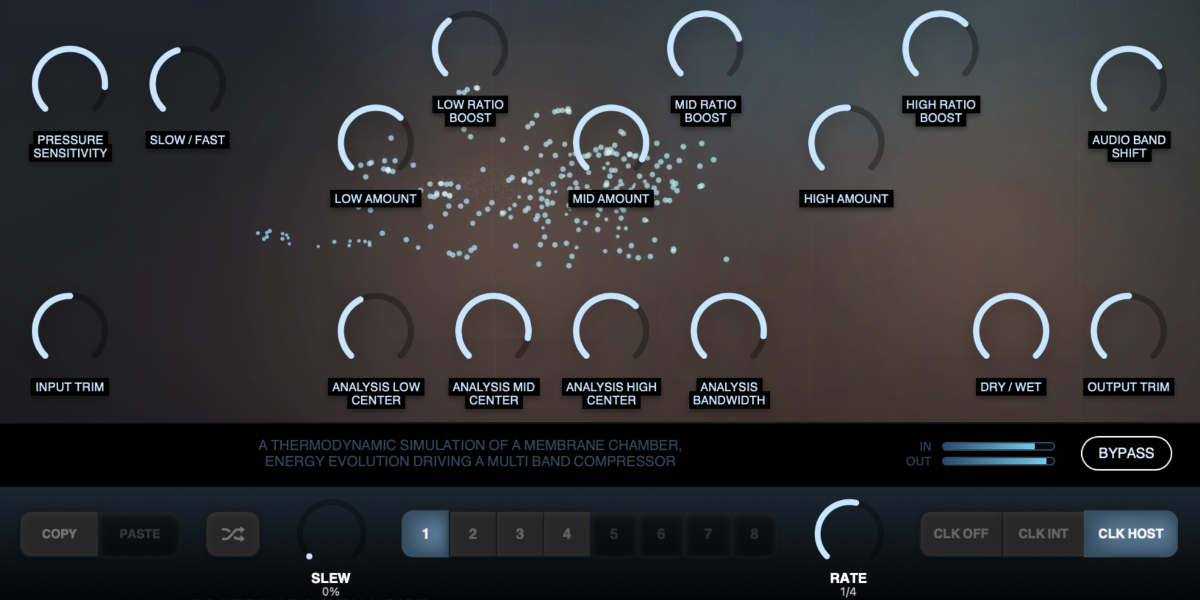
Spectral Pressure Chamber Copy, Paste, Random, Slew, Rate, eight slots, and clock controls

Eight slots store the complete pressure, dynamics, analysis-position, and audio-band-shift state. Input Trim, Dry/Wet, Output Trim, and Bypass remain global and are not changed by slot selection, randomization, or automatic stepping.

1-8 select a slot and show its stored pressure and dynamics state.

Copy / Paste copies or pastes the complete state of the selected slot.

Random generates new values for every slot-controlled parameter while leaving the four global controls unchanged.

CLK OFF stops automatic stepping. Manual slot changes and randomization still use Slew.

CLK INT runs from the internal clock. Rate is displayed in Hz and uses an exponential response for useful control at slower speeds.

CLK HOST runs from the DAW transport and changes Rate to musical divisions from 1/32 through dotted and triplet values to 8 bars.

Slew sets transition time with the clock off. In clocked modes it becomes a percentage of each step. A short minimum transition remains at the lowest setting to reduce clicks.

Holding a slot-controlled parameter while slots advance writes only that value into every incoming slot and prevents the held control from jumping. All other parameters continue their own slew.

Shift-click or double-click slot
Enable or disable that slot. At least one slot always remains enabled.
Cmd/Ctrl-click slot
Preview and lock that slot without slew, pause sequencing, and show a white inset outline.
Cmd/Ctrl+C / Cmd/Ctrl+V
Copy or paste the selected slot.
Cmd/Ctrl+Z
Undo the previous parameter, slot, enable, clock, rate, or slew edit.
Cmd/Ctrl+Shift+Z
Redo an undone gesture unless a new edit has cleared the redo history.
06

Presets and control shortcuts

Spectral Pressure Chamber preset navigation, name display, and save controls

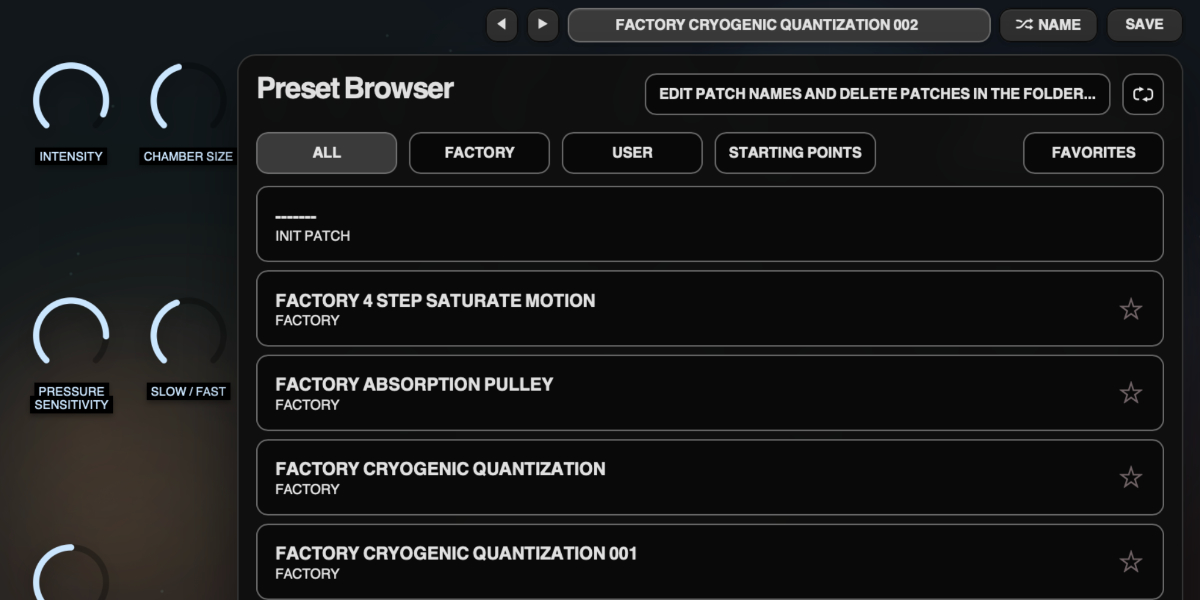
The preset name opens the browser. Presets store the complete plug-in state, including global controls, all eight slots, and sequencer settings.

Preset arrows step through available presets and wrap between the first and last entries.

Preset name opens the preset browser.

Name generates a preset name.

Save writes the complete state. Saving without first generating a name creates one automatically.

Factory / User / Starting Points / Favorites filter the preset browser.

Versioned Save writes a numbered copy when the current preset has changed.

Folder opens the preset directory for external renaming or deletion.

Refresh reloads externally renamed or deleted preset files.

Drag up / down
Increase or decrease a knob value with linear vertical movement.
Double-click control
Reset it to the initial value.
Cmd/Ctrl-click or Option/Alt-click control
Reset it to the initial value.
Wheel over control
Adjust without dragging.
Option/Alt-wheel
Fine adjustment.
Shift-wheel
Coarse adjustment.

Recommended for

  • Add controlled density to drum and mix buses
  • Shape synth groups with spectral pressure and chamber interaction
  • Push aggressive tone while keeping timing and groove intact

Fit and focus

Great fit for:

  • multiband tools with personality
  • stateful dynamics models
  • sound-first processing with scientific metaphors

Questions people ask

What is Spectral Pressure Chamber?

It is a multiband compressor plugin where thermodynamic pressure modelling drives compression and tone behavior across spectral chambers.

How is it different from a normal multiband compressor?

Typical multiband designs react directly to threshold events in each band. This one builds pressure over time and allows chamber interaction, so response can feel more connected and musical.

Who is it for?

Producers, musicians and mixers who want a bit of surprising movement and saturation, rather than static threshold compression.

What does it do to sound?

It can tighten and densify material while preserving motion, and when pushed, it introduces controlled harmonic intensity that changes over time rather than flat pumping.

Compatibility

macOS 12+, Windows 10/11
macOS: AU/VST3/Standalone, Windows: VST3

These plugins use detailed real-time processing and are happiest on reasonably recent CPUs, especially when several instances are running at once.

The science-native interface simulations are beautiful to watch and interact with, but in larger sessions, closing plugin windows you are not actively editing can free up resources for other hungry plugins. Audio processing continues normally.

Slot sequencer

A shared walkthrough of the Unusable slot sequencer system, including how stored states, stepping, and slew can turn a static patch into motion.

Preset system

A shared walkthrough of the Unusable preset system, with practical tips for saving, naming, organizing, and moving between ideas.

Bundle option

Also available in bundle form

If this plugin fits your workflow, there is a good chance one of the bundles will fit even better and reduce total spend.

Scientist Suite

The science-metaphor lineup: Curves & Membranes, Spectral Pressure Chamber, Cavitation Fractures, Grain Discharge, and Synaptic Resonance.

€79.00€146.00incl. 25% VAT

Includes 5 products.

Full Suite v2

All unusable tools in one package, built to surprise, inspire, and keep the creative process moving.

€159.00€399.00incl. 25% VAT

Includes 14 products.