
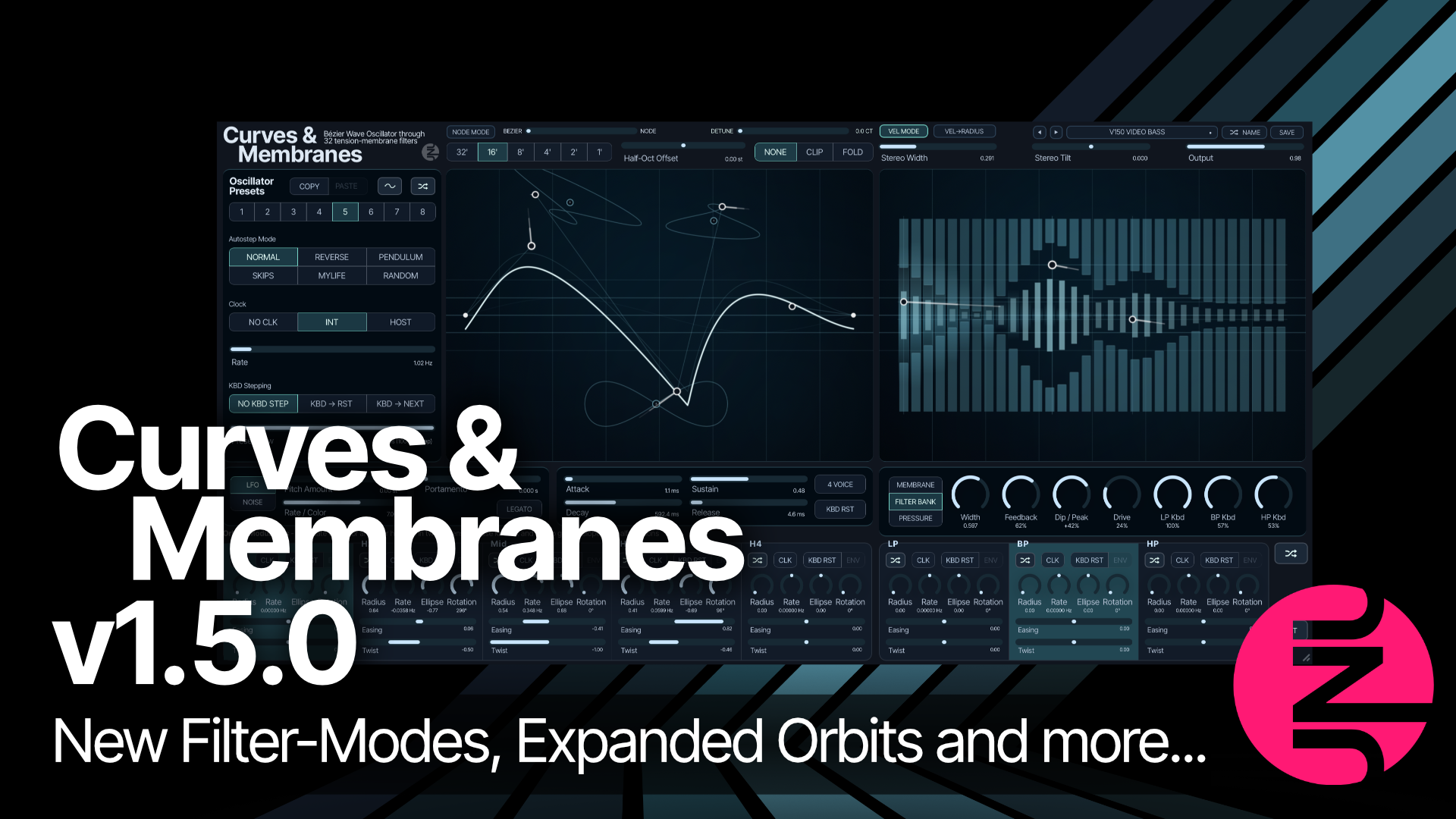
So, I’ve been trying to avoid doing the VAT reporting and working on guide and marketing material for Currents & Nostalgia’s upcoming release. That meant I put a lot of focus on Curves & Membranes. There were a few smaller bugs that annoyed me, and I had some ideas I wanted to try out…
Two new filter modes
With Curves & Membranes v1.5.0, you get two new filter modes.
The new Filter Bank mode has 32 bands spaced in minor thirds, with per-band feedback and drive. All three filter points shape the bank, so you can move several resonant regions around at once.
The new Pressure mode takes a different approach: each band opens in response to the signal going into it, with controls for sensitivity, recovery and drive. The original Membrane filter is of course still there too.
Expanded orbital modulators
Every orbital modulator now has Easing and Twist. Easing speeds up and slows down different parts of the movement while keeping the overall cycle time. Twist turns the circular path into a horizontal or vertical figure-eight. Both work with ellipse, rotation and the envelope-style half-turns.
The easing part has been on the to-do list for quite a while, as I have an unreleased prototype polysynth that uses it. And yeah, I like what it does when using the envelope mode.
Twist was more of an improvisation, as I caught myself moving nodes in figure-eight patterns while the sequencer was running to record that kind of motion.
Also new in v1.5.0
- Polyphonic glide and legato in 4 Voice mode.
- Filter keyboard tracking in 4 Voice mode, based on the average of the held notes.
- Whole-patch randomization, including all eight waveform slots and the sequencer. There is a new button above the INIT button.
- A Sine reset button and expanded slot randomization.
- New factory presets, improved editing and preset-browser workflows.
Product details and user guide
There is more detail, audio examples and the complete user guide on the product page:
A smaller update across the lineup
There is also a small preset-browser addition that has been added to all my plugins.
Ctrl-click on Windows or Cmd-click on Mac on the randomize-name button now grabs the track name. You can then save the preset with the track name instead of a randomly generated one.
It works in all the hosts I have tried, but I have read that FL Studio and some others may not expose the track name to the plugin.
Grab the latest update if you want to use it in the other tools too.
Spending time with Curves & Membranes
Spending time with Curves & Membranes is always rewarding for me. It was the synth that made me start this business and try to make a living as a plugin developer.
In many ways I still see it as the ultimate reflection of what I want to do. It is so simple, yet it feels more connected than any other software synth I’ve used. You can see the waveform and change it at any time, and you can see how it is being filtered.
So when I work on it, I try to make sure the simplicity is kept while its sonic capabilities are expanded. I think these new additions make the synth even more fun. I hope you agree.
All the best,
Rasmus Nyåker