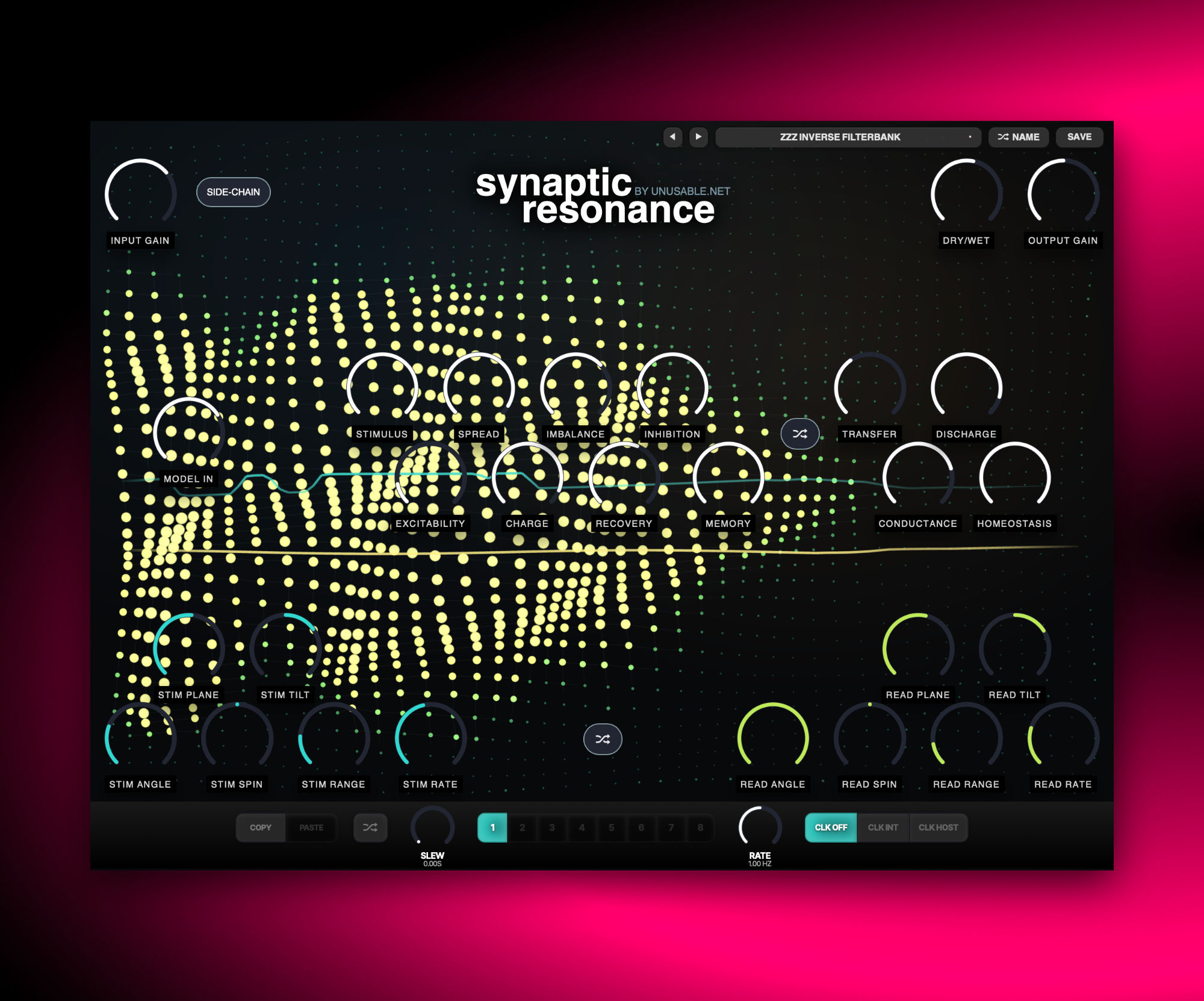
A neural vocoder-style effect where input signal excites a 2D simulation that drives a 40-band resonant filter bank.
Neural VocoderAU/VST3Mac/Win
Slot Sequencer
Parameters held while sequencing now overwrite every slot passed during the gesture.
Added Cmd/Ctrl+click slot preview, which pauses sequencing and auditions the selected slot without slew.
Shortcuts And History
Added active-slot copy and paste with Cmd/Ctrl+C and Cmd/Ctrl+V.
Added multi-step undo with Cmd/Ctrl+Z.
Added redo with Cmd/Ctrl+Shift+Z.
Performance
Reduced processing overhead when the interface is closed by suspending visual metering and snapshot collection.
Optimized neural stimulus calculations by reusing spectral and geometric values within each simulation update.
Improved visual frame scheduling for steadier interface updates without changing the sound or visual appearance.
What it is
Synaptic Resonance is a neural vocoder-style effect. Incoming audio, or optional sidechain input, excites a two-dimensional neural simulation. A separate read plane then samples that activity and maps it to a bank of forty steep resonant bandpass filters.
The input does not directly drive output bands. It stimulates a lattice that carries charge, excitation, inhibition, fatigue, memory-like imbalance, and recovery. Planes for stimulation and readout can be positioned, rotated, and modulated over time, so the resonator responds with movement that is still connected to the source.
It can act as a vocoder-like transformer, an animated resonant filter instrument, or a more unstable biological-circuit texture effect. With sidechain stimulation, it is also useful for hybrid carrier/modulator setups where one source drives behavior and another source is filtered. With neural instability it adds a wet, watery feel to sounds.
Highlights
2D neural simulation core
Audio excites a 48×40 lattice with charge, inhibition, fatigue, memory-like drift, and recovery.
40 resonant fixed bands
Steep bandpass cascades mapped to a C minor pentatonic range for focused tonal transformation.
Carrier + sidechain workflows
Main input can remain the carrier while sidechain drives the neural stimulus.
Full walkthrough
A full walkthrough of Synaptic Resonance covering the neural simulation model, plane controls, character shaping, and practical sound examples.
Slot sequencer
Synaptic Resonance is also a slow-moving effect by nature, so the slot sequencer works best as a way of morphing between different neural reaction states rather than forcing fast rhythmic motion onto it. A few stored slots can hold calmer, more stable responses on one end and more unstable, excitable behaviours on the other.
With enough slew, those states melt into each other and turn the plugin into an evolving soundscape tool. The strange little twists that already live inside the neural model stay intact, but now you can guide them from one behaviour to the next instead of committing to a single simulation mood for the whole passage.
Synaptic Resonance uses incoming audio to excite a 48 by 40 neural simulation, then reads that activity into a fixed bank of 40 resonant filters. This guide covers signal routing, the neural model, Stim and Read planes, character controls, slot sequencing, presets, and editing gestures.
01
Signal flow and sidechain
The main input is the carrier that passes through the 40-band resonator. A separate detector signal excites the neural model; this comes from the main input normally, or entirely from the sidechain when SC Stim is enabled.
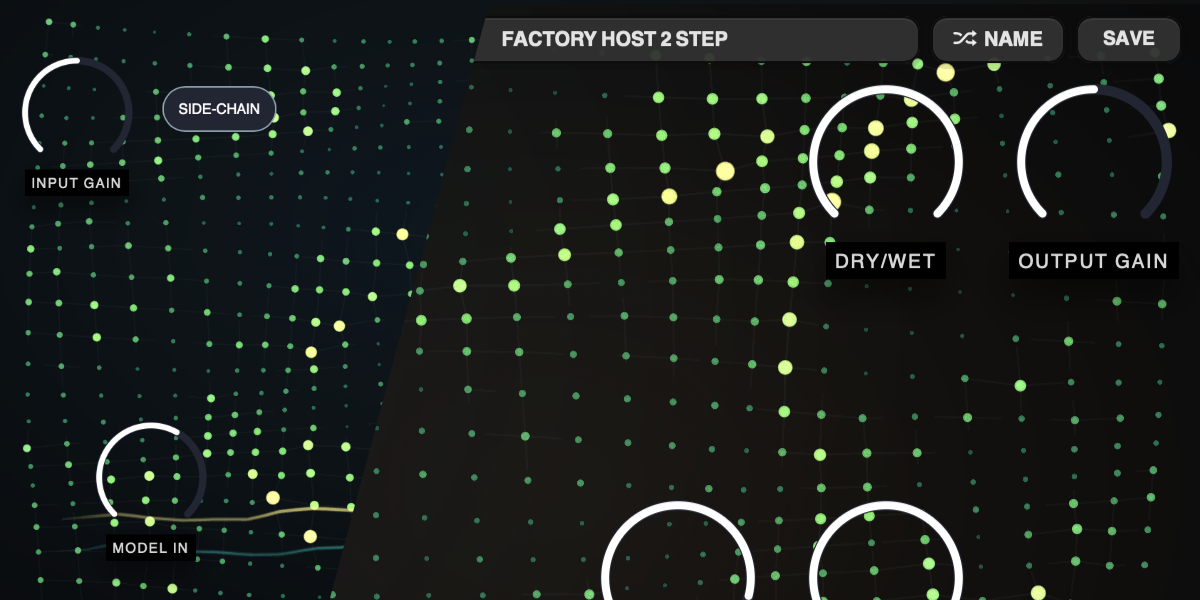
Input Gain sets the main carrier level entering the resonant filterbank. It does not change how strongly the neural model is excited.
Model In sets the level feeding the neural detector, whether that source is the main input or the sidechain.
SC Stim replaces the main-input detector signal with the sidechain. The main input remains the audio being filtered.
Dry/Wet crossfades between the original main input and the resonator output.
Output Gain sets final level after the Dry/Wet mix and output protection.
With no meaningful detector input, the neural field decays toward rest and the wet resonator becomes nearly silent.
02
Neural simulation
Detector bands stimulate cells along the Stim plane. Charge spreads through the lattice, can cross a firing threshold, creates slower chemical state and inhibition, and then recovers. The model deliberately retains history instead of mirroring the input spectrum directly.
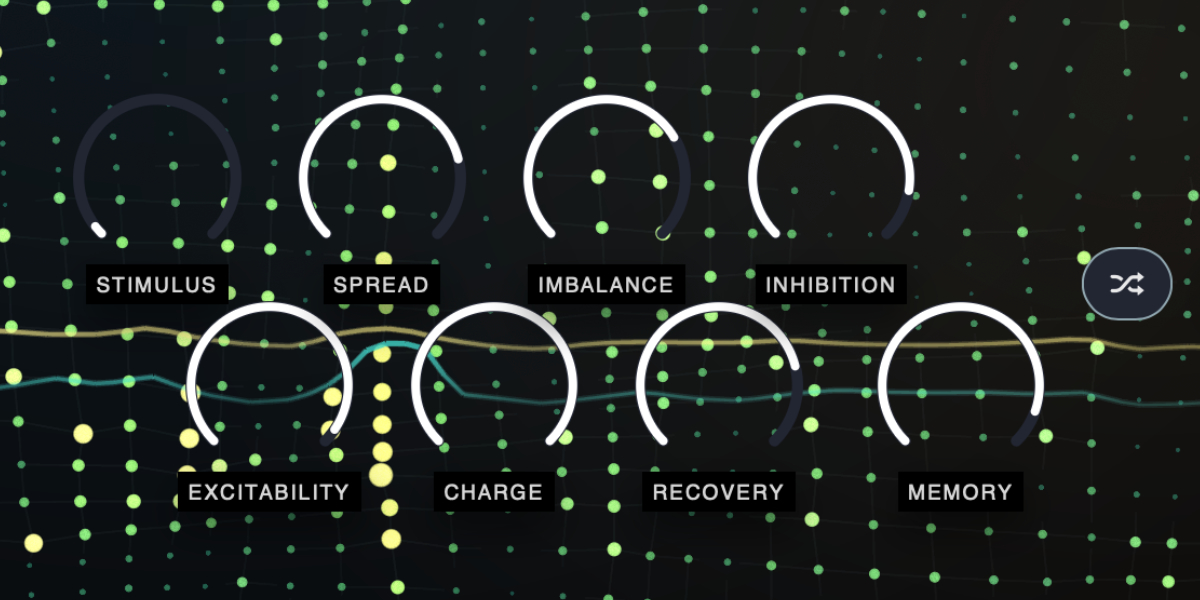
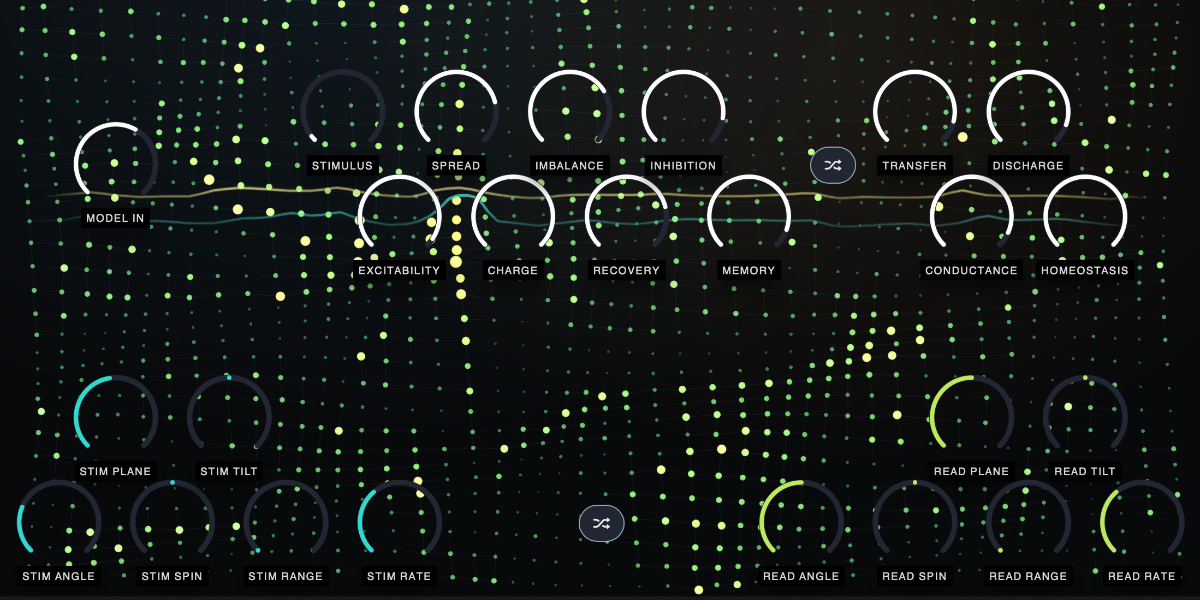
Stimulus sets how strongly detected audio excites cells along the Stim plane.
Excitability sets the firing threshold. Lower values let cells fire more easily; higher values require more accumulated charge.
Spread sets how broadly stimulation and activity influence nearby areas of the lattice.
Charge sets the amount and fast electrical response added by incoming stimulation.
Imbalance increases slower chemical buildup and bias after activity.
Recovery sets how quickly charge, fatigue, and inhibition return toward rest.
Inhibition makes firing cells suppress and fatigue activity around them more strongly.
Memory sets how long the slower chemical state persists after stimulation.
Simulation Random randomizes the simulation and character controls as one group.
03
Stim and Read planes
The turquoise Stim plane places frequency-shaped input energy into the lattice. The yellow Read plane samples cells beneath it and maps positions along the line to the 40 output bands. Their positions, lengths and angles are independent.
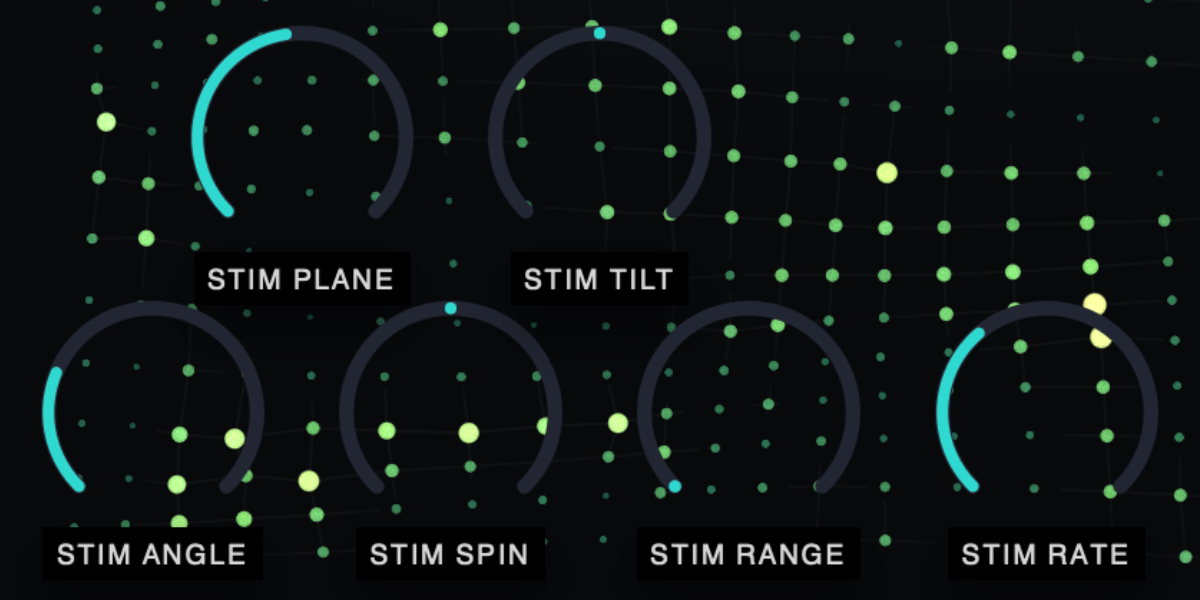
Stim Plane / Read Plane move each line across its own perpendicular axis. The lines can also be dragged directly on the neural display.
Stim Length / Read Length sets the length of the Stim or Read plane. Longer lengths allow for more detailed frequency shaping.
Stim Angle / Read Angle rotate the fixed orientation through a full turn.
Stim Spin / Read Spin rotate continuously. Center is stationary; turning either direction changes direction and speed.
Stim Tilt weights the detector spectrum along the Stim plane. Left favors low bands; right favors high bands.
Read Tilt weights neural activity along the Read plane before it opens the output bands. Left favors low bands; right favors high bands.
Stim Range / Read Range set how far the corresponding sine LFO sweeps its plane around the manually selected position.
Stim Rate / Read Rate set the free-running LFO speed.
Planes Random randomizes both planes and their movement controls without changing the simulation controls.
04
Resonator and character
The Read plane controls forty steep resonant bandpass filters tuned across a C minor pentatonic range from C2 to B-flat9. Neural activity opens the corresponding carrier bands; inactive areas remain close to silent rather than passing a static filterbank level.
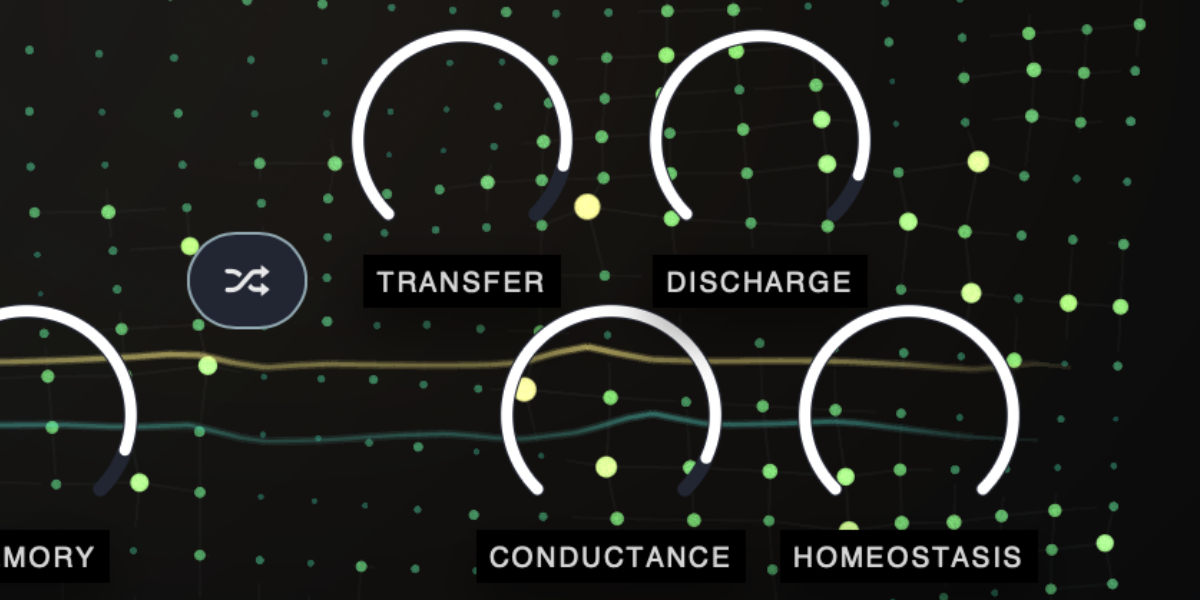
Transfer sets how strongly read charge opens the resonant bands and therefore the overall neural-to-audio transfer depth.
Conductance adds slower chemical influence and raises the minimum and active gain of the resonant terrain.
Discharge accentuates firing spikes, producing sharper and more forceful band openings.
Homeostasis restrains electrical instability. Lower values allow more irregular response; higher values make the system more controlled.
The forty centers are fixed to repeated notes of C minor pentatonic rather than continuously retuning the filters.
Low-frequency protection remains permanently enabled to keep the bottom end more stable.
05
Neural display
The display is a direct view of the model used by the audio engine. It shows activity and its history rather than an independent decorative animation.
Node brightness and intensity follow charge and firing; lingering glow follows slower chemical state and the visual trail.
Darkening reflects inhibition and fatigue, while small position movement reflects local instability and activity.
Connections show the lattice across which activity spreads.
The Stim line brightens where detector energy enters the field. The Read line brightens where active cells are being translated into resonator bands.
Both lines fade toward their ends and become faint when there is no relevant activity.
06
Slots and slot sequencer
Eight slots store the simulation, character, and plane controls, including Model In. Input Gain, SC Stim, Dry/Wet, and Output Gain remain global and are not changed by slot playback.
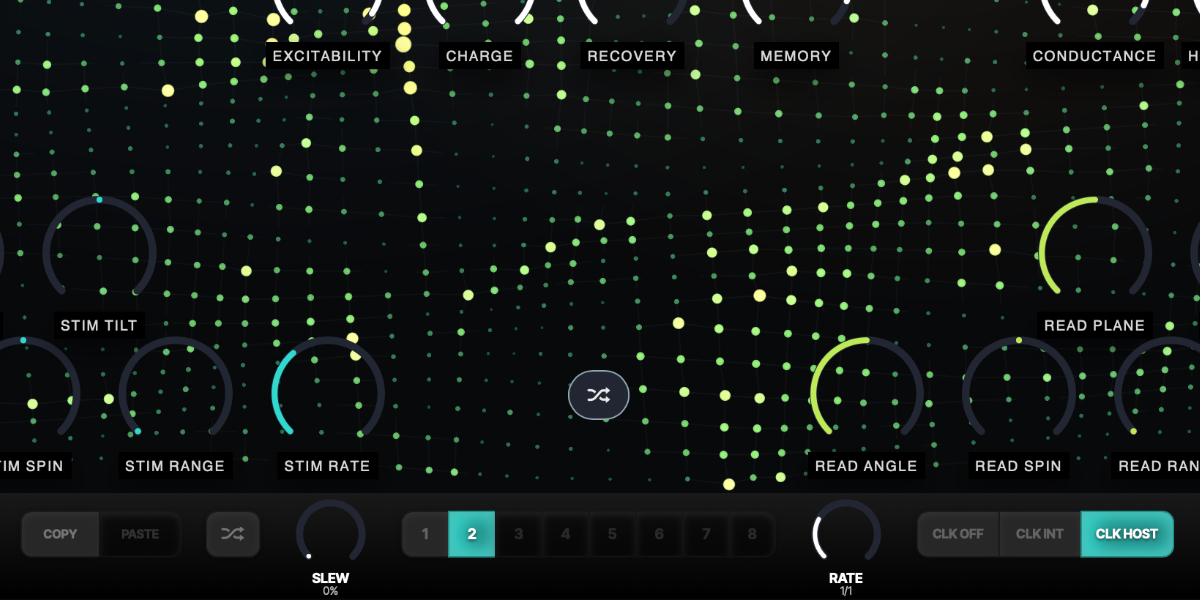
1-8 select a slot and show its stored neural and plane state.
Copy / Paste copies or pastes the complete selected slot state.
Random creates randomized content for the selected slot.
CLK OFF stops automatic stepping while leaving manual slot selection available.
CLK INT runs from the internal clock, with Rate displayed in Hz.
CLK HOST runs from DAW transport and changes Rate to musical divisions.
Slew interpolates every included parameter independently between slot states.
Rate sets internal speed or host-clock division, depending on clock source.
Holding a parameter while slots advance writes only that parameter into every incoming slot and keeps its control from jumping. Other parameters continue their existing slew.
Shift-click or double-click slot
Enable or disable that slot. At least one slot always remains enabled.
Cmd/Ctrl-click slot
Preview and lock that slot, pause sequencing, and show a white inset outline.
Cmd/Ctrl+C / Cmd/Ctrl+V
Copy or paste the selected slot.
Cmd/Ctrl+Z
Undo the previous edit gesture.
Cmd/Ctrl+Shift+Z
Redo an undone gesture unless a new edit has cleared the redo history.
07
Presets and control shortcuts
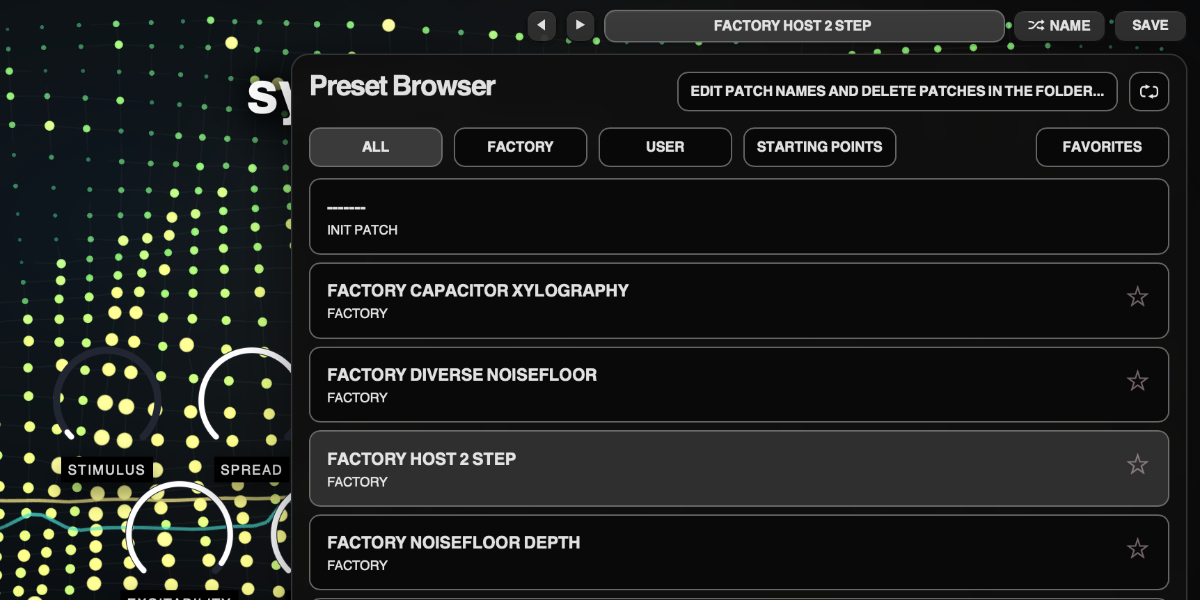
The preset name opens the browser. Presets store the complete plug-in state, including global controls, all eight slots, and sequencer settings.
Preset arrows step through available presets and wrap between the first and last entries.
Preset name opens the preset browser.
Name generates a preset name.
Save writes the complete state. Saving without first generating a name creates one automatically.
Factory / User / Starting Points / Favorites filter the preset browser.
Versioned Save writes a numbered copy when the current preset has changed.
Folder opens the preset directory for external renaming or deletion.
Refresh reloads externally renamed or deleted preset files.
Drag up / down
Increase or decrease a knob value with linear vertical movement.
Double-click control
Reset it to the initial value.
Cmd/Ctrl-click or Option/Alt-click control
Reset it to the initial value.
Wheel over control
Adjust without dragging.
Option/Alt-wheel
Fine adjustment.
Shift-wheel
Coarse adjustment.
Recommended for
Neural vocoder-style transforms with animated movement
Resonant filter textures that react to input in a surprising way
Hybrid sidechain patches where one source drives another
It is a neural vocoder-style effect where audio excites a 2D simulation that is read back through 40 resonant bands.
How is it different from a regular vocoder?
The input first passes through a neural model with excitation, inhibition, fatigue, and memory-like behavior, rather than directly opening filter bands. This generates artifacts and movement that differs from normal vocoding.
Can it use sidechain input?
Yes. Sidechain can drive model stimulation while the main signal remains the filtered carrier.
What does it do to sound?
It can move from focused vocoder-like articulation to unstable animated resonant textures, depending on plane and simulation settings.
Compatibility
macOS 12+, Windows 10/11 macOS: AU/VST3, Windows: VST3
These plugins use detailed real-time processing and are happiest on reasonably recent CPUs, especially
when several instances are running at once.
The science-native interface simulations are beautiful to watch and interact with, but in larger
sessions, closing plugin windows you are not actively editing can free up resources for other hungry
plugins. Audio processing continues normally.
Slot sequencer
A shared walkthrough of the Unusable slot sequencer system, including how stored states, stepping, and slew can turn a static patch into motion.
Preset system
A shared walkthrough of the Unusable preset system, with practical tips for saving, naming, organizing, and moving between ideas.
Sound demo and Patch Ideas
A no-talking sound-example session for Synaptic Resonance, showing different source materials, patch behavior, and practical notes on how settings shape the result.
Bundle option
Also available in bundle form
If this plugin fits your workflow, there is a good chance one of the bundles will fit even better and reduce total spend.
Scientist Suite
The science-metaphor lineup: Curves & Membranes, Quadrant Modulator, Spectral Pressure Chamber, Cavitation Fractures, Grain Discharge, and Synaptic Resonance.