A cavitation-driven granular effect where fluid simulation events spawn grains from recent input audio history.
GranularAU/VST3Mac/Win
Slot Sequencer
Parameters held while sequencing now overwrite every slot passed during the gesture.
Added Cmd/Ctrl+click slot preview, which pauses sequencing and auditions the selected slot without slew.
Shortcuts And History
Added active-slot copy and paste with Cmd/Ctrl+C and Cmd/Ctrl+V.
Added multi-step undo with Cmd/Ctrl+Z.
Added redo with Cmd/Ctrl+Shift+Z.
Performance And Stability
Reduced grain-engine CPU usage through more efficient voice counting, voice allocation, sample lookup, envelope processing, and rendering.
Removed unused legacy pitch-analysis processing.
Reduced high-sample-rate memory and processing overhead while retaining consistent grain behavior.
Improved handling of unusually large host buffer sizes.
Limited particle rendering to 30 FPS while preserving time-correct visual smoothing.
Cached the simulation background instead of rebuilding it every frame.
Disabled unnecessary visual metering calculations while no editor is active.
Improved WebView keyboard focus and shortcut handling on macOS.
What it is
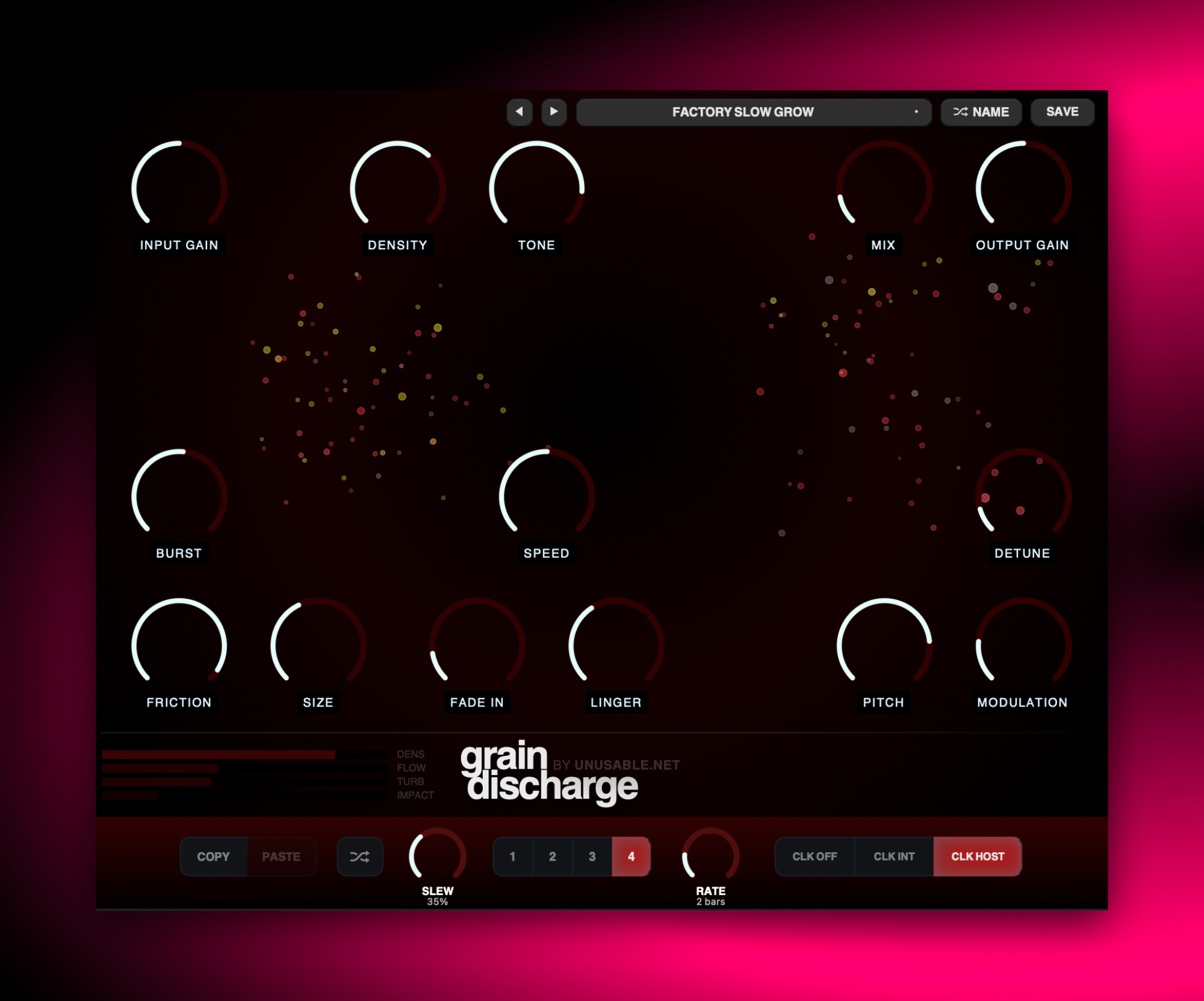
Grain Discharge is a granular effect where grains are driven by a fluid simulation. Incoming audio excites the simulation, cavitation events appear, and those events spawn grains from a rolling history of your source signal.
Because the simulation is the event driver, it shapes timing, impact, movement, and character of the grain cloud. The same loop does not repeat in exactly the same micro-pattern every pass, so you get recurring identity but in an evolving way. You can steer behavior with Burst, Density, Friction, Speed, Size, Fade In, Linger, and pitch-family controls, and the visual field stays tightly linked to what the engine is actually doing.
At lower Linger and moderate Burst, it can do reactive rhythmic sprays and articulated textures. Push Density and Linger with softer Fade In, and it shifts into smeared grain clouds and reverb-like atmospheres. It also works beautifully as a motion layer before downstream effects when you want controlled unpredictability that still feels musical.
Highlights
Cavitation-driven grain spawning
Fluid simulation events trigger grains from recent input history generating evolving textures.
Behavior-shaping controls
Burst, Density, Friction, Speed, Size, Fade In, and Linger let you steer rhythm, turbulence, and texture thickness.
Pitch-family particle system
Per-grain pitch families and modulation add harmonic color and movement inside the grain cloud.
Full walkthrough
A full walkthrough of Grain Discharge covering the core cavitation-driven grain concept, control behavior, and practical sound design use across different source material.
Slot sequencer
Grain Discharge is fairly slow by nature, so the slot sequencer is not really about fast stepped tricks. It works better as a way of moving between different grain-cloud states: denser and lighter textures, softer and sharper onset behaviour, or changes in how long the cloud hangs in the air after each event.
Because the granular engine reacts over time, longer slews usually give the nicest results. Instead of hearing obvious sequence steps, you get evolving sprays, smeared transitions, and gradual changes in how the cloud remembers the source material. It feels more like steering a weather system than clocking a traditional modulation lane.
Grain Discharge records the incoming signal into a rolling buffer, then uses an audio-reactive fluid simulation to decide when grains are created. This guide covers the simulation, grain shaping and pitch, the visual display, slot sequencing, presets, and editing gestures.
01
Signal flow and level controls
Incoming audio drives the cavitation model and is stored as recent grain material. Simulation events read short sections from that history, filter and shape them, then mix the resulting grain cloud with the direct signal.
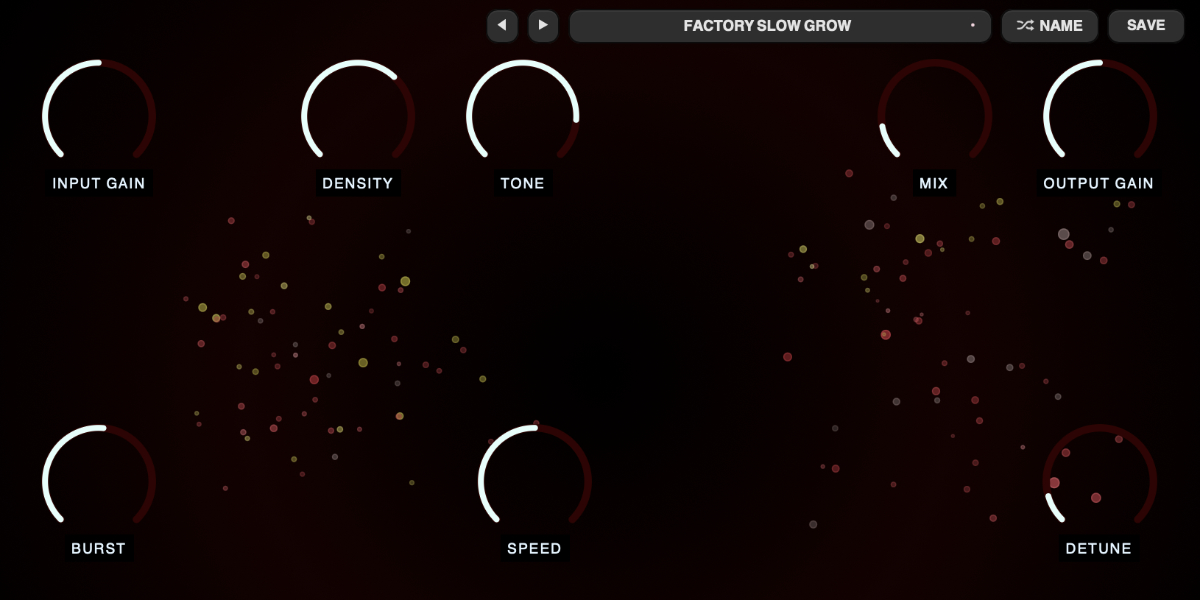
Input Gain sets the level entering the detector and rolling grain buffer. Raising it makes quieter details excite the simulation more readily; extreme levels can produce intentionally harsh digital clicks and clipping inside dense grain combinations.
Mix moves from direct input to the grain output. At zero the plug-in uses a dry-only bypass and the simulation stops, so it is not merely an output crossfade at that endpoint.
Output Gain sets the final level after the direct and grain signals are combined and before output protection.
The recent-audio buffer, cavitation detection, grain rendering, and particle state all run in the audio processor; the sound does not depend on the interface being open.
02
Simulation and event controls
The simulation is deliberately variable at the micro level: the same source and settings retain a recognizable behavior without producing the exact same event pattern every pass. Burst, Density, Friction, Size, and Speed steer that behavior rather than replacing it with a fixed trigger grid.
Burst controls how readily and strongly the simulation forms cavitation events. Higher values increase transient sensitivity, lower the event threshold, and create more frequent, energetic ruptures.
Density controls how much grain activity each excitation can support. Higher values increase the number and weight of grains produced around an event, making the cloud fuller; Burst is primarily about event formation, while Density is about how populated those events become.
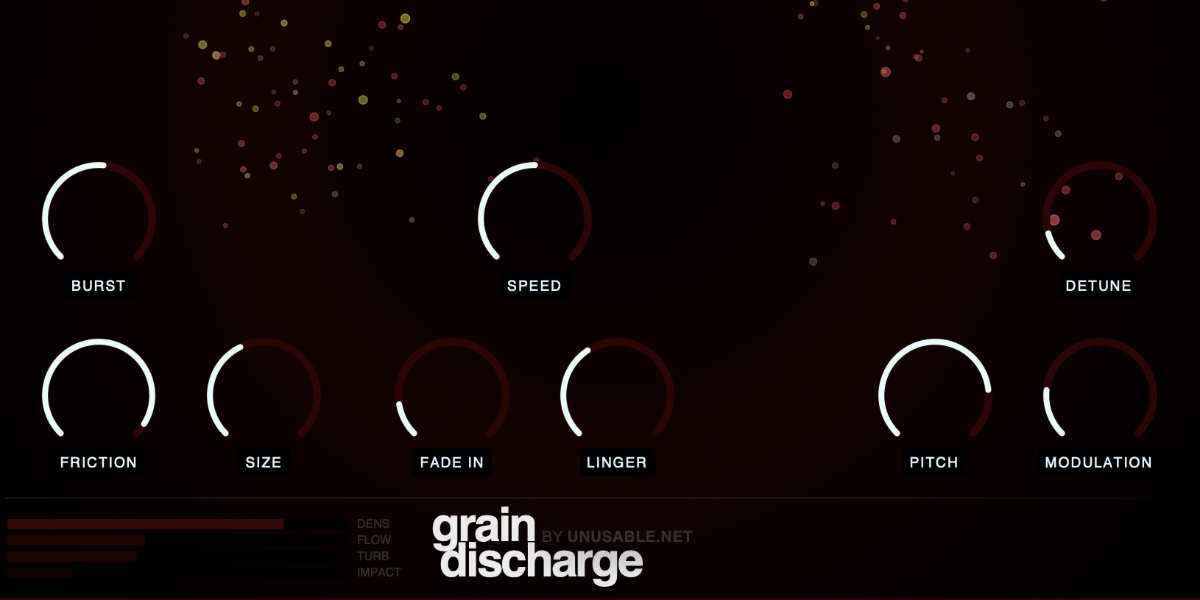
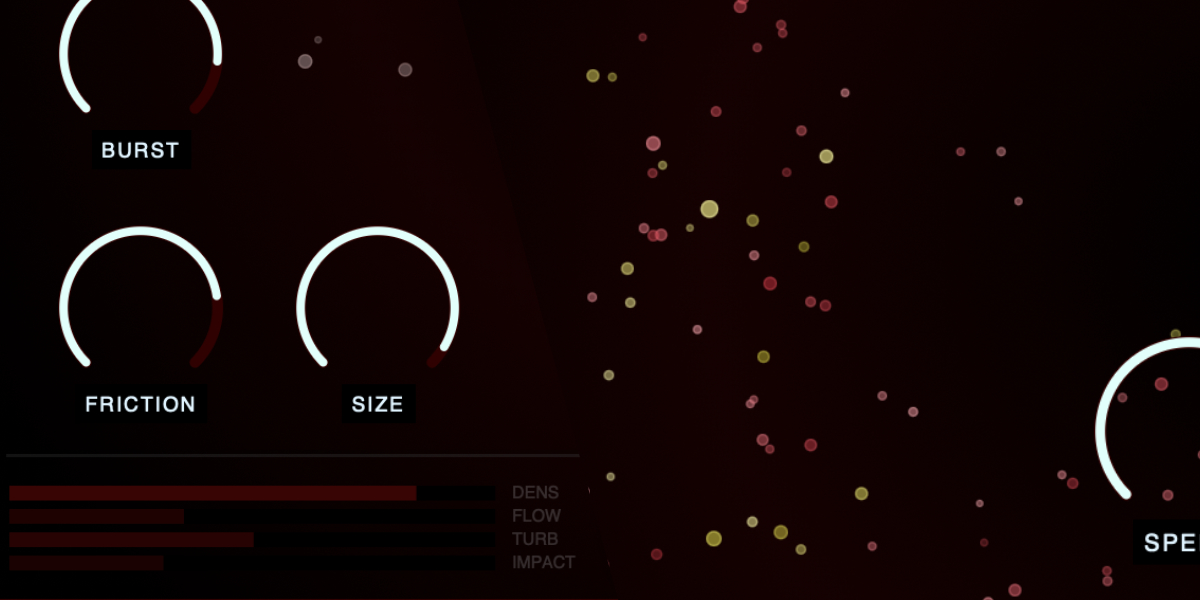
Friction inversely controls movement. Lower settings create more turbulence, timing variation, stereo motion, and particle drift; higher settings restrain the field.
Size shifts particle and grain scale. Larger grains tend to be louder, longer, and more broadly filtered; smaller grains tend to be shorter, more narrowly filtered, and more strongly affected by pitch modulation.
Speed sets the global simulation time scale. Lower values slow event formation, movement, and grain pacing; maximum runs the model at full speed.
03
Grain envelope, tone, and pitch
Each cavitation event creates one or more independently delayed grains. Grain duration, looping, filtering, envelope, pitch family, detune, and modulation are captured when a new voice is created, allowing active grains to finish smoothly while later events use new settings.
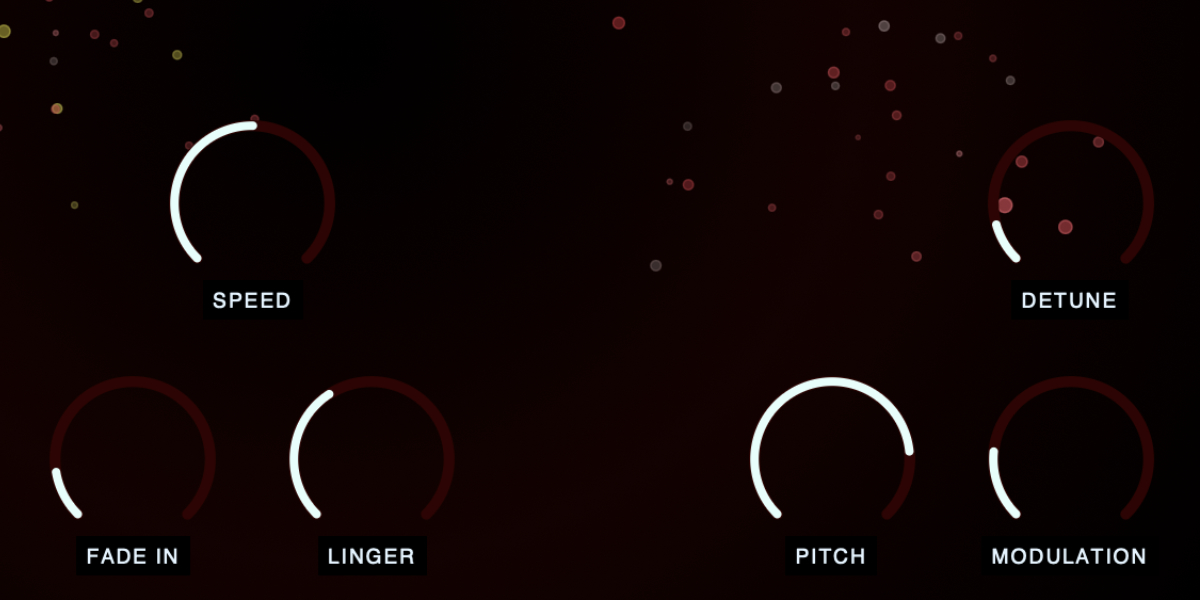
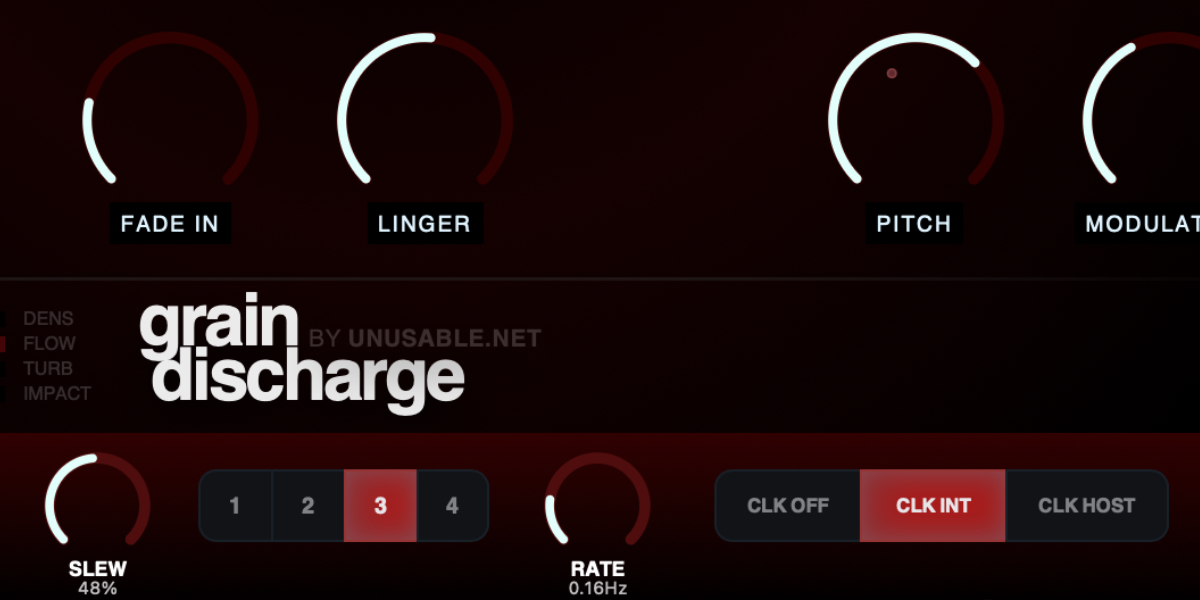
Fade In lengthens grain attack and particle growth. Higher settings soften individual onsets and also darken recirculated tail energy, moving the result away from sharp sprays.
Linger extends the grain release by looping captured material with crossfades. It also increases delayed follow-up grains and particle lifetime, creating thicker, more reverb-like clouds without simply stretching one grain.
Tone moves particle generation vertically and changes grain filtering. Lower particles use lower band-pass centers and darker tone filtering; higher particles use higher centers and retain more upper-frequency content.
Pitch changes the probability assigned to three discrete pitch families for newly created grains. The control moves from base pitch toward a mixture of minor sevenths and octaves, ending with octave-up grains rather than gliding through intermediate notes.
Detune adds a random offset of up to plus or minus 100 cents to each new grain. It does not retune grains that are already playing.
Modulation sets random per-grain pitch modulation. Rates vary from roughly 2.5 to 15 Hz, and smaller grains receive more depth than larger grains.
04
Particle display and meters
The display is a view into the event system, not an unrelated animation. Audible grain events create particles whose timing, energy, size, vertical position, movement, lifetime, and pitch color follow the same state used by the audio engine.
White particles represent base-pitch grains, yellow particles represent minor-seventh grains, and red particles represent octave-up grains. Detune introduces only a slight hue shift.
Vertical position corresponds to a grain's band-pass center: lower particles are filtered lower and higher particles are filtered higher.
Particle size relates to grain amplitude, loop length, filter bandwidth, and modulation depth. A visual event can summarize several closely related grain voices rather than drawing one particle for every voice.
DENS, FLOW, TURB, and IMPACT summarize current simulation population, movement, turbulence, and event energy. They are readouts rather than separate controls.
05
Slots and slot sequencer
Eight slots store Density, Tone, Burst, Size, Friction, Pitch, Detune, Fade In, Linger, Modulation, and Speed. Input Gain, Mix, and Output Gain remain global and are not changed by slot selection, randomization, or automatic stepping.
1-4 select a slot and show its stored simulation and grain state.
Copy / Paste copies or pastes the complete selected slot state.
Random generates new values for the eleven slot-controlled parameters while leaving the three global level controls unchanged.
CLK OFF stops automatic stepping. Manual slot changes and randomization still use Slew.
CLK INT runs from the internal clock. Rate is displayed in Hz.
CLK HOST runs from DAW transport and changes Rate to musical divisions.
Slew sets interpolation time between slot states. Each parameter has an independent interpolation lane.
Rate sets internal speed or host-clock division, depending on the selected clock source.
Holding a parameter while slots advance writes that value into every incoming slot and prevents that control from jumping. Other parameters continue their existing slew.
Shift-click or double-click slot
Enable or disable that slot. At least one slot always remains enabled.
Cmd/Ctrl-click slot
Preview and lock that slot, pause sequencing, and show a white inset outline.
Cmd/Ctrl+C / Cmd/Ctrl+V
Copy or paste the selected slot.
Cmd/Ctrl+Z
Undo the previous edit gesture.
Cmd/Ctrl+Shift+Z
Redo an undone gesture unless a new edit has cleared the redo history.
06
Presets and control shortcuts
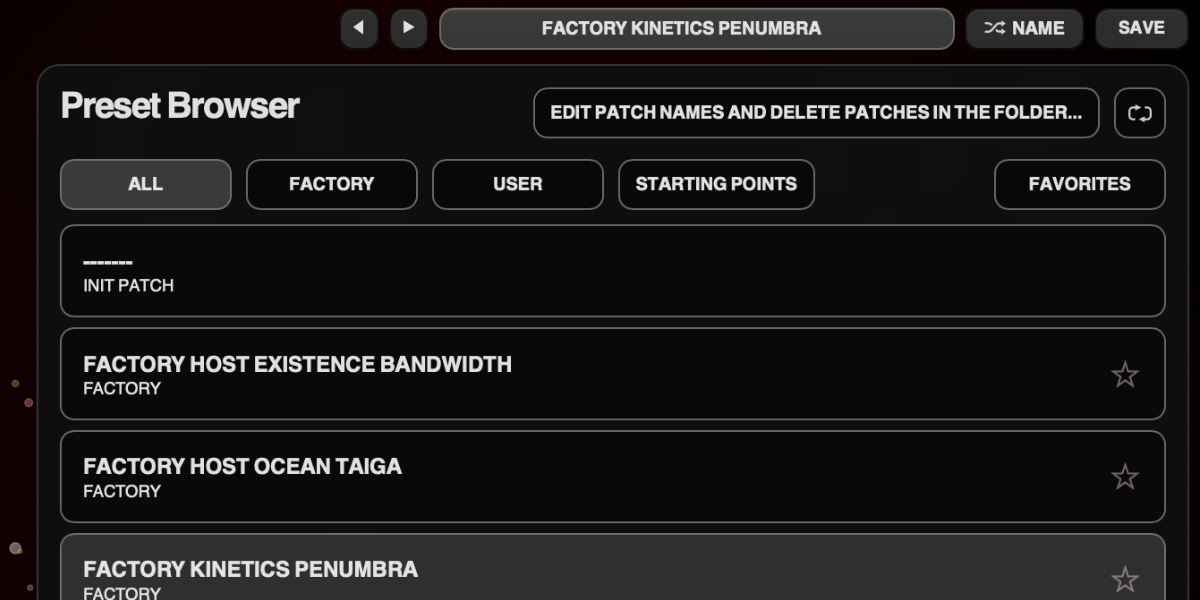
The preset name opens the browser. Presets store the complete plug-in state, including global controls, all eight slots, and sequencer settings.
Preset arrows step through available presets and wrap between the first and last entries.
Preset name opens the preset browser.
Name generates a preset name.
Save writes the complete state. Saving without first generating a name creates one automatically.
Factory / User / Starting Points / Favorites filter the preset browser.
Versioned Save writes a numbered copy when the current preset has changed.
Folder opens the preset directory for external renaming or deletion.
Refresh reloads externally renamed or deleted preset files.
Drag up / down
Increase or decrease a knob value with linear vertical movement.
Double-click control
Reset it to the initial value.
Cmd/Ctrl-click or Option/Alt-click control
Reset it to the initial value.
Wheel over control
Adjust without dragging.
Option/Alt-wheel
Fine adjustment.
Shift-wheel
Coarse adjustment.
Recommended for
Reactive rhythmic grain sprays from drums and percussion loops
Smeared, cloud-like atmospheres from sustained synth or guitar input
Reverb-adjacent texture layers with more motion and edge
Creative transitions with controlled instability
Fit and focus
Great fit for:
granular effects with movement and unpredictability
science-inspired DSP concepts
sonic experiments that reward exploration and play
Questions people ask
What is Grain Discharge?
It is a granular effect plugin where a fluid simulation drives when and how grains are spawned from recent input audio.
How is it different from typical granular plugins?
Instead of fixed grain timing engines, it uses cavitation-event behavior as the trigger system, so the response stays input-reactive and alive without exact repetition.
Who is it for?
Musicians, producers and sound designers who want granular texture that feels musical, animated, and steerable.
What does it do to sound?
It can move from tight reactive sprays to dense drifting grain clouds, with enough structure to stay close to the source signal.
Compatibility
macOS 12+, Windows 10/11 macOS: AU/VST3, Windows: VST3
These plugins use detailed real-time processing and are happiest on reasonably recent CPUs, especially
when several instances are running at once.
The science-native interface simulations are beautiful to watch and interact with, but in larger
sessions, closing plugin windows you are not actively editing can free up resources for other hungry
plugins. Audio processing continues normally.
Slot sequencer
A shared walkthrough of the Unusable slot sequencer system, including how stored states, stepping, and slew can turn a static patch into motion.
Preset system
A shared walkthrough of the Unusable preset system, with practical tips for saving, naming, organizing, and moving between ideas.
Sound demo and Patch Ideas
A six-minute no-talking video showing Grain Discharge on different kinds of sound sources, both acoustic and electronic, hardware and software, across practical use cases. A few on-screen notes explain what is happening along the way.
Bundle option
Also available in bundle form
If this plugin fits your workflow, there is a good chance one of the bundles will fit even better and reduce total spend.
Scientist Suite
The science-metaphor lineup: Curves & Membranes, Quadrant Modulator, Spectral Pressure Chamber, Cavitation Fractures, Grain Discharge, and Synaptic Resonance.