All Partially Dirty
20 presets exploring the dirtier and noisier areas of Partials & Discrepancies.
- Type
- Preset pack
- Requires
- Partials & Discrepancies 1.3.2+
- Author
- Rasmus

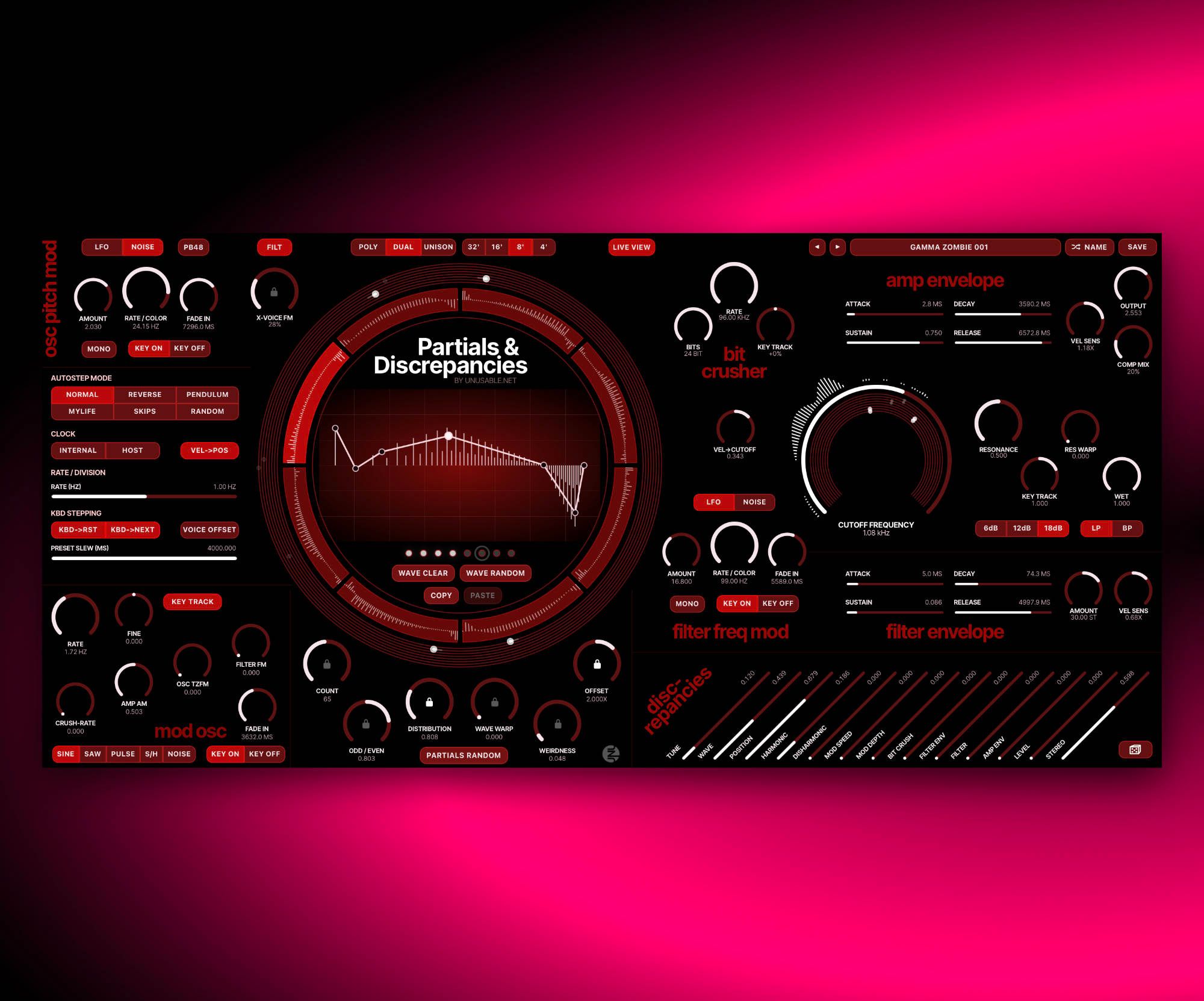
An 8-voice additive polysynth with slot-based motion, up to 128 partials per voice, and semi-controlled divergence between voices.
20 presets exploring the dirtier and noisier areas of Partials & Discrepancies.
Partials & Discrepancies is an 8-voice synth built around one additive oscillator per voice. It was made as a more disharmonic and experimental companion to Curves & Membranes, but still with a layout where you can actually follow what is happening and stay close to the sound while it shifts.
Each slot stores a full partial shape with seven node handles plus seven behavior parameters, so the sound can move between harmonic and more broken states. Offset, Wave Warp, and Weirdness push the partials away from neat spacing, while the slot sequencer, voice offset, and discrepancy controls let voices drift and diverge in very musical ways.
It can do animated pads, unstable leads, brittle static digital sounds, and inharmonic sweeps. The architecture is deliberately simple, with a compact set of controls that can move from sweet harmony to absolute mayhem and back again.
Each voice is built from up to 128 realtime generated partials that can align or drift off the harmonic grid.
Partials & Discrepancies supports MTS-ESP for alternative tuning systems and works with MPE-compatible controllers for more expressive playing.
Up to eight slots store full partial states and can sweep, step, slew, or key-follow between one another.
Each voice gets its own stable random character, so tuning, filter, stereo, and slot position can drift away by controlled amounts.
Let each voice modulate the next. As you play the effect changes with your notes, and slowly crushes the sound to dirt and pieces
Velocity decides which slot will be played, letting you build sounds that transforms with each key stroke.
A walkthrough of Partials & Discrepancies covering the additive partial model, slot-based motion, discrepancy controls, and how the synth stays fast to work with while moving into stranger territory.
A no-talking set of sound examples showing what Partials & Discrepancies can do across animated, harmonic, dissonant, and more unstable territory.
A little session showing what the Discrepancies controls do, and how they can be used to breathe life or a bit of chaos into patches.
An unplanned 26-minute session using the additive oscillator of Partials & Discrepancies in a few different ways. Good if you have time to kill, are looking for some boredom, or want to get to know the oscillator a bit better.
The interface is divided into oscillator shaping, slot motion, modulation, filtering, envelopes, output, and per-voice discrepancy. This guide covers the operating modes and the shortcuts used while editing.
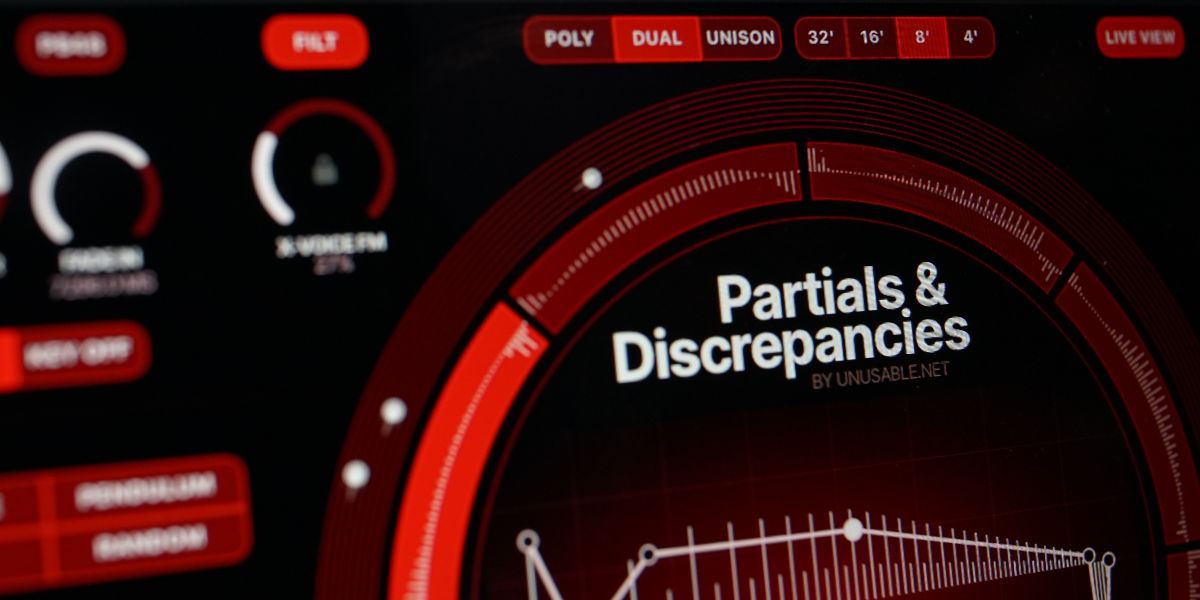
Each voice uses one additive oscillator with up to 128 partials. The oscillator passes through the voice filter and amplifier before reaching the output stage.
Poly / Dual / Unison select independent or stacked voice allocation.
32' / 16' / 8' / 4' select the oscillator register.
PB48 steps through pitch-bend ranges of 48, 12, 7, 5, 3, and 2 semitones.
Live View follows an active voice in the slot editor. Editing pauses the live view display temporarily.
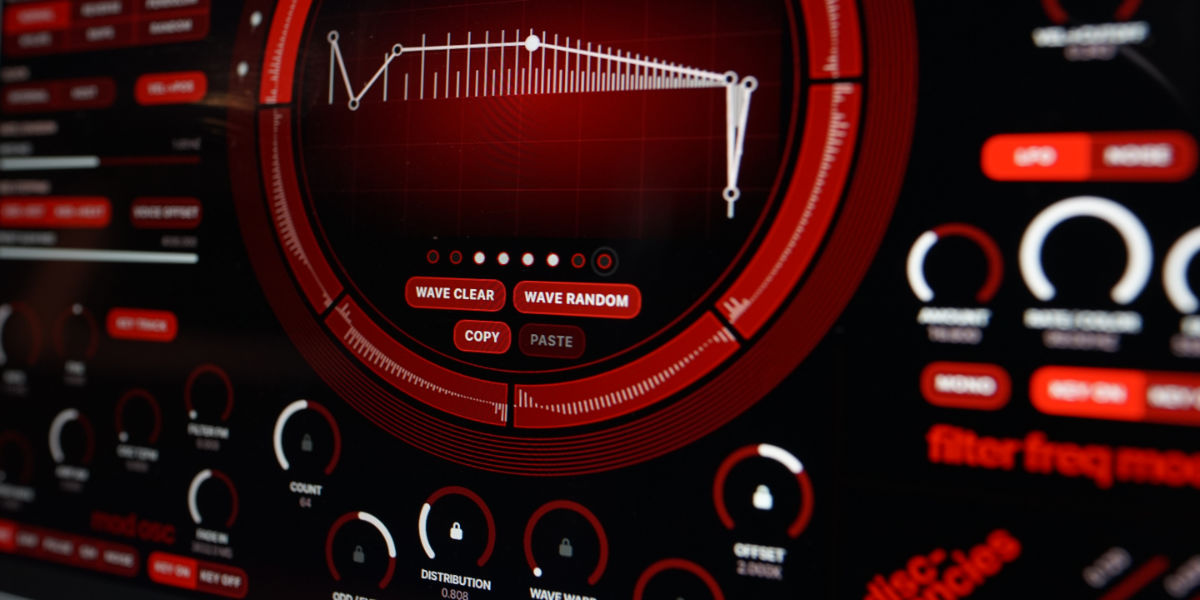
The seven nodes define the amplitude contour applied across the active partials. Horizontal node position selects a point in the partial range. Vertical position sets level and polarity.
Count sets the number of active partials from 8 to 128.
Distribution changes how partials are distributed through node setup.
Odd/Even changes the balance between odd and even harmonics.
Offset moves partial frequencies away from exact harmonic multiples.
Wave Warp moves the partials closer and further apart in a wave pattern.
Weirdness reduces the distance between partials in a rather weird way. Opens for some controlled detuning setups.
Lock keeps its parameter fixed while other slot values are recalled or interpolated.
X-Voice FM uses the preceding voice as a linear-FM source. FILT uses its filtered pre-amplifier signal; OSC uses its oscillator signal.
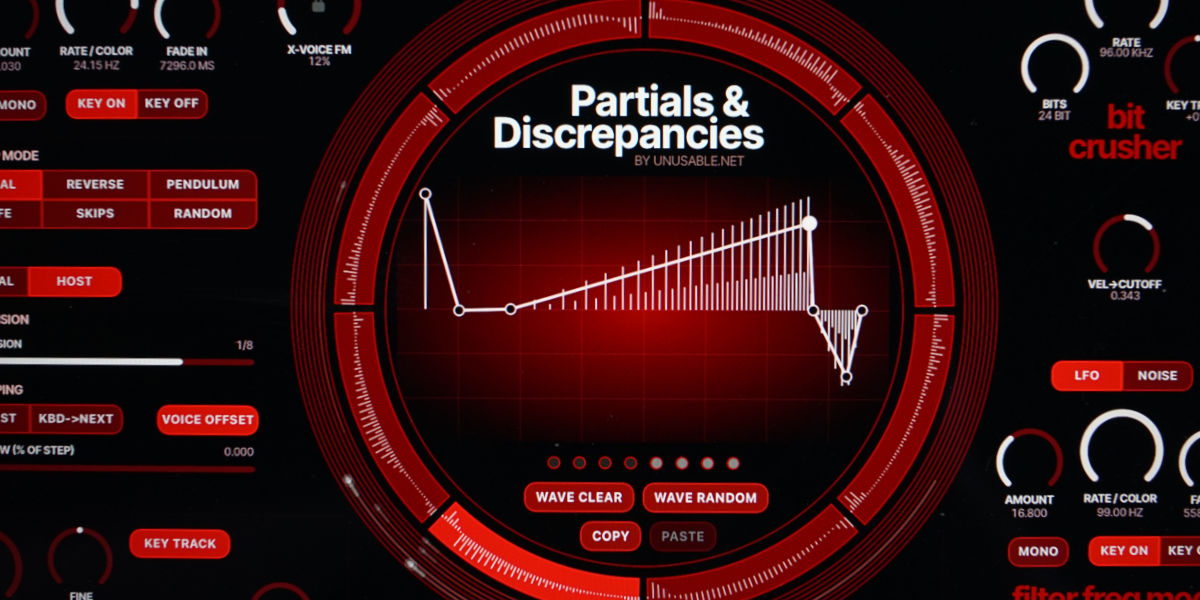
Eight slots store separate node shapes and partial-control states. Enabled slots form the path used by sequencing, CC4, velocity position, and voice offset.
Ring segment shows which slots are active and which is being edited.
Slot solo is temporary and is not saved with the preset. It affects notes started after solo is enabled.
Live View follows the current slot position of an active voice and changes followed voice when the current one becomes stale.
Voice dots shows the active voices current amplitude, which one is currently used by live view, and toggles voices off and on.
Slot circle voice dots shows the movement across slots on the slot tracks by each of the eight voices.
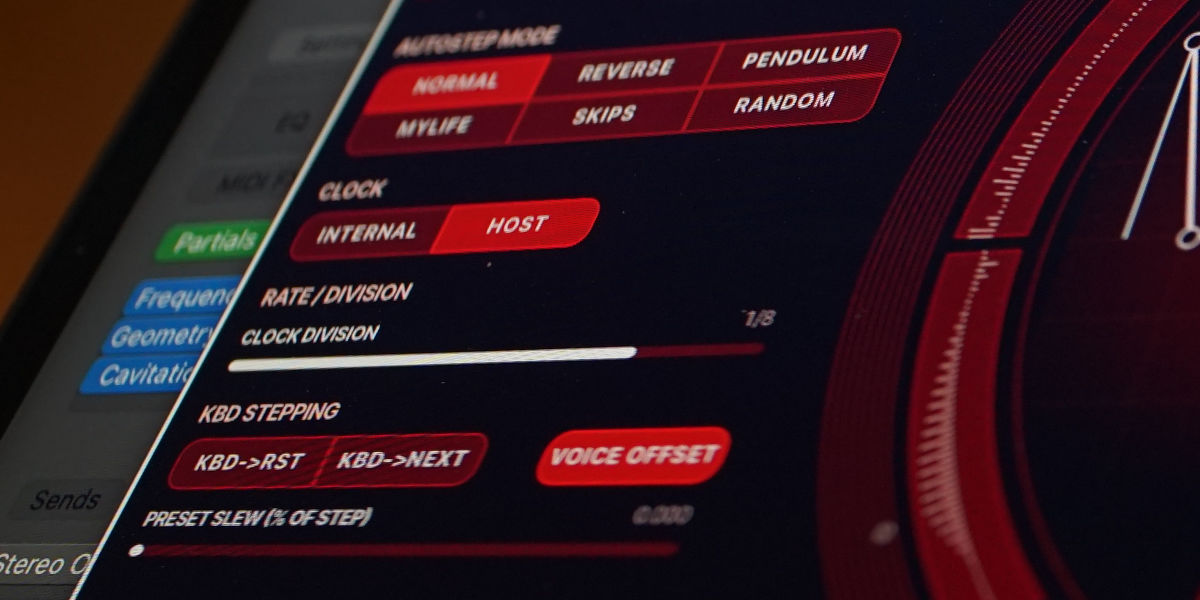
The slot sequencer moves through enabled slots and interpolates their stored oscillator states. Rate and Slew determine when movement starts and how much of each step is used for interpolation.
Normal / Reverse / Pendulum / Mylife / Skips / Random define the slot order.
Internal / Host select the local rate or musical divisions from the DAW clock. Turning both off disables continuous clocking.
KBD->RST resets a voice to the sequence start on note-on.
KBD->NEXT advances the voice's starting position on note-on.
KBD->RST + KBD->NEXT runs one complete direction-aware revolution in a clocked mode and holds on the final step. When clocked mode is off, it goes one single step with duration set by slew time
Voice Offset distributes voices across different starting slots.
Key Track tracks internal-clock speed from note pitch.
Vel->Pos maps note velocity to each voice's slot position when continuous clocking is off.
CC4 sweeps each voice across the enabled slots when clocking is off.
Slew sets the time or percentage for interpolation between slots. In Vel->Pos and CC4 mode, sets how much of each step or CC4 region is used for interpolation.
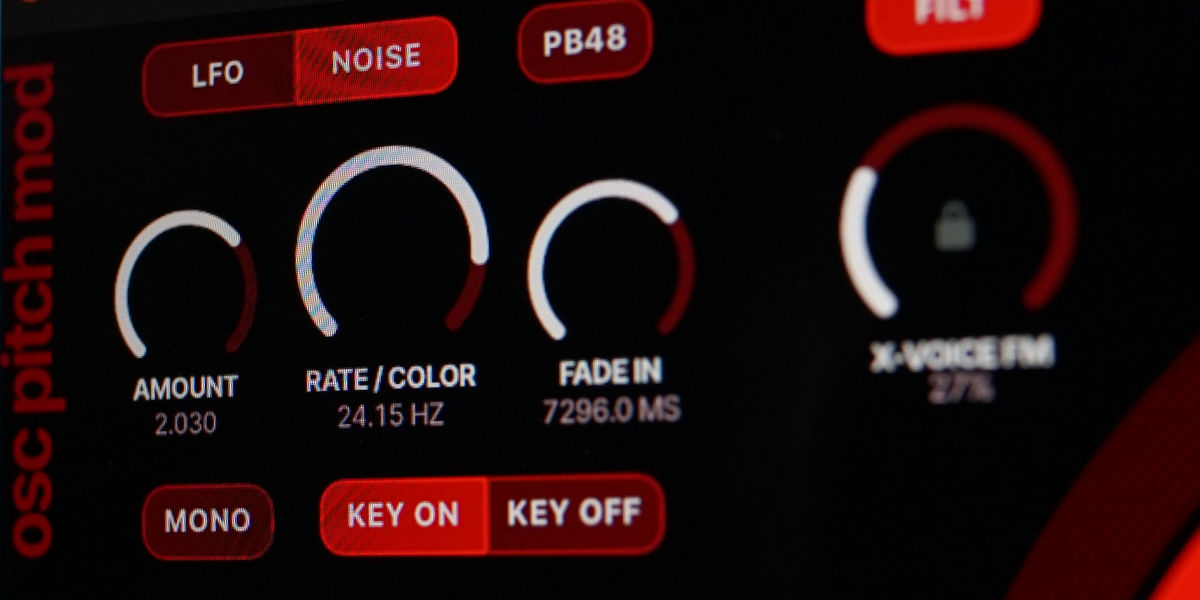
The pitch modulator applies a dedicated LFO or noise source to oscillator pitch. It runs independently from the modulation oscillator and filter-frequency modulator.
LFO / Noise selects between a sine wave or noise as modulator.
Amount sets pitch-modulation depth in semitones. The mod wheel is used as a multiplier and can add up to 1.25 semitones to the displayed amount.
Rate / Color sets LFO speed or the character of the noise source.
Fade In sets how long the modulation takes to reach its full depth.
Mono synchronizes the LFO across voices and removes per-voice Mod Speed discrepancy. With Mono off, every new note resets its own LFO phase.
Key On / Key Off selects whether modulation and its fade begins at note-on or note-off.
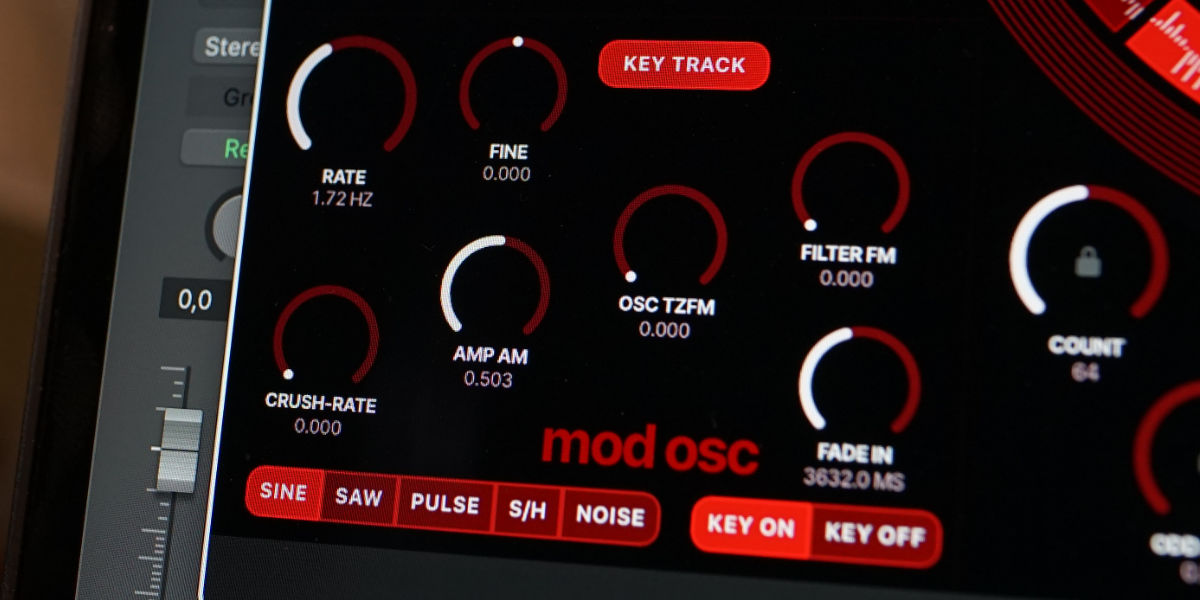
The modulation oscillator is a separate per-voice source for audio-rate and low-frequency modulation. Its rate can be free-running or derived from the played note.
Sine / Saw / Pulse / S/H / Noise select the oscillator shape. Non-sine shapes are smoothed when used for amplitude modulation.
Rate sets the free-running frequency.
Fine adds fine adjustment to the modulation-oscillator frequency.
Key Track derives oscillator rate from note pitch and follows the selected PB range.
Fade In sets the modulation fade time.
Key On / Key Off selects whether modulation and its fade begins at note-on or note-off.
Filter FM applies the oscillator directly to filter frequency.
Osc TZFM applies linear through-zero frequency modulation to the additive oscillator.
Amp AM applies amplitude modulation.
Crush-Rate modulates the bit-crusher sample rate.
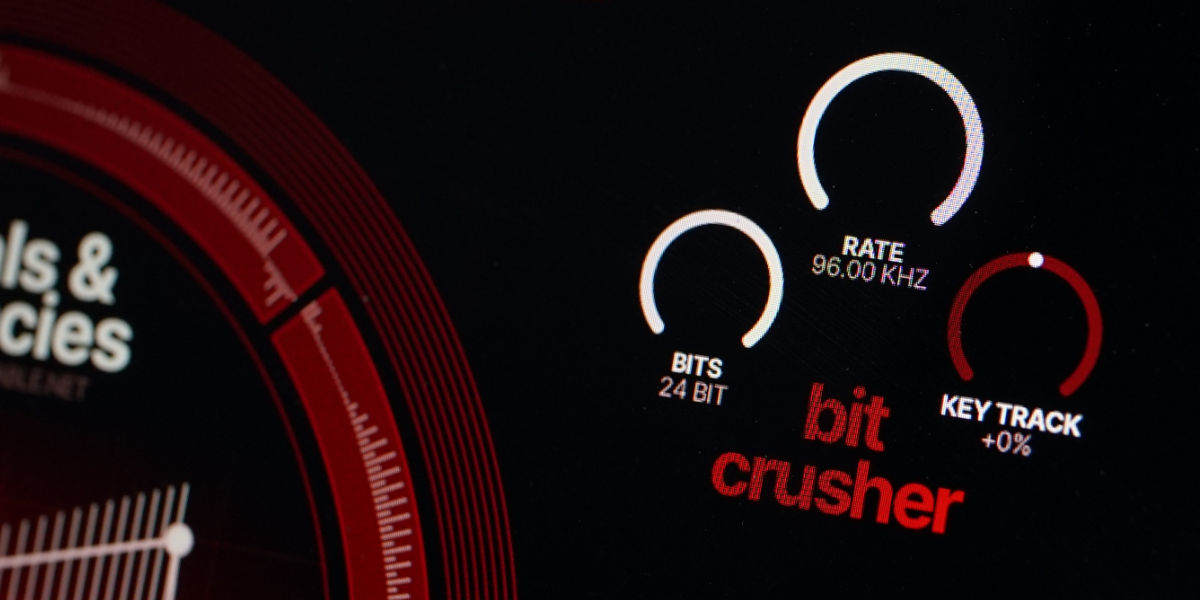
The bit crusher reduces signal resolution through independently controlled sample-rate reduction and bit-depth reduction. It is placed before the filter, so the filter can shape its artifacts.
Rate sets the crusher sample rate. Lower values produce more sample-rate reduction.
Bits sets the output bit depth from 24 down to 4 bits.
Key Track scales the crusher sample rate from note pitch.
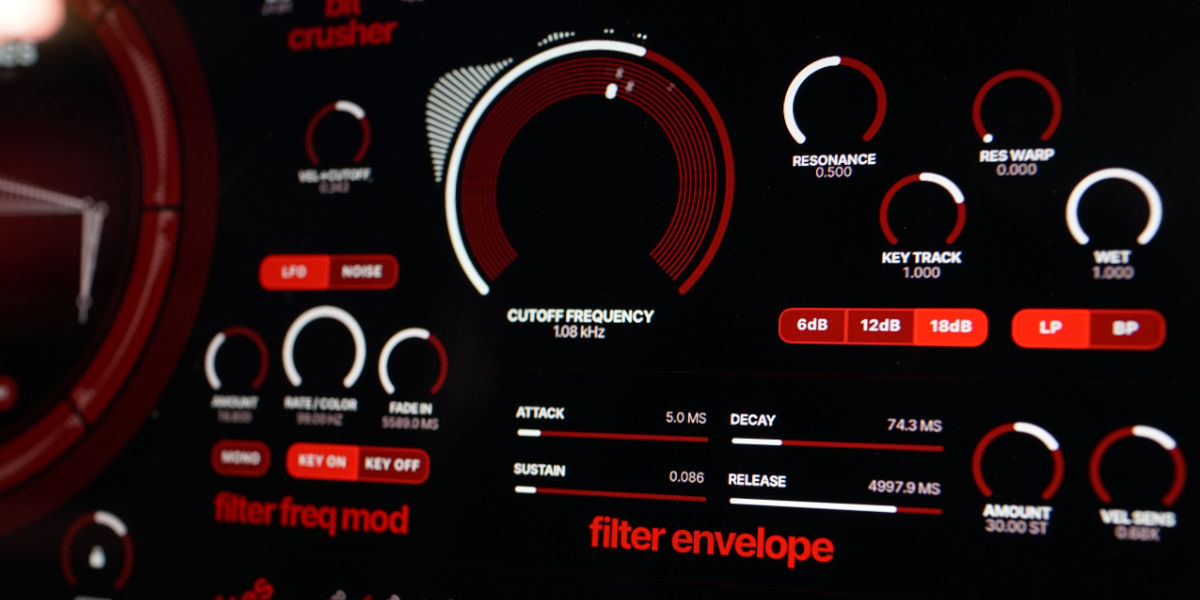
The state-variable filter provides low-pass and band-pass responses with selectable slope, resonance shaping, key tracking, velocity control, and parallel dry/wet operation.
LP / BP select the filter response.
6 dB / 12 dB / 18 dB select the filter steepness.
Resonance sets filter emphasis. The filter is not capable of self-oscillation.
Res Warp adds resonance-dependent drive.
Key Track tracks cutoff from note pitch.
Vel->Cutoff moves cutoff from note velocity.
Wet blends filtered and unfiltered output.
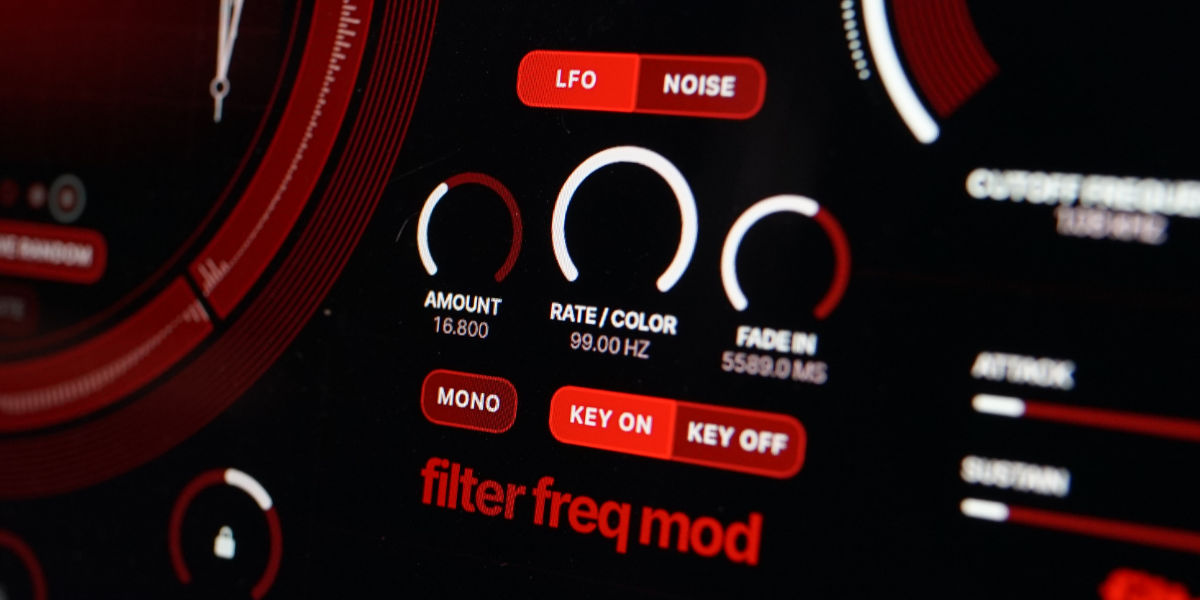
The filter-frequency modulator applies a dedicated LFO or noise source to cutoff. It is independent from the pitch modulator and modulation oscillator.
LFO / Noise selects between a sine wave or noise as modulator
Amount sets cutoff-modulation depth in semitones.
Rate / Color sets LFO speed or noise color.
Fade In sets how long the modulation takes to reach its full depth.
Mono synchronizes the LFO across voices and removes per-voice Mod Speed discrepancy. With Mono off, every new note resets its own LFO phase.
Key On / Key Off selects whether modulation and its fade begins at note-on or note-off.
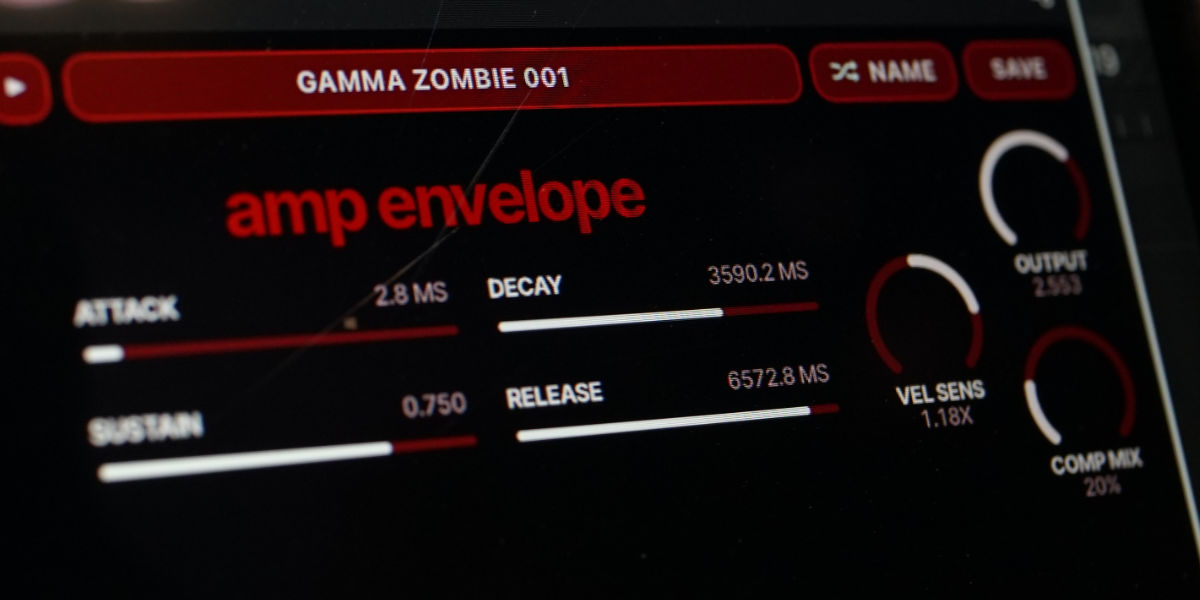
The amplifier ADSR controls voice level. Velocity can scale the envelope response, and the output section provides final gain and parallel compression.
Attack sets the rise time from note-on.
Decay sets the time from the attack peak to the sustain level.
Sustain sets the held level.
Release sets the fade from the current voice level after note-off.
Vel Sens sets how strongly note velocity scales amplifier level.
Output sets final output gain.
Comp Mix blends a fixed compressor output with the untreated output.
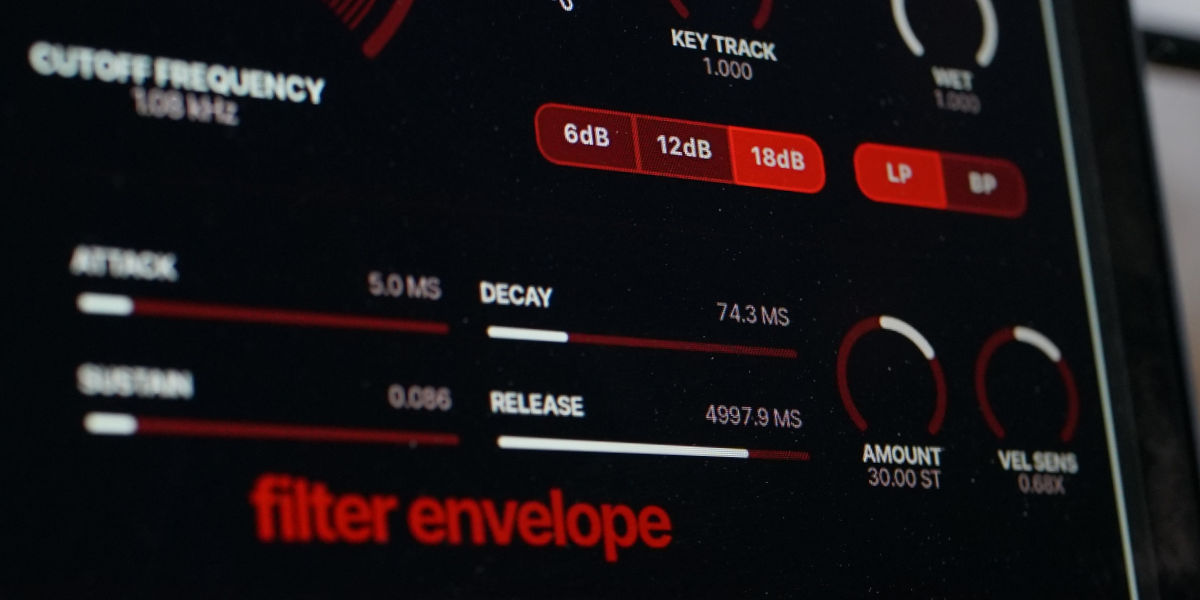
The filter ADSR offsets cutoff independently for every voice. Its amount and velocity response are bipolar.
Attack sets the rise time from note-on.
Decay sets the time from the attack peak to the sustain level.
Sustain sets the held envelope level.
Release sets the return time after note-off.
Amount sets positive or negative cutoff modulation in semitones.
Vel Sens sets positive or negative scaling from note velocity.
The logo button steps through three expression modes. The unlit state disables the additional MPE mappings. White and red use different pressure and slide assignments.
Grey mode is the most chaotic MPE mode, it affects a ton of parameters in confusing ways.
White mode distributes pressure and CC74/slide across several synthesis parameters for broad timbral movement.
Red mode uses CC74/slide to open the filter. Pressure controls per-voice amplitude above the envelope sustain floor.
Red mode, zero sustain follows pressure directly when attack and decay are at minimum. Release remains available.
Pitch bend follows the selected PB range.
Sustain holds active notes from MIDI CC64.
MTS-ESP applies tuning from a compatible tuning source.
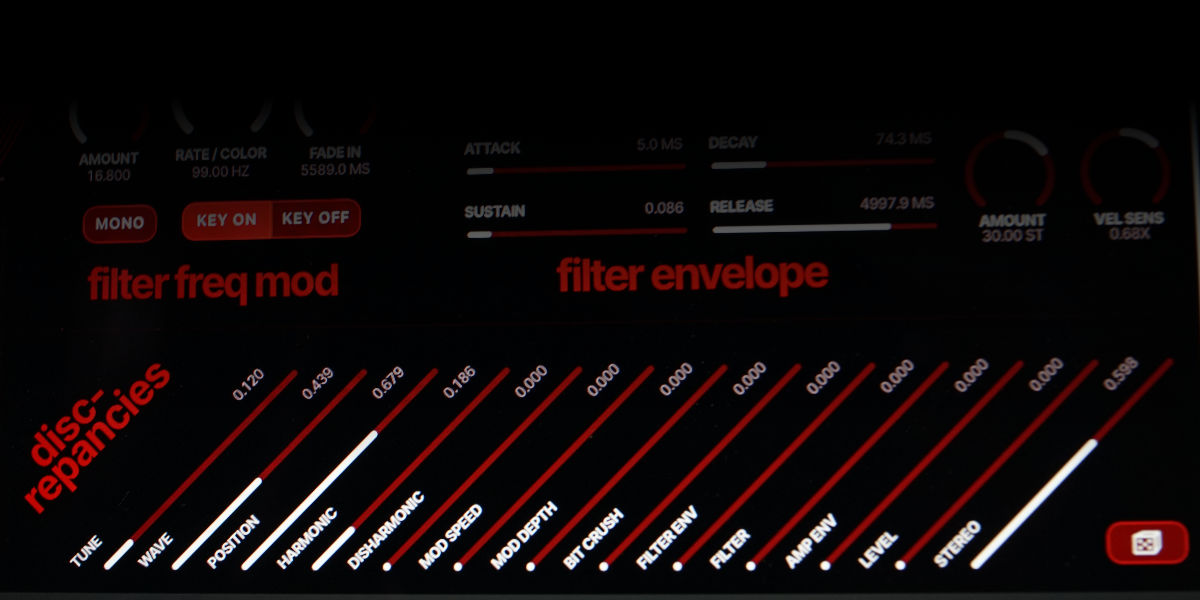
Discrepancies apply a stable set of differences to the eight physical voices. Every voice, including voice 1, has its own values. A control sets the permitted amount of variation; it does not generate continuous random modulation.
Tune offsets oscillator pitch independently for each voice, up to approximately one semitone in either direction at maximum.
Wave offsets the horizontal and vertical positions of the partial-editor nodes while preserving their order.
Position offsets each voice along the active slot path. The offset is added to sequencer, CC4, velocity-position, and voice-offset movement.
Harmonic varies partial count, harmonic distribution, and the odd/even balance.
Disharmonic varies partial offset, wave warp, and weirdness.
Mod Speed scales per-voice pitch-LFO, filter-LFO, and modulation-oscillator rates. It also contributes to amplifier- and filter-envelope timing. Mono LFO mode bypasses its speed difference for that LFO.
Mod Depth scales filter-LFO depth, filter-envelope amount, and the modulation oscillator's Filter FM, Osc TZFM, Amp AM, and Crush-Rate destinations.
Bit Crush varies bit depth, sample rate, and crusher key tracking.
Filter Env varies amplifier-independent filter-envelope attack, decay, and release timing.
Filter varies cutoff, resonance, resonance warp, response, and key tracking for each voice.
Amp Env varies amplifier-envelope attack, decay, and release timing.
Level varies voice output level before the final mix.
Stereo places voices at different positions in the stereo field.
Dice generates a new complete set of stable per-voice values. The set is stored with the preset and remains unchanged until another throw or another preset is loaded.
Zero settings bypass the corresponding discrepancy offsets even though the stored random values still exist.
White MPE mode uses the same per-voice values to distribute CC74/slide across slot position, node shape, harmonic distribution, odd/even balance, partial wave warp, and weirdness. This response can therefore change after a dice throw even when the discrepancy sliders are at zero.
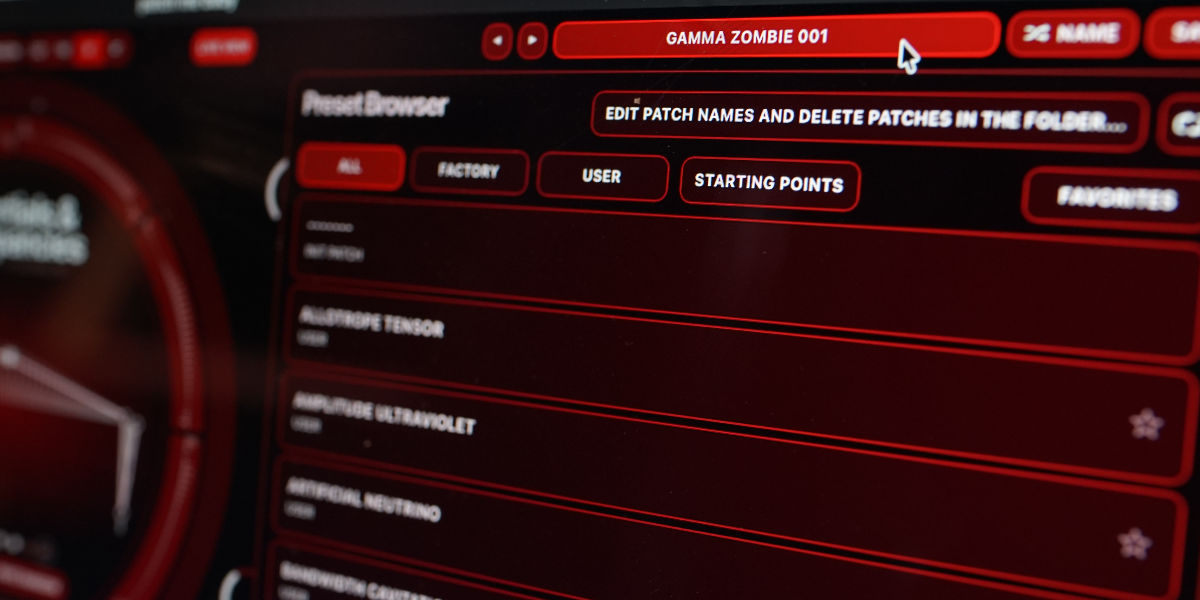
The preset name display opens the browser. Preset names come from filenames; the folder and refresh controls support external renaming and deletion.
Name generates a preset name.
Save writes the current state. Saving the init patch first generates a name automatically.
Factory / User / Starting Points / Favorites filter the preset browser. Favorites and versioned-save settings are stored globally.
Versioned Save writes the next free numerical suffix only when the current preset is dirty.
Folder opens the preset directory for external renaming or deletion.
Refresh reloads filenames and deletions made outside the plugin.
Great fit for:
It is an 8-voice additive synth built around a sinplified abstraction for partial control, where each voice has up to 128 partials, slot-based timbre motion, and discrepancy controls that make the voices diverge from one another.
It puts the additive structure, slot motion, and voice divergence right in front of you, so the sound can get weird while the workflow stays readable.
It is for synth users who want something more adventurous than a standard polysynth, but still immediate enough to quick sound design and experimentation when you need fast results.
Yes. Partials & Discrepancies supports MTS-ESP for microtonal and alternative tuning setups, and it is also MPE compatible, with 3 MPE modes, if you want a more expressive controller workflow.
macOS 12+, Windows 10/11
macOS: AU/VST3, Windows: VST3
Partials & Discrepancies also supports MTS-ESP and is MPE compatible.
These plugins use detailed real-time processing and are happiest on reasonably recent CPUs, especially when several instances are running at once.
A shared walkthrough of the Unusable preset system, with practical tips for saving, naming, organizing, and moving between ideas.
If this plugin fits your workflow, there is a good chance one of the bundles will fit even better and reduce total spend.
Includes 15 products.