Unusable Engineering ApS
effect

Geometry Reverb

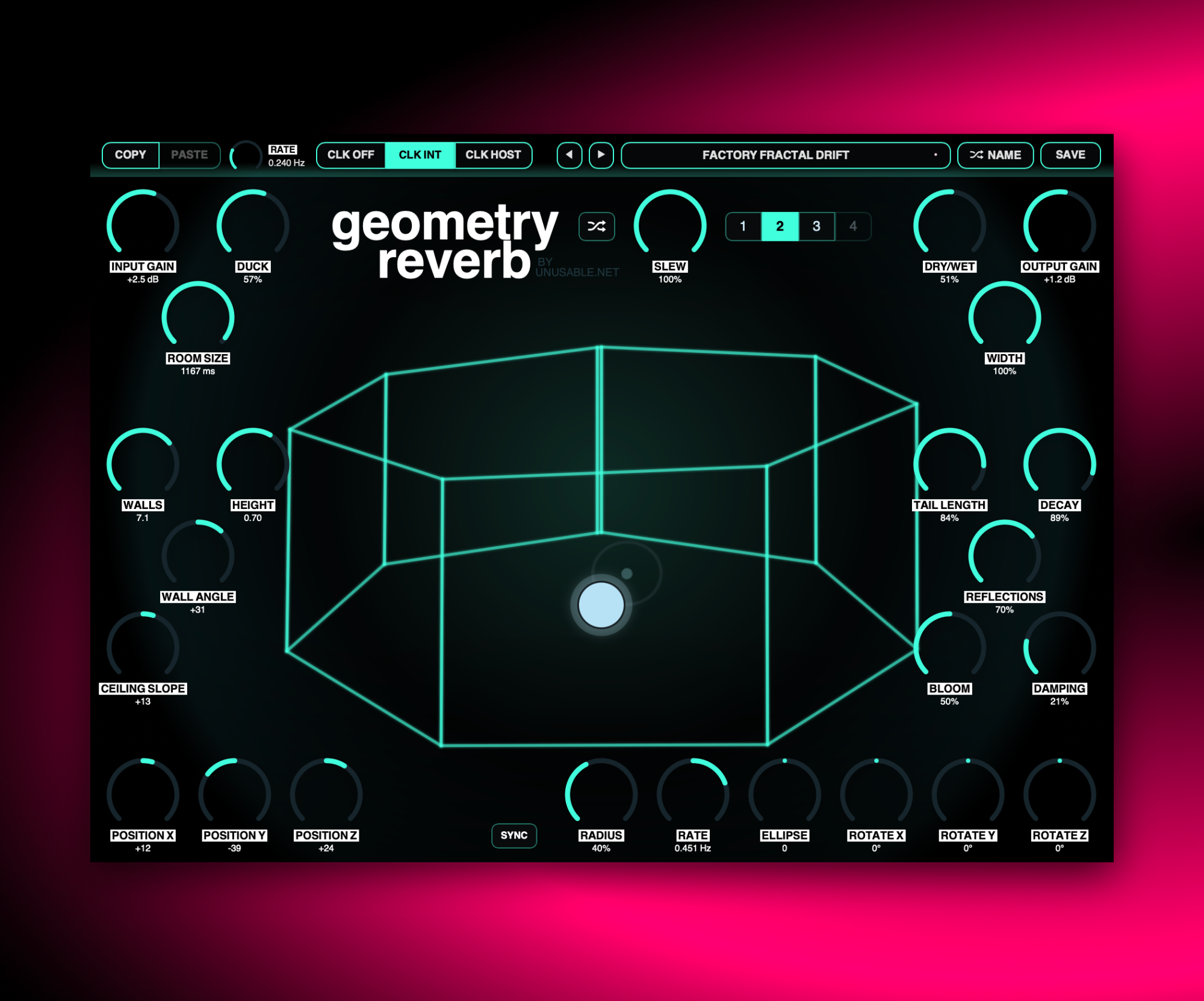
A hall reverb that uses a room-based abstraction model with 3D orbital modulation.

ReverbAU/VST3Mac/Win

1.3.3 - 2026-09-16

Slot Sequencer

  • Fixed automatic slot sequencing and parameter slew flooding the host's undo history.

1.3.2 - 2026-09-01

Slot Sequencer

  • Parameters held while sequencing now overwrite every slot passed during the gesture.
  • Added Cmd/Ctrl+click slot preview, which pauses sequencing and auditions the selected slot without slew.

Shortcuts And History

  • Added active-slot copy and paste with Cmd/Ctrl+C and Cmd/Ctrl+V.
  • Added multi-step undo with Cmd/Ctrl+Z.
  • Added redo with Cmd/Ctrl+Shift+Z.

Performance

  • Reduced reverb DSP overhead without changing the sound.
  • Reduced unnecessary geometry calculations and visual-state publishing.
  • Cached fixed DSP coefficients and room-rendering data.
  • Reduced renderer allocations and repeated Three.js matrix updates.
  • Improved CPU stability when the interface is open.

What it is

Geometry Reverb is a gift for anyone who has bought a paid Unusable plugin or bundle. It is not unlocked by the free products alone. Once you own a paid product, you can find Geometry Reverb on your account page together with its own license file. It exists partly because of Geometry Delay and partly because of a failed attempt to reinvent algorithmic hall reverbs. The original reverb experiment never really worked as intended, but the DSP was left lying around long enough to become something better when paired with the geometry interface.

It uses a hall-type reverb structure, but the room abstraction from Geometry Delay is still the control model. Changing angles, size, and wall count nudges the reverb in different directions, and moving the play-listen node changes early reflections while adding a bit of Doppler-style smearing. Four slots and slewed randomization mean it can also drift between different spaces.

It is not the reverb that does everything, and it is not really trying to be. It is the one you reach for when a synth or texture just needs that extra glow and a soft modulated space. It is surprisingly versatile.

Highlights

Geometry-style control model

It shares most of its interface logic with Geometry Delay, so the space can be pushed around quickly.

Hall reverb with movement

Node motion changes early reflections and adds a little Doppler-style smear while the space shifts.

Free for paying customers

It is free for paying customers, new or old. Free-only products do not unlock it.

Full walkthrough

A walkthrough of Geometry Reverb covering the room-based control model, modulation behavior, and how the effect moves from gentle glow into stranger hall spaces.

Slot sequencer

Geometry Reverb is slow by design, so the slot sequencer is best treated as an evolving-space tool rather than a fast pattern generator. Shifting size or position between slots can create slow pitch movement inside the reverb body, while changes in tail length, decay, reflections, bloom, and damping are well suited to long-form pad and texture work.

Most parameters want time to unfold here, but width reacts fast enough to give more obvious stereo motion when needed. Used that way, the sequencer can move the room between several related states while still keeping the overall effect smooth and spacious.

Watch slot sequencer video
Reference

Quick user guide

Geometry Reverb is a hall-style algorithmic reverb controlled through the abstraction of a room. Walls, floor, ceiling, and a shared source-listener node shape the reflections and late tail, while three-dimensional orbital movement keeps the space gently alive. This guide covers the reverb controls, room geometry, movement, slots, sequencing, randomization, and presets.

01

Signal path and reverb tail
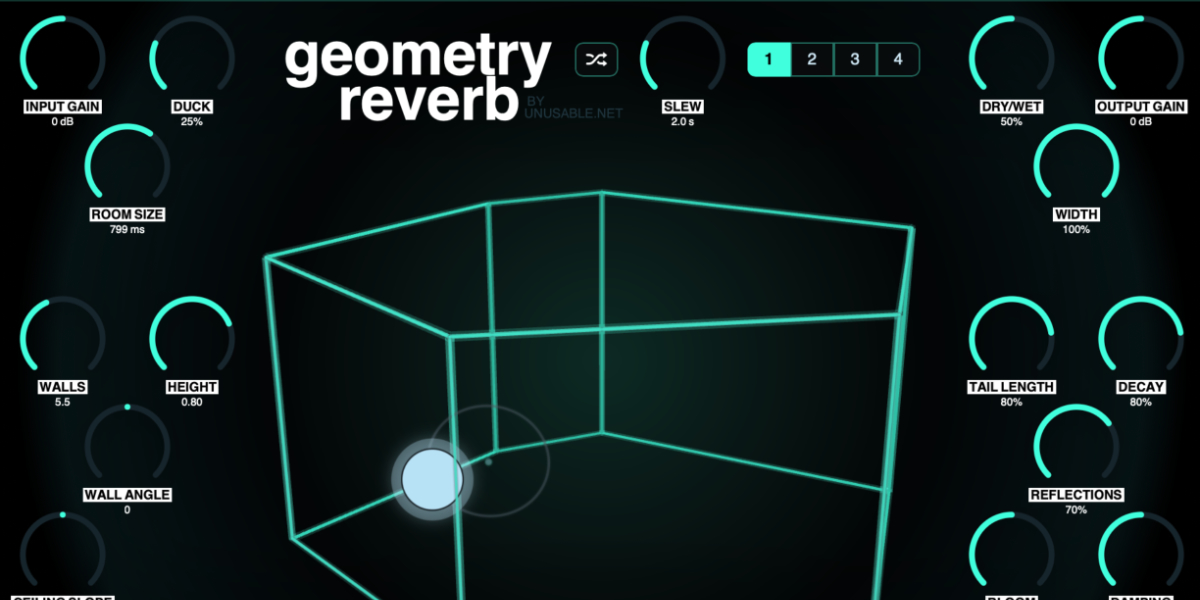
Geometry Reverb input, output, decay, tail length, reflections, damping, bloom, width, duck, and Dry Wet controls

The input enters geometry-derived early reflections before spreading into a modulated late reverb network. The room controls influence both stages, while the main reverb controls determine how quickly the space forms, how long it lasts, and how its energy changes.

Input Gain sets the level entering the reverb. The center position is unity gain.

Decay sets feedback and the overall persistence of the reverb. Its maximum is internally protected against unstable buildup.

Tail Length extends or contracts the late reverb independently of Decay. Small rooms automatically apply extra protection at long settings.

Reflections controls the strength and density of the surface-derived reflections feeding the reverb.

Damping removes high-frequency energy as sound circulates. Higher values create a darker and more controlled tail.

Bloom changes how gradually the late field develops, adding diffusion and modulation behind the early reflections.

Width sets the stereo spread of the wet signal.

Duck reduces the wet signal while new input is present, then lets the reverb rise as the input falls.

Dry/Wet crossfades between the original input and the complete reverb output.

Output Gain sets the final plug-in level. The center position is unity gain.
02

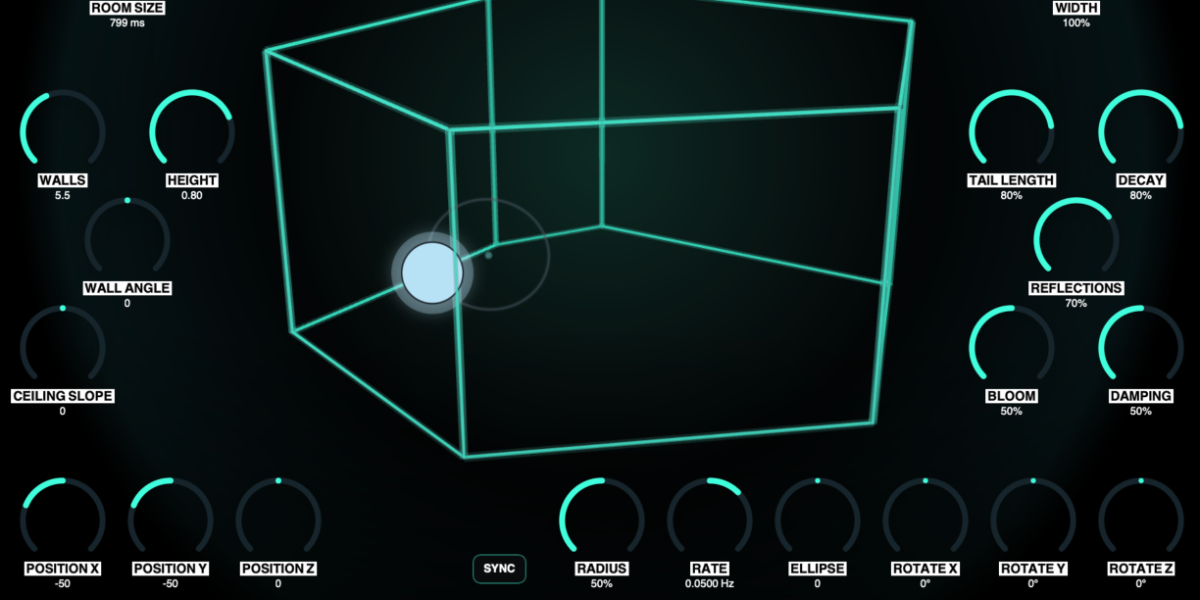
Room geometry

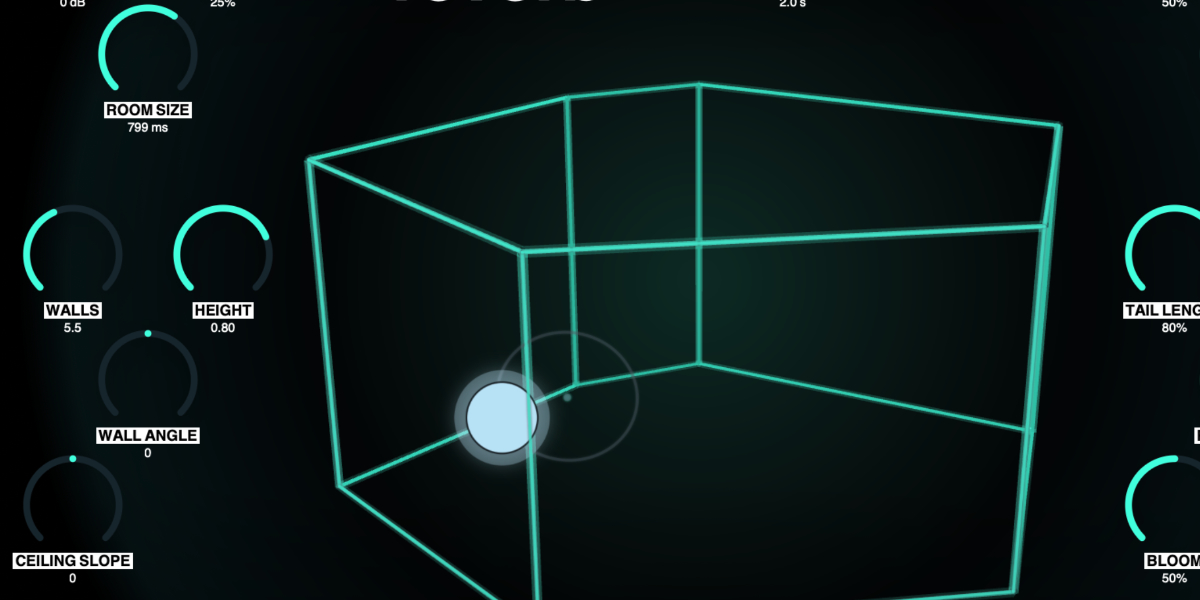
Geometry Reverb room with Room Size, Walls, Height, Wall Angle, and Ceiling Slope controls

The room is a musical control model rather than a literal acoustic simulation. Its surfaces establish related reflection paths and reshape the delay lengths, diffusion, and stereo relationships inside the late field.

Room Size sets the main time scale from a compact space to a broad hall. Smaller rooms receive stronger damping and feedback protection.

Walls morphs continuously from a three-sided room through as many as nine walls. Intermediate values fade a surface into the model instead of switching abruptly.

Height sets the distance between floor and ceiling and changes the vertical reflection paths.

Wall Angle leans the walls toward or away from the center, changing reflection distances and variation in the late network.

Ceiling Slope raises one side of the ceiling while lowering the other, changing the ceiling path as the node moves across the room.

Walls exchange energy with other walls, the floor, and the ceiling. The visualization shows the current control geometry and active paths.

03

Node position and three-dimensional orbit

Geometry Reverb node position and Radius, Rate, Sync, Ellipse, and orbit rotation controls

The blue node is both source and listener. Its position changes the distance and balance of the surface reflections, while the orbit moves it around the stored center to create continuous, naturally related modulation.

Position X moves the node left and right and changes horizontal reflection timing and stereo balance.

Position Y moves the node vertically between floor and ceiling.

Position Z moves the node through room depth, bringing one set of surfaces closer while moving away from others.

Radius sets orbit size. Small values create subtle movement; larger values make the modulation more obvious.

Rate sets free-running speed and direction. The center position stops motion; opposite sides reverse the orbit.

Sync changes Rate to host-clock divisions. Orbit phase resets with transport only while Sync is active.

Ellipse stretches the orbit on one axis, passes through a circle at center, and stretches it on the other axis beyond center.

Rotate X / Y / Z rotate the path around the three room axes from -180 degrees through 0 at center to +180 degrees.

The node remains constrained inside the current room even when the intended orbit would cross a surface.

Drag node or orbit
Move Position X and Position Y directly in the room.
Shift during drag
Switch to Position X and Position Z movement while keeping the pointer held.
Wheel over node or orbit
Move Position Z without dragging.
Option/Alt-wheel
Make finer Position Z movements.
Shift-wheel
Make coarser Position Z movements.
04

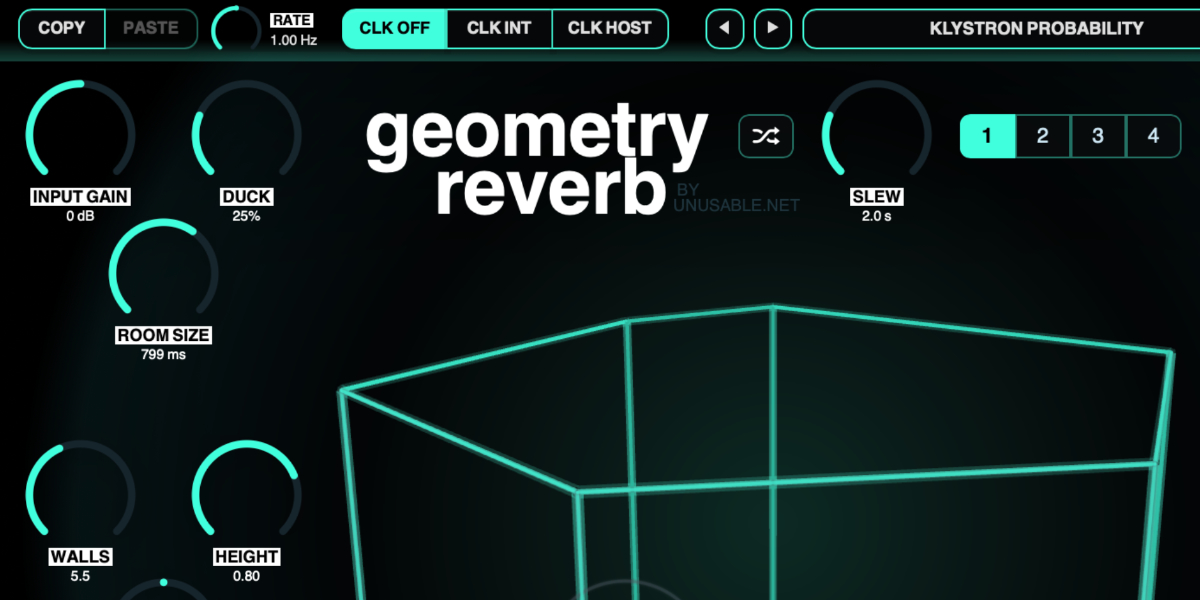
Slots and slot sequencer

Geometry Reverb Copy, Paste, Rate, clock controls, Slew, Random, and four slots

Four slots store the reverb character, room geometry, node position, and complete orbit state. Input Gain, Output Gain, Dry/Wet, Duck, and Slew remain global, so transitions do not create unintended level or mix changes.

1-4 select a slot for editing. Changing a stored parameter automatically updates the active slot.

Copy / Paste copies or pastes the complete stored state of the active slot.

CLK OFF stops automatic stepping. Slots can still be selected manually.

CLK INT advances through enabled slots from the internal Rate in Hz.

CLK HOST advances from the DAW transport and changes Rate to musical divisions.

Rate sets internal speed or the host-clock division, depending on the clock mode.

Slew sets transition time with the clock off. In clocked modes it becomes a percentage of the current step.

Holding a parameter while sequencing writes only that parameter into every incoming slot. Unrelated parameters continue their own slew.

Shift-click or double-click slot
Enable or disable the slot. At least one slot always remains enabled.
Cmd/Ctrl-click slot
Preview and lock the slot without slew, pausing sequencing until it is unlocked.
Cmd/Ctrl+C / Cmd/Ctrl+V
Copy or paste the active slot.
Cmd/Ctrl+Z
Undo the previous edit gesture.
Cmd/Ctrl+Shift+Z
Redo an undone gesture unless a new edit has cleared the redo history.
05

Randomization and evolving spaces

Geometry Reverb Random button, Slew control, slots, and room visualization

Random creates a new related room and reverb state in the active slot. Slew moves toward it smoothly, making the control useful for generating starting points as well as slow spatial changes.

Random rewrites the active slot with new reverb, geometry, position, and orbit values.

Slew sets how long the random transition takes when the slot clock is off. In clocked modes it follows the current step length.

Global gain, mix, ducking, and Slew are excluded from randomization.

Geometry changes use the same smoothing as slot transitions, avoiding abrupt delay-time jumps while the room changes shape.

For subtle movement, keep Radius low and randomize related slots. For stronger transformations, combine larger room, node, and tail differences with a longer Slew.

06

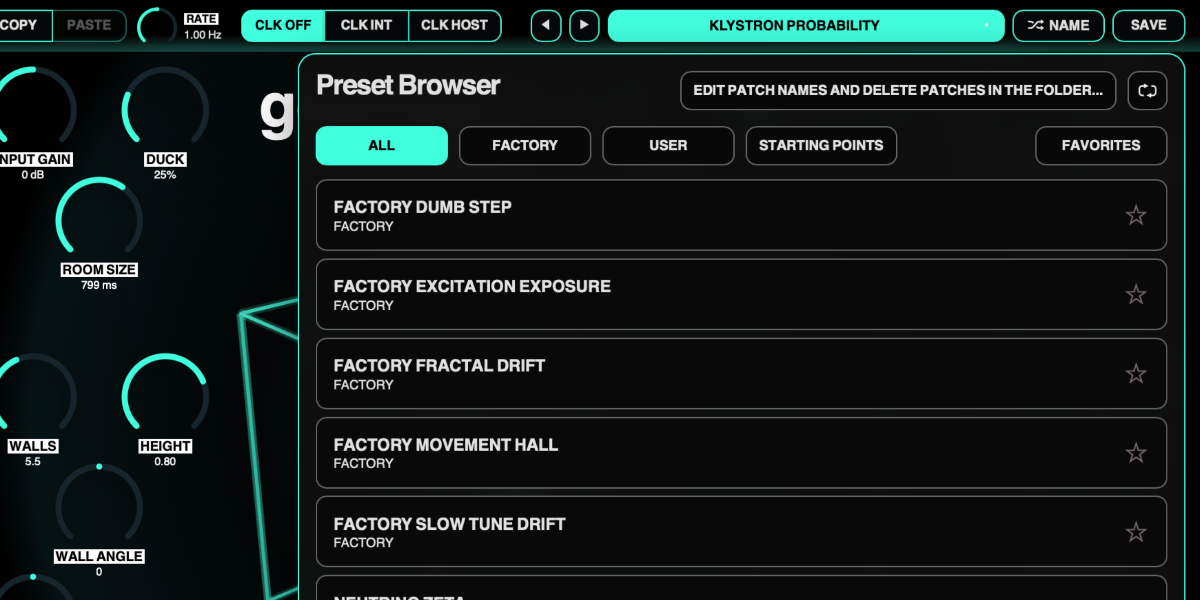
Presets and control shortcuts

Geometry Reverb preset navigation, name display, random name, and save controls

The preset name opens the browser. Presets store the complete plug-in state, including all four slots, enabled states, sequencer settings, global controls, and orbital sync state.

Preset arrows step through available presets and wrap between the first and last entries.

Preset name opens the preset browser.

Name generates a preset name.

Save writes the complete state. Saving without first generating a name creates one automatically.

Factory / User / Starting Points / Favorites filter the preset browser.

Versioned Save writes a numbered copy when the current preset has changed.

Folder opens the preset directory for external renaming or deletion.

Refresh reloads externally renamed or deleted preset files.

Drag up / down
Increase or decrease a knob value with linear vertical movement.
Double-click control
Reset it to the initial value.
Cmd/Ctrl-click or Option/Alt-click control
Reset it to the initial value.
Wheel over control
Adjust without dragging.
Option/Alt-wheel
Fine adjustment.
Shift-wheel
Coarse adjustment.

Recommended for

  • Lovely, slightly odd reverb on synths and textures
  • Ambient spaces that can morph and detune over time
  • Moving hall-style spaces that drift between subtle depth and stranger bloom

Fit and focus

Great fit for:

  • synths and textures that want extra glow and a softly modulated space
  • quick spatial tools with a room-based control model
  • reverbs that feel a little alive without becoming messy

Questions people ask

Can I buy Geometry Reverb directly?

No. Geometry Reverb is free for all paying customers, new or old. If you have bought a plugin or bundle from Unusable Engineering, it should be available on your account page.

Who gets it?

Anyone with a paid Unusable product should find it on the account recovery page together with the rest of their downloads. Free-only products do not unlock it. Remember to grab the license too.

Compatibility

macOS 12+, Windows 10/11
macOS: AU/VST3, Windows: VST3

These plugins use detailed real-time processing and are happiest on reasonably recent CPUs, especially when several instances are running at once.

The science-native interface simulations are beautiful to watch and interact with, but in larger sessions, closing plugin windows you are not actively editing can free up resources for other hungry plugins. Audio processing continues normally.

Slot sequencer

A shared walkthrough of the Unusable slot sequencer system, including how stored states, stepping, and slew can turn a static patch into motion.

Preset system

A shared walkthrough of the Unusable preset system, with practical tips for saving, naming, organizing, and moving between ideas.

Bundle option

Also available in bundle form

If this plugin fits your workflow, there is a good chance one of the bundles will fit even better and reduce total spend.

Full Suite v2

All unusable tools in one package, built to surprise, inspire, and keep the creative process moving.

€179.00€438.00incl. 25% VAT

Includes 15 products.