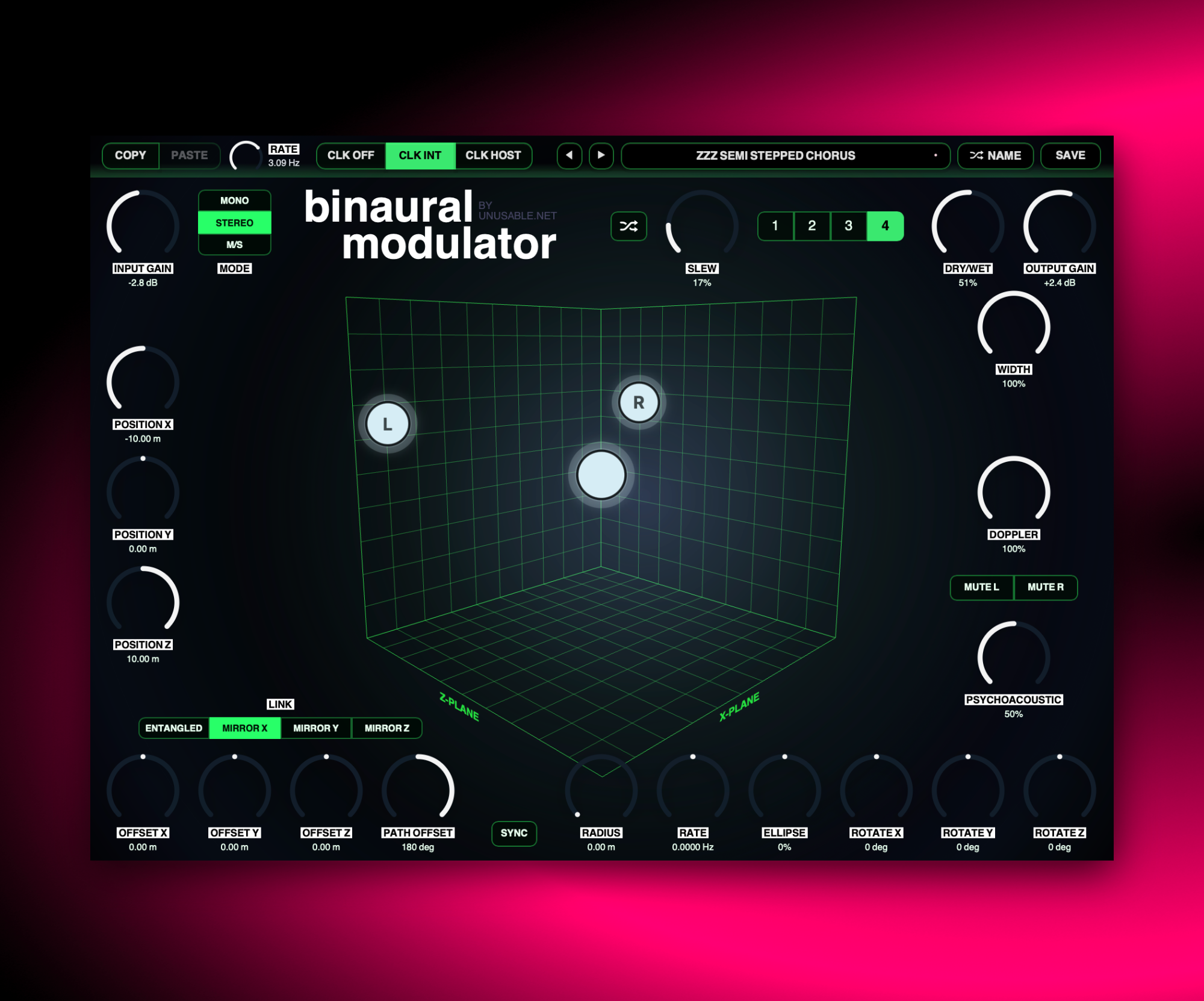
A room-model auto-pan that can drift into tremolo, Leslie-ish movement, chorus, and more.
Auto-panAU/VST3Mac/Win
1.3.3 - 2026-09-16
Slot Sequencer
Fixed automatic slot sequencing and parameter slew flooding the host's undo history.
1.3.2 - 2026-09-01
Slot Sequencer
Parameters held while sequencing now overwrite every slot passed during the gesture.
Added Cmd/Ctrl+click slot preview, which pauses sequencing and auditions the selected slot without slew.
Changed slot slew to linear interpolation for smooth, continuous movement through the full step.
Improved mode, link and mute button behavior while sequencing and slewing.
Shortcuts And History
Added active-slot copy and paste with Cmd/Ctrl+C and Cmd/Ctrl+V.
Added multi-step undo with Cmd/Ctrl+Z.
Added redo with Cmd/Ctrl+Shift+Z.
Performance
Reduced processor load by caching orbit rotation calculations.
Reduced visual overhead by caching orbit-path geometry.
Reduced WebView bridge traffic by sending only changed parameters.
Improved sequencer-state efficiency on the audio thread.
Preallocated audio scratch buffers to avoid runtime allocation during normal processing.
Improved CPU stability during orbital movement, sequencing and visual updates.
What it is
Binaural Modulator is, at heart, a very simple idea: an auto-pan effect built around a fixed listening point in the middle of a room and one or two moving sound-source nodes around it. A lot of the framework was reused from Geometry Delay, but here the focus is stereo movement rather than echoes.
Depending on mode and setup, it can behave like straightforward auto-panning, tremolo, a rough rotating-speaker effect, or even a simple chorus. Doppler and psychoacoustic filtering add extra motion, and in stereo or M/S mode the linked source nodes can mirror, offset, or entangle their movement in ways that are simple or bonkers.
It works as a practical movement tool, but it also rewards a bit of creative misuse. Pull the mix back and orbit the sources close to the listener and it starts opening up tremolo, chorus-like motion, and more animated spatial movement. It is a simple effect, but also a physics lesson. Distance gives delay, movement gives doppler, etc.
Highlights
Room-model stereo movement
A fixed listener and movable source nodes make panning visual and direct with a couple of twists.
Three operating modes
Mono, Stereo, and M/S each reinterpret the source nodes in different ways, from subtle movement to properly odd image shifts.
More than panning
With the right setup it can behave like tremolo, Leslie-ish motion, or a rough chorus without becoming CPU-hungry.
Full walkthrough
A walkthrough of Binaural Modulator covering the room model, stereo movement, node linking, and how the effect moves from auto-pan into stranger spatial modulation.
Slot sequencer
Binaural Modulator already has strong movement built into its room model, but the slot sequencer opens up modulation shapes that change speed and position over time instead of cycling in a single fixed orbit. Stepping between different stored spatial states can make the stereo image travel in ways the 3D orbital modulation cannot quite reach on its own.
That is where it gets interesting. One slot can feel almost like a straight auto-pan, another can widen into something more speaker-like, and a third can lean into stranger left-right displacement. Sequencing between them makes the whole spatial gesture feel more composed and less loop-bound.
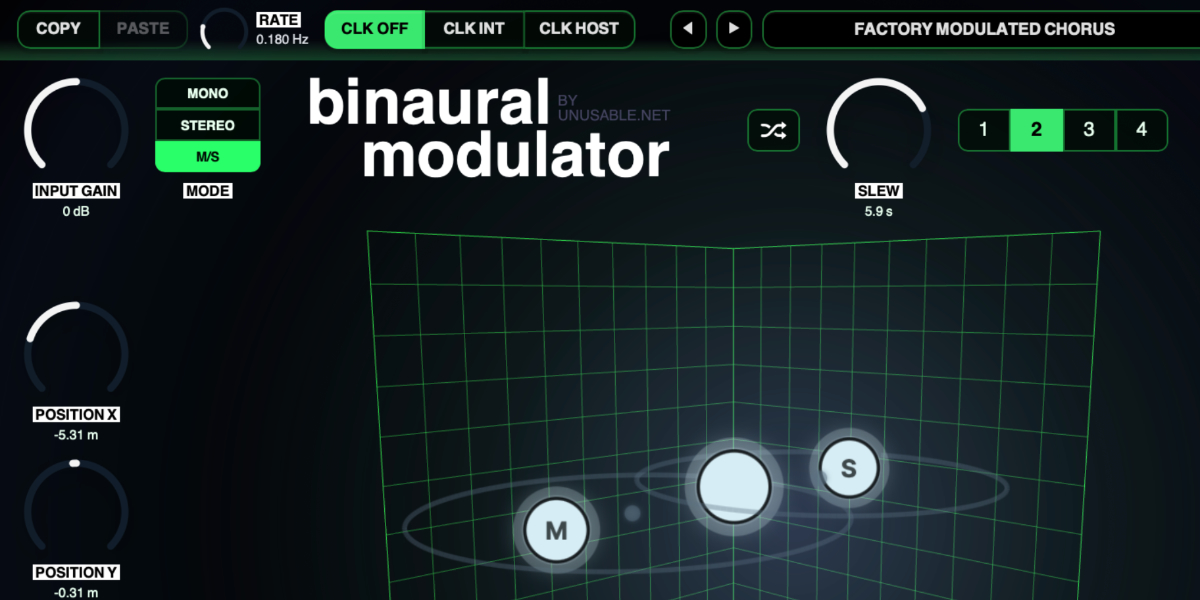
Binaural Modulator places one or two moving sound sources around a fixed stereo listener. Position and orbital movement create panning, tremolo, rotary motion, Doppler shifts, and psychoacoustic depth and height cues inside a 20-metre room. This guide covers the input modes, direct movement, stereo linking, orbit, sound controls, slots, sequencing, and presets.
01
Modes and signal path
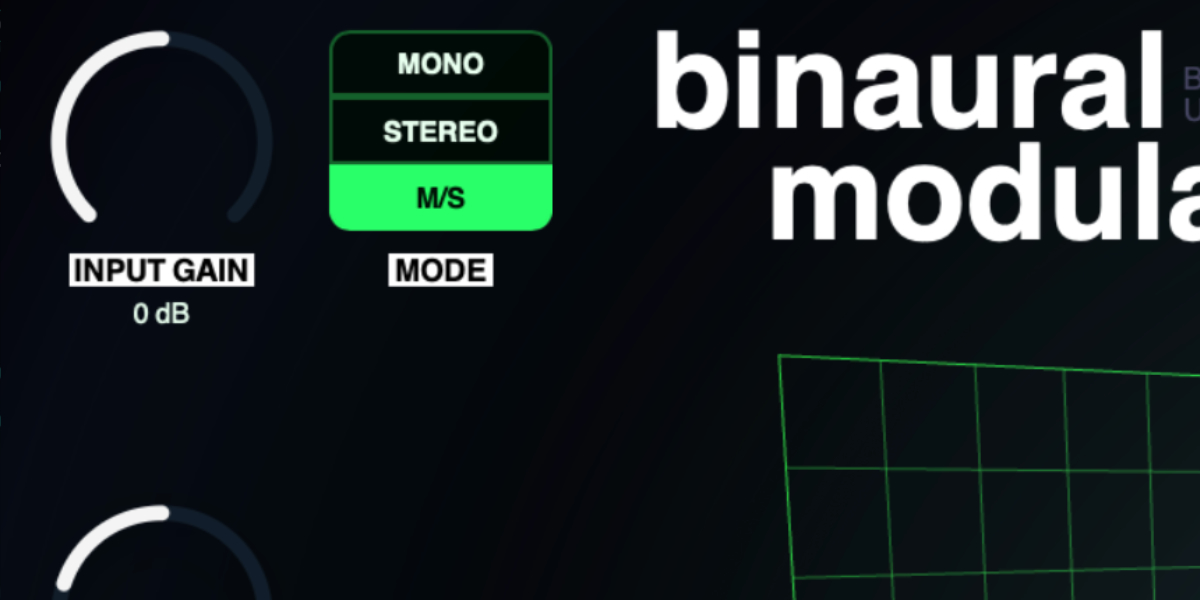
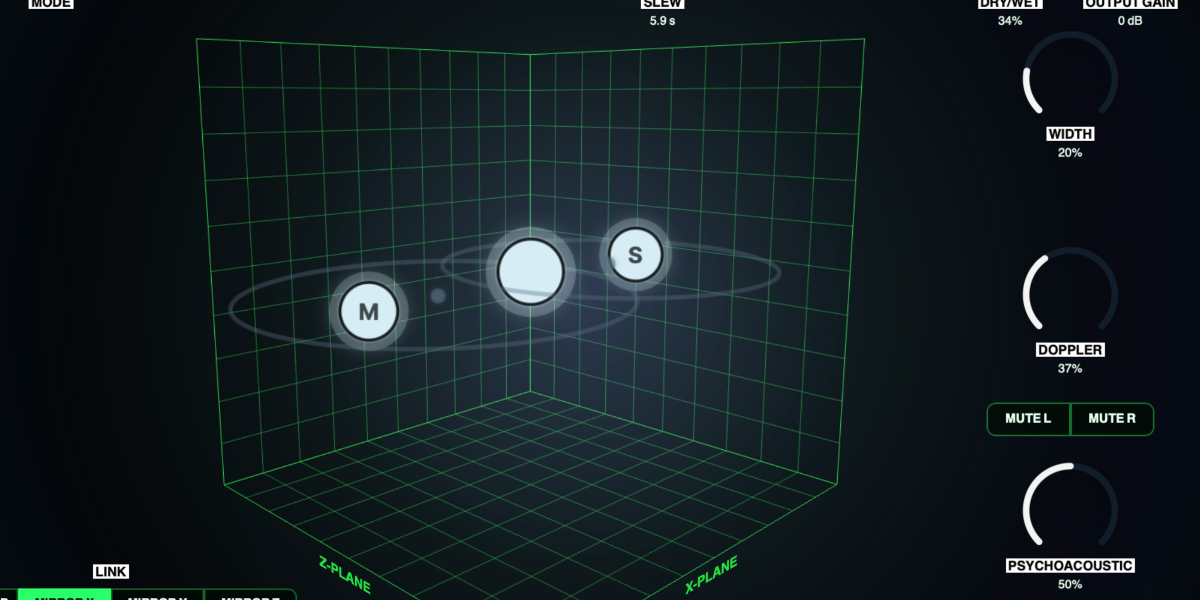
The listener remains fixed at the center of the room while the source nodes move around it. Mode determines how the incoming channels are assigned to those sources.
Input Gain sets the level entering the spatial processor. The center position is unity gain.
Mono sums the input to one source node for straightforward panning, tremolo, and rotary movement.
Stereo sends the left and right inputs to separate L and R source nodes and reveals the Link and Offset controls.
M/S converts stereo input to Mid and Side, then sends those signals to separate M and S source nodes.
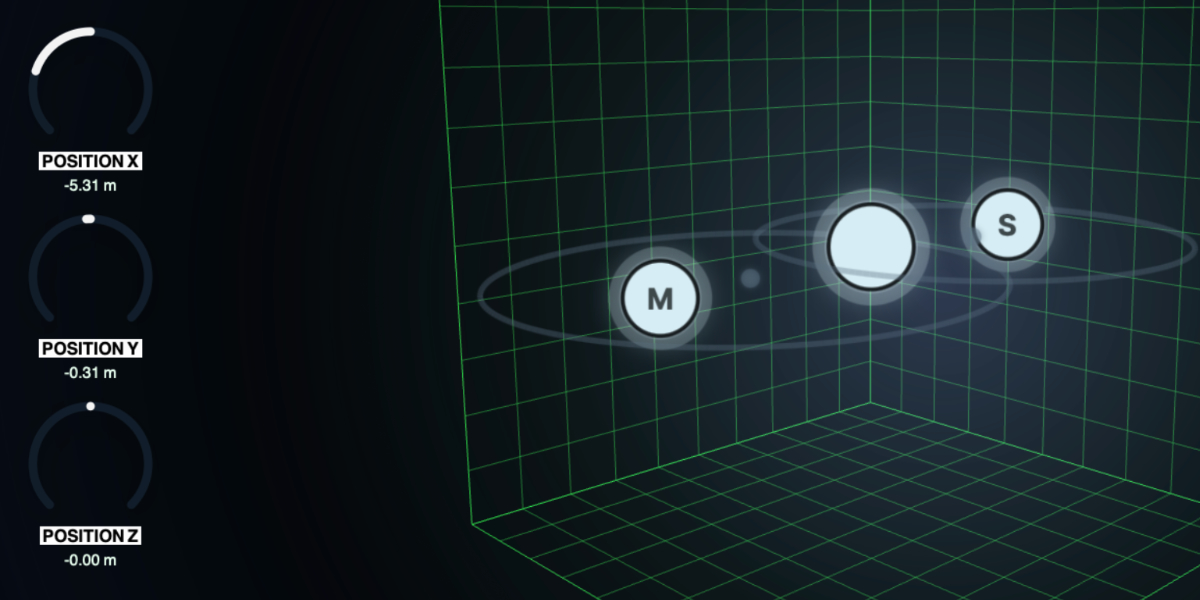
The source-node glow follows its input energy. The larger center listener follows the combined processed output.
02
Position and direct movement
Position sets the center of the main source orbit inside a room spanning -10 to +10 metres on each axis. The node is constrained by the room walls even when its intended path continues beyond them.
Position X moves the main source left and right around the listener.
Position Y moves the main source vertically between floor and ceiling.
Position Z moves the main source through room depth.
In Stereo and M/S modes, dragging the secondary source or its orbit edits Offset X, Y, and Z instead of moving the main source.
Drag source node or orbit
Move Position X and Position Y directly in the room.
Shift during drag
Switch to Position X and Position Z movement while keeping the pointer held.
Wheel over source or orbit
Move Position Z without dragging.
Option/Alt-wheel
Make finer Position Z movements.
Shift-wheel
Make coarser Position Z movements.
03
Stereo and M/S linking
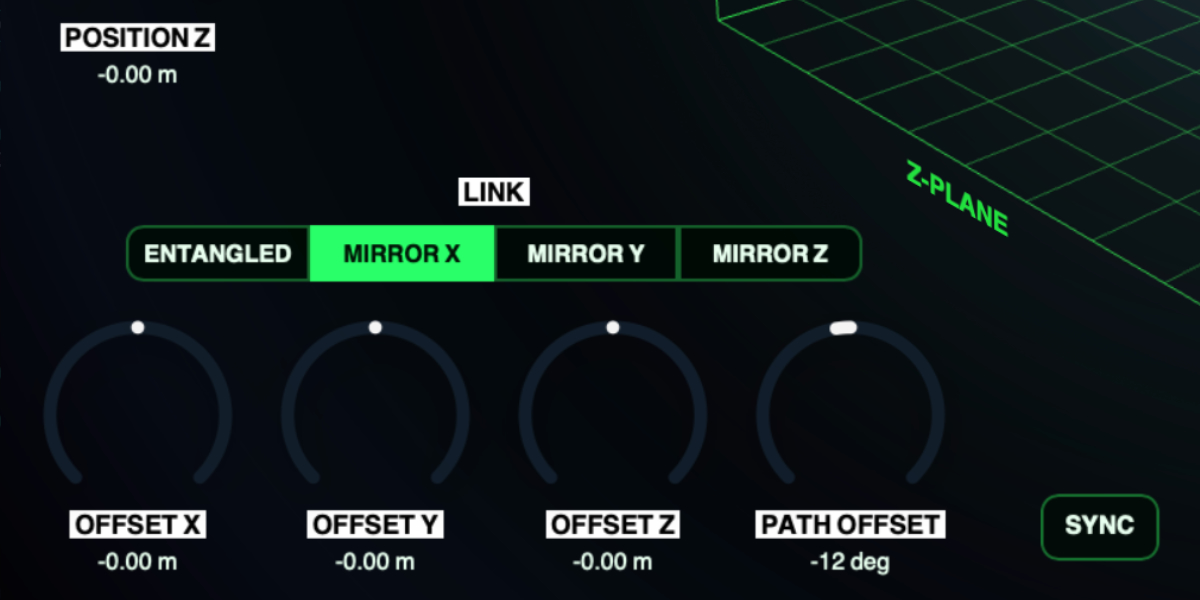
The secondary source follows the main orbit according to Link. Offsets then move its orbit center, while Path Offset changes where it sits along the path.
Entangled gives both sources the same orbital direction and orientation before offsets are applied.
Mirror X / Y / Z mirrors the complete secondary movement around the listener on the selected axis, including the direction of its orbit.
Offset X / Y / Z moves the secondary orbit center from its linked position. Available offset is limited so that its midpoint remains inside the room.
Path Offset moves the secondary source up to 180 degrees ahead of or behind the main source on the orbit.
The same linking controls apply to L/R sources in Stereo mode and M/S sources in M/S mode.
04
Three-dimensional orbit
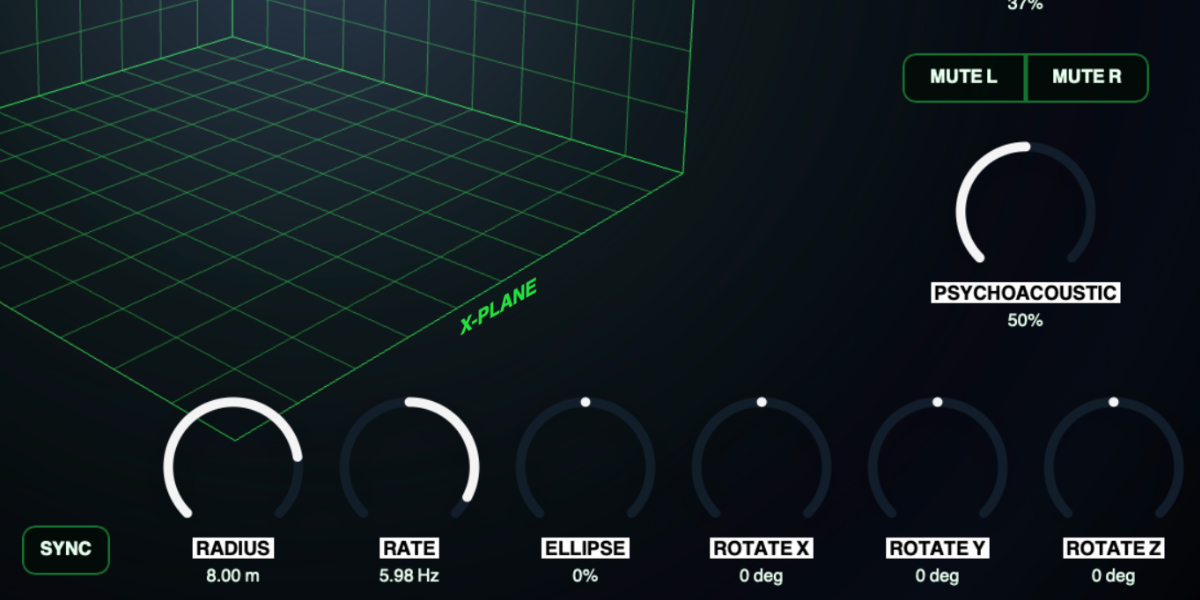
The orbital modulator moves the sources around their stored centers. Small paths create subtle spatial motion; large and rotated paths can travel across the complete room.
Radius sets orbit size from stationary to a 10-metre radius.
Rate sets free-running speed and direction. The center position stops motion; opposite sides reverse the orbit.
Sync changes Rate to host-clock divisions. Orbit phase restarts with transport only while Sync is active.
Ellipse stretches the path on one axis, passes through a circle at center, and stretches it on the other axis beyond center.
Rotate X / Y / Z rotate the path around the three room axes from -180 degrees through 0 at center to +180 degrees.
The full orbit guide remains visible when it crosses a wall. The source itself is constrained, preserving the intended path without leaving the room.
05
Spatial sound and output
The movement first establishes spatial level and timing differences. Doppler and Psychoacoustic then add optional motion, depth, and height cues, while Width and the output controls shape the final result.
Doppler sets how much physical pitch movement is produced as a source approaches or moves away from the listener. At zero, movement remains spatial without Doppler pitch bending.
Psychoacoustic adds distance damping, air loss, height coloration, front-back contrast, and small reflection and crossfeed cues. At zero, the core movement is reduced to panning and level behavior.
Width sets the width of the final stereo output. At zero the output becomes mono without removing movement-driven tremolo.
Mute L / Mute R removes one listener output to turn spatial movement into stronger level modulation. Only one mute can be active at a time.
Dry/Wet crossfades between the original input and the complete spatial output.
Output Gain sets the final plug-in level. The center position is unity gain.
06
Slots, randomization, and sequencing
Four slots store Mode, position, orbit, Sync, linking, offsets, spatial sound, Width, and mute state. Input Gain, Dry/Wet, Output Gain, and Slew remain global so sequencing cannot create unintended level or mix changes.
1-4 select a slot for editing. Changing a stored parameter automatically updates the active slot.
Copy / Paste copies or pastes the complete saved state of the active slot. Pasting takes control immediately without slew.
Random creates a new active-slot position, orbit, link, offset, spatial-sound, Width, and valid mute state. Global gain and mix controls are excluded.
CLK OFF stops automatic stepping. Manual slot selection and randomization still use Slew.
CLK INT advances through enabled slots from the internal Rate in Hz.
CLK HOST advances from the DAW transport and changes Rate to musical divisions.
Slew sets transition time with the clock off. In clocked modes it becomes a percentage of the current step.
Holding a parameter while sequencing writes only that parameter into every incoming slot. Other stored parameters continue their own transitions.
Shift-click or double-click slot
Enable or disable the slot. At least one slot remains enabled.
Cmd/Ctrl-click slot
Preview and lock the slot without slew, pausing sequencing until it is unlocked.
Cmd/Ctrl+C / Cmd/Ctrl+V
Copy or paste the active slot.
Cmd/Ctrl+Z
Undo the previous edit gesture.
Cmd/Ctrl+Shift+Z
Redo an undone gesture unless a new edit has cleared the redo history.
07
Presets and control shortcuts
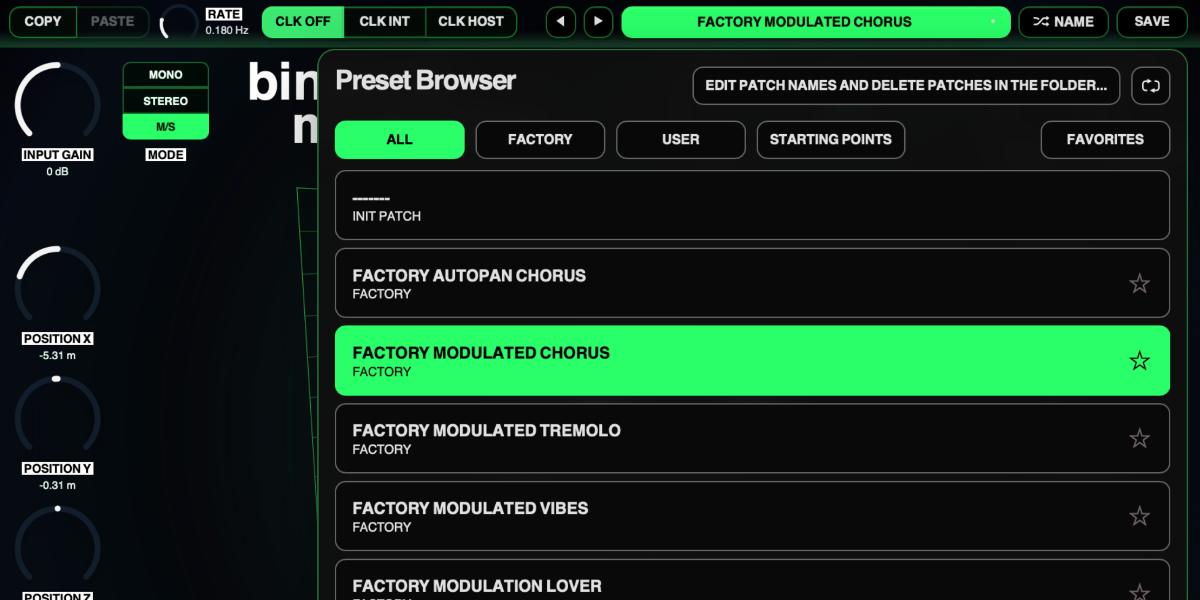
The preset name opens the browser. Presets store the complete plug-in state, including all four slots, enabled states, sequencer settings, global controls, and orbital sync state.
Preset arrows step through available presets and wrap between the first and last entries.
Preset name opens the preset browser.
Name generates a preset name.
Save writes the complete state. Saving without first generating a name creates one automatically.
Factory / User / Starting Points / Favorites filter the preset browser.
Versioned Save writes a numbered copy when the current preset has changed.
Folder opens the preset directory for external renaming or deletion.
Refresh reloads externally renamed or deleted preset files.
Drag up / down
Increase or decrease a knob value with linear vertical movement.
Double-click control
Reset it to the initial value.
Cmd/Ctrl-click or Option/Alt-click control
Reset it to the initial value.
Wheel over control
Adjust without dragging.
Option/Alt-wheel
Fine adjustment.
Shift-wheel
Coarse adjustment.
Recommended for
Auto-pan and stereo animation on pads, guitars, keys, and ambience
Rotating-speaker style movement with a bit of Doppler added
Subtle movements in the stereo field that can be automated or randomized
Fit and focus
Great fit for:
learning more about the physics of sound in a room
modulation effects that reward experimentation
simple tools that does more than they first appear to do
Questions people ask
What does Binaural Modulator actually do?
At its simplest it is an auto-pan, but the room model, node motion, Doppler, and stereo modes let it drift into tremolo, rotating-speaker style movement, and chorus-like territory.
Is Binaural Modulator free?
Yes. It is a zero-cost product, ideally it should lead you to discover how lovely unusable our products are, so that you invest in some of our paid plugins or bundles to make sure we can continue doing weird stuff.
Compatibility
macOS 12+, Windows 10/11 macOS: AU/VST3, Windows: VST3
These plugins use detailed real-time processing and are happiest on reasonably recent CPUs, especially
when several instances are running at once.
The science-native interface simulations are beautiful to watch and interact with, but in larger
sessions, closing plugin windows you are not actively editing can free up resources for other hungry
plugins. Audio processing continues normally.
Slot sequencer
A shared walkthrough of the Unusable slot sequencer system, including how stored states, stepping, and slew can turn a static patch into motion.
Preset system
A shared walkthrough of the Unusable preset system, with practical tips for saving, naming, organizing, and moving between ideas.
Bundle option
Also available in bundle form
If this plugin fits your workflow, there is a good chance one of the bundles will fit even better and reduce total spend.
Full Suite v2
All unusable tools in one package, built to surprise, inspire, and keep the creative process moving.